
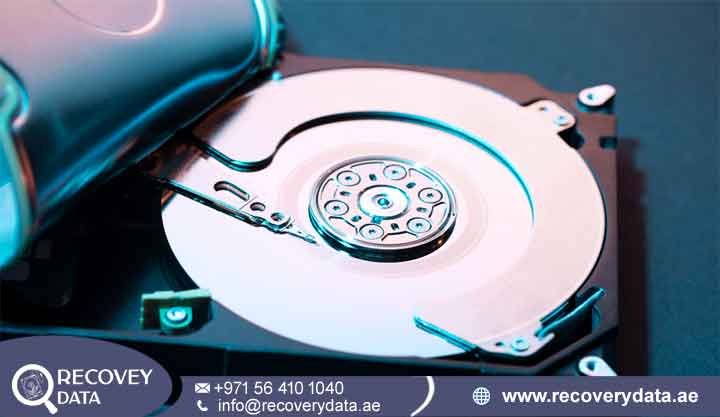
Connecting an internal storage drive, portable external enclosure, or enterprise server array should normally reveal your complete file library and expected storage capacity. However, discovering that your drive has suddenly shrunk can cause immediate concern. A 4TB drive may display only 2TB. A multi-terabyte disk may suddenly show a tiny 32MB capacity. In some cases, the entire volume may appear as 0 bytes or unallocated space. These changes can indicate a serious storage problem, especially when the drive contains important personal or business files. At Recovery Data
For individuals, creative professionals, and corporate enterprises across Dubai, Abu Dhabi, and the wider UAE, storage anomalies can indicate more than a minor technical glitch. Firmware problems, partition corruption, hardware faults, and sector translation errors can all affect the reported capacity. When a drive misreports its size, the operating system may lose access to valuable data. Attempting unverified fixes or automated disk utilities can make the situation worse. Understanding why capacity discrepancies occur and using specialized Hard drive showing wrong capacity recovery Dubai services can help protect your digital assets.
Why Is Your Hard Drive Showing the Wrong Capacity?
To understand why a storage device misreports its size, it helps to examine how operating systems communicate with storage hardware. Hard disk drives (HDDs) and solid-state drives (SSDs) use internal translation maps, firmware modules, and logical block addressing (LBA) tables. These systems tell the host computer how many sectors the device contains and where those sectors are located. When these structures work correctly, the operating system can identify the drive and display its expected capacity.
Understanding hard disk showing wrong size Dubai issues and LBA clipping
When a drive exhibits a hard disk showing wrong size Dubai symptom, the host computer may encounter a communication or translation problem. BIOS, UEFI, or the operating system may receive incorrect capacity information from the drive. Older controllers had LBA limits, including 137GB or 2TB ceilings. Modern capacity problems on large drives usually have different causes. Firmware corruption, damaged translation overlays, and sector mapping failures can cause the controller to lose track of the drive’s storage boundaries. The drive may then report only part of its actual capacity.
Firmware bugs, ROM corruption, and translator failure in modern HDDs
Modern hard drives contain a specialized area on their magnetic platters called the Service Area. This area stores important firmware and translator modules. A power surge, sudden disconnection, or bad sector can damage these modules. When the translator fails, the drive may no longer map physical sectors to logical block addresses correctly.
The drive can no longer map physical sectors to logical block addresses correctly. The drive’s internal processor may enter a safe-mode state after a microcode or firmware failure. This fallback state can cause a major capacity reduction. Advanced Hard drive wrong capacity recovery Dubai protocols may then help engineers bypass the damaged translator and access the raw user data sectors.
Common Scenarios: From 32MB Bugs to Halved Capacities

Storage capacity errors rarely appear at random. Specific technical failures often create recognizable capacity patterns. A drive may suddenly display 32MB, half of its original capacity, or even 0 bytes. Each pattern can point engineers toward a different diagnostic path. Identifying the exact capacity shown by the computer can therefore provide useful information during the initial assessment.
Hard drive showing 32MB instead of full capacity recovery
One of the most well-known firmware anomalies is the “32MB bug.” Certain Western Digital and Seagate models have experienced this type of problem. When a firmware module or NVRAM structure fails, the drive may start in a diagnostic state. It can then report its capacity as precisely 32 megabytes or, in some cases, 0MB. A hard drive showing 32MB instead of full capacity recovery case requires specialized firmware tools and careful diagnostics. Engineers may use systems such as PC-3000 to repair affected firmware modules. They must avoid unnecessary changes to the user data area during this process.
4TB hard drive showing 2TB recovery Dubai and half-capacity errors
Another common problem occurs when a large-capacity drive suddenly reports only half of its original size. For example, a 4TB drive may display as a 2TB device. A 6TB or 8TB drive may also show a similar capacity reduction. Partition table corruption can cause this issue. Firmware translation faults can create the same symptom. A 4TB hard drive showing 2TB recovery Dubai case requires engineers to identify the actual cause first. They may then restore the correct partition architecture or rebuild damaged logical boundary information.
Hard drive showing 0 bytes recovery and RAW space conversion
A drive may sometimes display 0 bytes used and 0 bytes free. The operating system may also show the storage as unallocated or RAW. Severe damage to partition headers, file system structures, or master file tables can produce these symptoms. A successful hard drive showing 0 bytes recovery process may require raw sector imaging. Engineers can then analyze the available sectors without depending on damaged file system pointers. This approach can help recover files that the operating system can no longer display.
The Danger of DIY Partition Resizing and Re-initialization
When a drive displays incorrect capacity or unallocated space, many users open Windows Disk Management, Diskpart, or third-party partition managers. They may try to extend the volume or initialize the missing space. Some users also attempt to reformat the drive. This is a catastrophic mistake. These actions can write new partition information to the storage device. New data structures may overwrite information that recovery specialists need to reconstruct the original volume.
Can a hard drive with wrong capacity be repaired without data loss?
Running partition extension commands or re-initializing a drive with a damaged translator can create additional problems. The operating system may write new partition tables over existing storage information. These changes can overwrite important sectors containing file pointers, partition boundaries, or metadata. Once those structures change, specialists may face a much more complicated recovery process.
Professional Hard drive capacity recovery Dubai laboratories can sometimes recover data after accidental repartitioning. However, the recovery process can become much more complex. Engineers may need to reconstruct several layers of damaged information before they can access the original files. If your data matters, avoid writing new partition structures. Do not format the drive or run automated repair commands. Stop using the affected device until a specialist can assess it.
Step-by-Step Professional Hard Drive Capacity Recovery Process
When storage hardware fails at the firmware or sector-translation level, recovery requires a controlled laboratory environment. Engineers need to protect the original device while they investigate the cause of the capacity problem. They also need specialized equipment that can communicate with the drive at a lower level than standard operating system utilities.
How to recover data from a hard drive showing wrong capacity safely
The recovery workflow begins with a comprehensive, non-destructive diagnostic evaluation. Certified engineers first determine why the drive reports the wrong capacity. They check whether the problem comes from logical partition corruption, file system damage, firmware failure, or a physical hardware fault. This initial diagnosis helps specialists select the safest recovery method. It also reduces the risk of unnecessary changes to the original storage device.
Bypassing damaged firmware modules and sector translation maps
For drives with translator failure or ROM corruption, engineers connect the storage device to specialized hardware and software data recovery systems.
Safe-Mode Booting: Engineers can load custom loader modules into the drive’s volatile memory (RAM). This process can temporarily bypass damaged ROM instructions on the PCB.
Translator Rebuilding: Engineers can rebuild the damaged translator overlay in a controlled virtual environment. This allows the recovery system to recognize the drive’s actual physical sectors.
Bit-Stream Imaging: After the diagnostic environment restores access to the full capacity, engineers create a bit-stream, sector-by-sector clone. They copy the available data to a write-blocked destination drive. This process protects the original media during further recovery work.
For more information on handling physical and mechanical media failures, review our detailed guide on hard drive recovery Dubai.
Device Scope: External Enclosures, Internal HDD, and Enterprise Storage
Capacity anomalies can affect many storage architectures. Internal desktop drives, laptop HDDs, external storage, NAS devices, and enterprise systems can all develop capacity problems. The cause can vary from one device to another. Some problems originate inside the drive. Others come from the enclosure, controller, partition structure, or storage array configuration.
External hard drive wrong capacity recovery and missing files
Portable external drives from manufacturers such as Seagate, Western Digital, and Toshiba can develop capacity problems after sudden USB disconnections, power spikes, or bridge board failures. Specialized external hard drive wrong capacity recovery workflows can help extract data when the external enclosure controller fails alongside the internal SATA drive. Engineers first determine whether the problem exists in the enclosure or the storage device itself. They can then choose an appropriate recovery method. For portable storage troubleshooting, explore our insights on external hard drive recovery Dubai.
Enterprise storage and multi-drive array capacity discrepancies
Corporate networks, data centers, and IT departments across Dubai and the UAE can also experience sudden storage capacity drops. RAID arrays and NAS servers may lose access to virtual volumes after drive failures or metadata desynchronization. A single missing drive can affect the way an array presents its available storage. Engineers may need to reconstruct the original RAID configuration before accessing the stored data. Rebuilding storage pools and recovering lost virtual volumes requires advanced multi-drive reconstruction techniques.
Professional Hard Drive Capacity Recovery Service in Dubai
Complex firmware corruption, LBA translation errors, and hardware-level capacity loss require specialized engineering expertise. Standard IT repair shops may not have the equipment needed for these cases. Professional laboratories use advanced diagnostic systems, forensic-grade recovery tools, and cleanroom infrastructure when physical repairs become necessary. Engineers can investigate firmware modules and damaged storage structures without immediately modifying the original data area.
Whether you are an enterprise business in DIFC, a media production studio in Dubai Media City, or a private user needing personal file retrieval, professional professional hard drive capacity recovery service in Dubai solutions provide the security and technical precision needed to restore access to lost files. A professional assessment can identify the cause of the capacity problem before recovery begins. This approach helps reduce unnecessary risks and gives you a clearer understanding of the available recovery options.
Frequently Asked Questions
Why does my external hard drive suddenly show the wrong capacity?
Several problems can cause an external hard drive to show the wrong capacity. Common causes include firmware corruption, translator module damage, partition table corruption, and external enclosure controller failure. Power problems and sudden USB disconnections can also contribute to storage errors. When the drive loses its ability to map physical sectors correctly, it may enter a safe-mode state or report an incorrect capacity.
Can data be recovered from a hard drive showing wrong capacity?
Yes. In many cases, personal files, databases, and documents may remain on the physical sectors of the disk. The capacity error can result from a communication problem between the drive controller and operating system. Professional recovery laboratories can sometimes bypass the affected structures and access the underlying data. The final result depends on the cause of the failure and the physical condition of the drive.
How to recover files from a hard drive showing 0 bytes or missing partitions?
Avoid partition repair tools and formatting software when the data is important. These tools can write new information to the drive and overwrite existing data pointers. Professional engineers can instead perform controlled diagnostics and sector-by-sector imaging. They can then analyze the cloned data and use raw file carving or file system reconstruction techniques to recover accessible files.
Can I fix a hard drive showing 32MB using Disk Management without losing files?
Do not initialize, reformat, or repartition a drive that suddenly shows 32MB. These actions can modify important data structures and make recovery more difficult. The 32MB bug can involve firmware or translator problems that Disk Management cannot repair. Professional firmware diagnostics may help restore communication with the drive while protecting the user data area.
What is the success rate for hard drive capacity recovery in Dubai?
Firmware-related capacity errors can offer strong recovery prospects when the drive has not suffered serious physical damage. Previous formatting, repartitioning, or repair attempts can affect the outcome. Engineers must also consider bad sectors and other hardware problems. A professional diagnostic assessment provides a more accurate indication of the likely recovery result than a general success-rate estimate.
How much does data recovery cost in Dubai?
Data recovery pricing varies according to the complexity of the failure. A logical partition problem may require a simpler process than firmware or translator reconstruction. Physical cleanroom repairs can require additional equipment and specialist work. Drive capacity, physical condition, firmware damage, and recovery complexity can also affect the cost. Professional laboratories can assess the device before beginning recovery work.
Professional Assistance and Secure Evaluation
If your storage device displays incorrect capacity, shows 0 bytes, or locks down because of firmware corruption, avoid automated utilities that may write to the drive. Recovery Data offers certified diagnostics, advanced cleanroom capabilities, and secure file retrieval services across Dubai and the UAE. Professional assessment can help protect important business records, databases, photographs, videos, and personal files. Avoiding formatting, repartitioning, and unnecessary repair attempts can preserve more recovery options.
Contact Recovery Data for a professional data recovery assessment.
Email: info@recoverydata.ae
Phone: +971 56 410 1040
Location: Dubai, UAE