
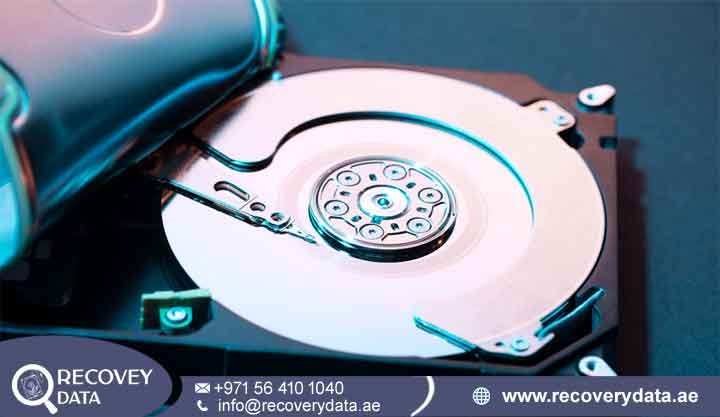
A storage drive that suddenly becomes inaccessible, asks to be formatted, or reports a RAW file system causes immediate disruption—especially when it contains critical business files, financial records, or personal archives. In these situations, the underlying hardware components like the spindle motor, read/write heads, and magnetic platters often remain entirely functional. The breakdown lies within the logical structure: the file system metadata that organizes and indexes your files has suffered damage.
At Recovery Data provides specialized hard drive file system corruption recovery in Dubai and across the UAE. Using hardware-level imaging systems and non-destructive disk analysis, our engineers reconstruct damaged volume structures, Master File Tables (MFT), and partition boundaries to retrieve your files without risking further data degradation.
Professional Hard Drive Logical Recovery Services in Dubai
When an operating system encounters file system corruption, it can no longer interpret where files begin or end. Windows may prompt you to format the volume, while macOS might report the drive as unmountable. Attempting native operating system repairs or relying on automated utility software can overwrite index structures, turning a straightforward logical recovery into permanent data loss.
Our laboratory utilizes dedicated data recovery hardware—such as PC-3000 systems—to bypass operating system drivers and interact directly with the storage media at the sector level. This isolates the physical drive from host write operations and ensures that logical manipulation occurs only on a bit-stream clone.
In a healthy system, the Master Boot Record or GUID Partition Table points directly to the Boot Sector and File System Index (such as the NTFS Master File Table, FAT, or APFS structure), which maps out the locations of your actual user data sectors. When file system corruption strikes, the drive remains hardware-detected, but the volume header or file system index becomes unreadable. This generates error messages like “Format Needed” while your actual files remain intact and recoverable on the underlying storage media.
Advanced Diagnostics & Virtual Reconstruction
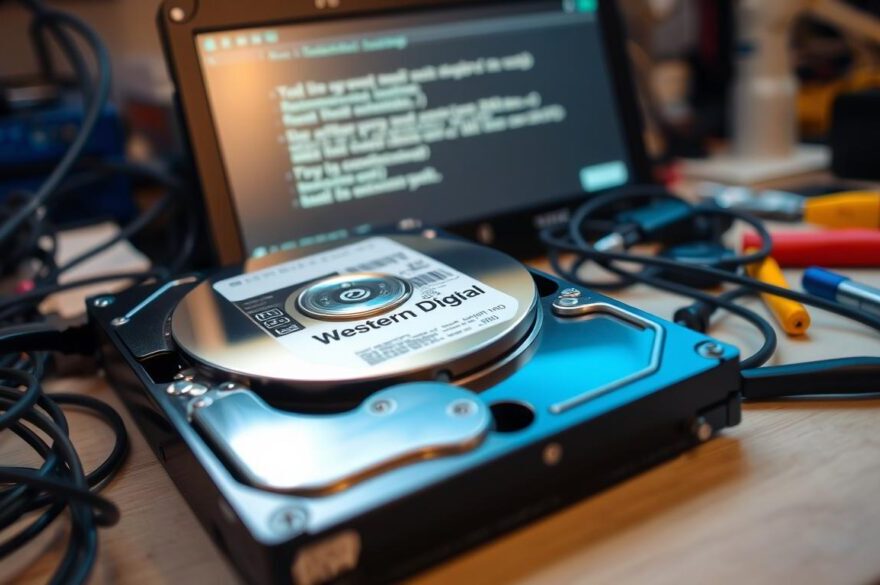
Logical data recovery requires a structured approach to prevent permanent data loss.
Sector-level read verification is performed first to evaluate the drive and confirm that its hardware mechanisms, including the heads, motor, and media surfaces, are functioning correctly. This helps engineers determine whether the problem is purely logical or whether an underlying hardware issue also affects the recovery process. After confirming stable drive operation, engineers perform
bit-by-bit image creation. The affected drive is cloned to a secure recovery server, creating a working copy of the available data. All diagnostic procedures and extraction work are then performed exclusively on this secondary image. This approach reduces the need to repeatedly access the original drive and helps protect the source media from further damage.
The next stage involves
virtual file system rebuilding. Engineers manually identify important file system markers, such as $MFT mirrors in NTFS or allocation file pointers in HFS+, to reconstruct the damaged folder structure. This process can restore directory relationships, filenames, file locations, and other file system information when the original structure remains partially recoverable.
If the file system indexes are too severely damaged for conventional reconstruction, engineers use
targeted extraction and signature carving. Deep raw file carving searches the recovered data for unique file header and footer signatures. This method can identify and extract files such as JPEG images, PDF documents, DOCX files, ZIP archives, and other supported formats even when the original folder structure or filenames are no longer available.
Supported File Systems & Storage Media
Our engineers work with a wide range of operating systems, file systems, and storage media across the UAE. We support Windows-based storage devices using file systems such as NTFS, FAT16, FAT32, exFAT, and ReFS. These include external USB hard drives, desktop 3.5-inch drives, and laptop 2.5-inch drives. For macOS and Apple devices, we support APFS, HFS+, also known as Mac OS Extended, and HFS file systems. Our recovery services cover external backup drives as well as Thunderbolt storage arrays commonly used for professional and business data storage.
We also support Linux and enterprise environments with file systems including EXT2, EXT3, EXT4, XFS, Btrfs, and ZFS. These file systems can be found on Network Attached Storage (NAS) devices, single-disk servers, and other enterprise storage systems. Our engineers can assess the storage structure and determine the most suitable recovery approach based on the condition of the device. For cross-platform and removable storage, we work with widely used file systems such as exFAT and FAT32. Supported media includes portable hard drives and high-capacity flash storage. This allows us to handle data recovery needs across different operating systems and storage configurations without relying on a single platform.
Common Symptoms of Hard Drive File System Corruption
File system corruption presents through distinct error codes and system behaviors. Recognizing these early helps prevent actions that could damage the underlying data structures.
Operating systems typically alert users to logical drive errors through several consistent behavior patterns:
Format Prompts: Windows displays messages such as “You need to format the disk in drive X: before you can use it.” RAW Status: The drive’s file system status is displayed as “RAW” instead of NTFS, exFAT, or FAT32 in Disk Management. Access Errors: Accessing the drive triggers warnings like “Location is not accessible. Access is denied.” Corrupted Directory Warnings: Attempts to open folders result in “The file or directory is corrupted and unreadable.” System Freezes: The operating system slows down significantly, freezes, or experiences I/O errors when the drive is connected. Zero Capacity Reports: The drive mounts as unallocated space, displays 0 bytes total capacity, or shows missing partition entries.
If your drive exhibits any of these symptoms, disconnect it safely to prevent background operating system routines from modifying the drive structure.
Root Causes of HDD Partition & File System Corruption
Understanding how corruption develops highlights why software-based automatic fixes often fail. File system indexes are constantly updated during read/write cycles. Interruptions during these operations cause metadata desynchronization.
Improper Disconnection & Power Disruptions
Unplugging an external drive while write caching is active or experiencing a power surge during a file transfer leaves directory structures incomplete. The operating system writes partial data, leaving the volume header or partition table in an inconsistent state.
Degrading Magnetic Media & Bad Sectors
As a hard drive ages, magnetic sectors on the platters can degrade. If bad sectors develop within critical system areas—such as the Master File Table (MFT) in NTFS or the Superblock in Linux—the operating system loses access to the map of the entire drive, making the drive appear completely empty or unformatted.
Software Crashes, Virus Attacks & Improper Partitioning
Sudden system crashes during OS updates, partition resize operations, or malware infections can overwrite master boot records (MBR) or GUID partition tables (GPT). While user data remains on the platters, the system loses the instructions needed to mount the drive.
Critical Warning: What NOT to Do When a Drive Shows RAW
When a storage drive encounters logical errors, standard operating system recovery prompts can accidentally cause permanent data loss. Do not initialize, repartition, or format a drive that reports a RAW file system. Formatting wipes indexing structures and creates a fresh metadata layer over your original files, complicating extraction.
To protect your files from irreversible degradation, avoid several common mistakes when encountering logical volume issues. Never run automated command-line utilities like chkdsk or fsck, as these programs often clear damaged indexes and truncate unindexed files to force the drive back to a mountable state. Do not agree to system format prompts or write new files to the drive, which risks overwriting the raw data blocks containing your original documents. Additionally, avoid running unverified consumer utility software directly on a physical drive that may be developing bad sectors, as continuous stress can cause magnetic media failure.
Automated repair utilities like chkdsk in Windows are designed to bring a volume back to a readable state so the OS can write to it again. To achieve this, chkdsk often deletes orphaned file fragments, reindexes damaged sectors, and truncates damaged records. When recovering critical data, non-destructive sector-level cloning should always precede any repair attempts.
How Recovery Data Restores Files from Corrupted Drives
Our recovery workflow is built around safety, data integrity, and clear diagnostic reporting.
The recovery workflow moves through four distinct technical stages to protect original data. First, the evaluation phase involves a non-invasive sector analysis and the creation of a bit-stream disk clone. Second, engineers perform virtual file system reconstruction by rebuilding damaged volume metadata on an isolated disk image. Third, signature carving and deep raw data extraction are applied to verify file integrity. Finally, the client reviews the recovered folder hierarchy prior to secure data delivery.
Step 1: Free Diagnostic Evaluation & Bit-Stream Cloning
Every drive brought to our facility undergoes a preliminary physical and logical inspection. If the hardware is stable, we connect the drive to write-blocked hardware tools to create a bit-stream clone. This ensures the original media remains untouched during extraction. If the logical corruption stems from physical bad sectors, our imaging software reads around damaged areas to preserve as much intact media as possible.
Step 2: Virtual File System Reconstruction
Using custom scripts and dedicated analysis software, engineers scan the clone for metadata fragments. We locate backup boot sectors, volume headers, and directory records to virtually mount the file system. This restores original file names, creation dates, and nested folder structures wherever possible.
Step 3: Raw Data Extraction & File Verification
If file indexes are corrupted beyond repair, we employ deep file carving algorithms. This method scans the entire raw data stream for known headers (like FF D8 FF for JPEG or 25 50 44 46 for PDF). Files are extracted, categorized by format, and checked for integrity.
Step 4: Client Verification & Secure Delivery
Once extraction is complete, we generate a file tree report for your verification. Upon confirmation, recovered data is transferred to a new, secure external storage device.
Serving Dubai & All Emirates Across the UAE
Logical data corruption affects businesses and personal users across all sectors. Recovery Data provides secure, confidential services throughout the United Arab Emirates. Our logical recovery services cover key commercial and residential regions across all seven Emirates:
Dubai: Downtown Dubai, Business Bay, Dubai Marina, Jumeirah Lakes Towers (JLT), Deira, Bur Dubai, and surrounding free zones.
Abu Dhabi: Al Reem Island, Mussafah Industrial Area, Khalifa City, and the Corniche region.
Sharjah: Al Majaz, Industrial Areas 1–18, and the SAIF Zone.
Northern Emirates: Coverage and pickup service across Ajman, Ras Al Khaimah, Fujairah, and Umm Al Quwain.
For corporate environments handling sensitive financial records or critical intellectual property, we maintain strict non-disclosure procedures and secure server environments to safeguard your information throughout the recovery lifecycle.
Differentiating Logical Corruption from Physical Drive Failure
It is important to distinguish between logical corruption and physical drive hardware failure, as handling methods differ significantly. In logical file system corruption, the drive spins up normally without unusual mechanical noises. The device is detected by the BIOS or Device Manager but fails to mount correctly, causing the operating system to report a RAW file system or prompt for formatting. Resolving logical issues involves hardware bit-stream cloning followed by virtual structure rebuilding on a secondary image.
In contrast, physical hardware failure is accompanied by mechanical symptoms such as clicking, grinding, or beeping sounds from the drive motor. The drive may fail to spin entirely or remain completely undetected by host systems. Slow read performance caused by damaged read/write heads or platter scratches also signals physical degradation. Resolving physical issues requires replacing failed mechanical components inside an ISO Class 100 Cleanroom prior to attempting sector imaging.
If your hard drive makes unusual clicking, ticking, or grinding sounds, turn it off immediately. Clicking indicates physical read/write head damage, and powering the drive on can scrape the platter surfaces, causing permanent data loss. Physical damage requires mechanical restoration inside an ISO Class 100 Cleanroom prior to logical extraction.
Specialized Storage Environments: SSDs, RAID Arrays, and NAS
While this page focuses on single hard drive file system corruption, logical structure damage also occurs in complex storage systems:
Solid State Drives (SSDs): Logical corruption on SSDs requires specialized handling due to the TRIM command and background garbage collection, which can erase unindexed blocks. To learn more about SSD-specific recovery, visit our SSD Data Recovery Service.
RAID & NAS Systems: When a RAID volume’s file system becomes corrupt, the underlying array parameters (stripe size, drive order, parity delay) must be correctly reconstructed before the volume structure can be repaired. For multi-drive failures, see our RAID Data Recovery Service.
Frequently Asked Questions
Can data be recovered from a corrupted hard drive?
Yes. In the majority of logical corruption cases, the actual file data on the storage platters remains intact. The operating system simply loses the file system map required to locate and open those files. By analyzing the raw media sectors directly, we can extract and rebuild these files safely.
How much does logical data recovery cost in Dubai?
The cost depends on the drive’s capacity, the extent of structural corruption, and whether bad sectors are present on the media. Simple partition table repairs require less engineering time than deep signature carving across large drives. We provide a transparent price evaluation after our initial diagnostic scan.
How do I recover files from a corrupted NTFS drive without formatting?
Avoid selecting the “Format” option presented by Windows. The safest method is to connect the drive to dedicated recovery hardware, clone the media at the sector level, and run virtual file system reconstruction on the cloned image. This leaves the original drive unchanged while isolating your files.
What causes a hard drive file system to show as RAW?
A drive turns RAW when the operating system no longer recognizes its file system format (such as NTFS, FAT32, or exFAT). This occurs due to corrupted volume boot sectors, damaged Master File Tables (MFT), improper disconnection during write cycles, power drops, or unreadable bad sectors in system areas.
How long does logical hard drive recovery take?
Standard logical recovery evaluations and extractions typically take 24 to 48 hours, depending on drive capacity and reading speeds. If bad sectors slow the cloning process, additional time may be needed to safely clone degraded sectors. Express service options are available for emergency situations.
Initiate Your Recovery Assessment
If your hard drive exhibits file system corruption, shows as RAW, or prompts for formatting, contact Recovery Data for a professional evaluation.
- Company: Recovery Data
- Website: recoverydata.ae
- Email: info@recoverydata.ae
- Phone: +971 56 410 1040
- Location: Dubai, UAE