
Can Data Recovery Be Done Without Opening A Hard Drive?
When storage media fails or files suddenly vanish, panic sets in immediately. For home users, IT administrators, and corporate business owners in Dubai and across the UAE, the instinctual reaction is wondering how deep physical damage goes. Device owners often ask technical support: “Can data recovery be done without opening a hard drive?” The short, […]
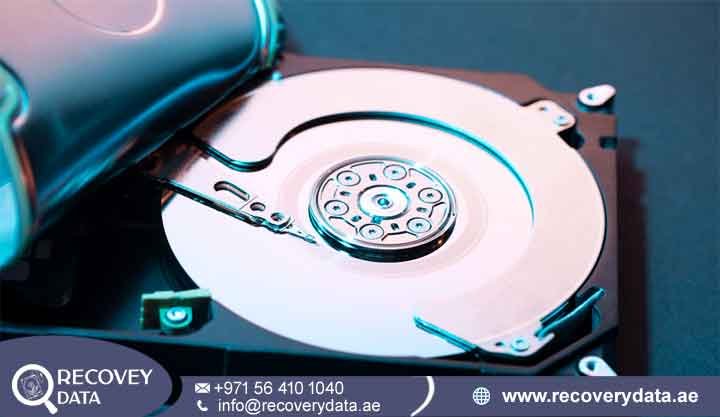
When storage media fails or files suddenly vanish, panic sets in immediately. For home users, IT administrators, and corporate business owners in Dubai and across the UAE, the instinctual reaction is wondering how deep physical damage goes. Device owners often ask technical support: “Can data recovery be done without opening a hard drive?” The short, reassuring answer is yes. In most cases, engineers perform data recovery completely without opening the hard drive. Unless a storage drive suffers from severe mechanical breakdown, internal component failure, or physical trauma, attempting to open or dismantle the drive casing outside of an ultra-clean laboratory environment guarantees permanent data loss. Modern data recovery relies heavily on non-invasive techniques, software utilities, firmware-level commands, and sophisticated hardware imaging systems. This guide explores the mechanics of non-invasive hard drive recovery, exact scenarios where opening a drive is prohibited, professional laboratory operations, and when physical cleanroom interventions become unavoidable.
The Anatomy of Data Storage: Logical vs. Physical Failures
To understand why data recovery can start without opening a storage device, you must distinguish between two primary categories of data loss: logical failures and physical failures.
Logical Failures (Non-Invasive Zone)
A logical failure occurs when the physical hardware of the hard disk drive (HDD) or solid-state drive (SSD) is fully operational, but data structures, file allocation tables, directory trees, or partition maps suffer damage or corruption.
Examples: Emptying the Recycle Bin, formatting an external drive by accident, losing partitions due to power outages, or experiencing malware file corruption. Recovery Approach: Because the hardware functions soundly, recovery specialists handle data using software algorithms, hex editors, sector reading utilities, and partition reconstruction tools without touching the physical drive seal.
Physical Failures (Invasive / Lab Zone)
A physical failure involves actual hardware degradation or mechanical component breakdown inside the sealed enclosure.
Examples: A read/write head assembly crashing onto the magnetic platter, a seized spindle motor that refuses to spin, or a burned-out Printed Circuit Board (PCB) caused by a power surge. Recovery Approach: While initial diagnostics occur externally, physical component replacement, firmware repair, and platter extraction demand a specialized cleanroom laboratory environment.
What Does “Non-Invasive” Hard Drive Data Recovery Mean?

In professional data recovery environments such as laboratories serving clients across Dubai, Abu Dhabi, and the wider UAE non-invasive recovery refers to procedures that retrieve lost data without breaching the hermetically sealed factory chamber of an HDD or the internal architecture of an SSD.
The Mechanics of Non-Invasive Workflows
When a client brings a drive into a professional data recovery facility, technicians rarely connect it to a standard consumer Windows or Mac computer to run arbitrary software scans. Doing so on an unstable drive overworks failing components and triggers permanent destruction. Instead, professional workflows utilize specialized hardware-software complexes, such as ACE Laboratory’s PC-3000 system. These professional tools communicate directly with the drive low-level controller, bypass standard operating system bottlenecks, and interact directly with the firmware service area.
Why Professionals Always Prefer Non-Invasive Methods
Zero Risk of Contamination: Keeping the drive sealed protects the sensitive internal environment from airborne dust, humidity, and oils.
Controlled Stress Management: Professional imaging hardware lets technicians throttle read speeds, skip bad sectors safely, and map healthy areas before targeting problematic zones.
Preservation of Original Media: Non-invasive methods write recovered files onto a secondary destination drive, ensuring the source media remains unaltered for forensic purposes.
Scenarios Where Data Can Be Recovered Without Opening the Drive
A vast percentage of data loss cases involve scenarios where opening the enclosure remains completely unnecessary.
A. Accidental Deletion and Formatting
When a user deletes a file, the operating system does not instantly wipe binary data from storage blocks. Instead, it marks that space as available and removes the file pointer from the directory index. As long as new data does not overwrite those exact sectors, recovery software or low-level file carvers reconstruct the file entirely without opening hardware. Similarly, quick-formatting a drive only resets the file system table, leaving underlying data intact until overwritten.
B. File System Corruption and RAW Drives
If a drive suddenly displays as RAW in disk management or throws errors like “You need to format the disk,” the drive itself usually functions mechanically fine. The master boot record (MBR), GUID partition table (GPT), or file allocation tables (NTFS, exFAT, APFS) simply lost synchronization. Rebuilding these structures via specialized software or firmware tools restores complete access instantly.
C. External Enclosure and Bridge Board Failures
Many users panic when an external hard drive stops responding to a USB port. Frequently, the internal hard disk drive inside the plastic casing operates healthily, but the small SATA-to-USB bridge board (the adapter inside translating USB signals to internal SATA protocols) failed due to a power spike or component burnout. Carefully extracting the bare internal drive from its external housing and connecting it directly to a desktop motherboard via a SATA cable or a fresh adapter often restores data access immediately without touching disk mechanics.
Professional Methods Used to Recover Files Without Opening a Hard Disk
When tackling complex data loss non-invasively, professional engineers deploy a range of specialized tools and techniques.
Hardware-Level Sector Imaging
Failing drives often develop bad sectors where the magnetic surface degrades. Standard operating systems freeze, hang, or crash when encountering a bad sector. Professional data recovery engineers use hardware imagers that can: Read sectors selectively, bypassing damaged areas initially. Re-read problematic zones using custom head-switching and voltage adjustments. Clone the entire drive bit-by-bit onto a healthy destination drive, ensuring that if the failing drive dies completely, all accessible data remains secured.
Firmware and Service Area Repair
Every modern hard drive contains a service area—a hidden region on the platters where manufacturers store calibration data, translator tables, and module overlays. If this firmware corrupts, the drive locks up or reports 0GB capacity, even though user data on the platters remains untouched. Using specialized diagnostic terminals, engineers upload temporary microcode patches into the drive RAM, repairing corrupted service area modules on-the-fly and restoring normal read access without opening the casing.
When Opening a Hard Drive Becomes Strictly Necessary
While non-invasive methods solve most logical and minor electronic failures, specific symptoms dictate that engineers must open the drive to achieve data recovery. Recognizing these symptoms prevents users from wasting time on software tools that cannot fix hardware physics.
Mechanical Failures and Head Crashes
If a hard drive emits clicking, ticking, buzzing, or grinding noises, software cannot help. These acoustic anomalies indicate that the read/write head assembly failed, bent, or crashed onto the magnetic platter surface. Because heads cannot read data tracks, specialists replace them with matching donor parts inside a controlled cleanroom environment.
Spindle Motor Seizure
If a drive refuses to spin up entirely—emitting a faint hum or beep when powered on—spindle motor bearings may have seized due to friction, manufacturing defects, or physical shock. Freezing a drive in a kitchen freezer introduces condensation that rusts internal components. Fixing a seized motor requires transferring platters into a donor chassis using specialized alignment tools.
The Danger of Opening Hard Drives at Home (The Cleanroom Reality)
Internet forums and unverified video tutorials often encourage users to open external hard drives on a normal desk or kitchen table using a small screwdriver when troubleshooting clicks.
Why Certified Cleanrooms Are Mandatory
Inside a hard drive, read/write heads float on a microscopic cushion of air just nanometers above magnetic platters spinning at speeds ranging from 5,400 to 15,000 RPM. In ambient room air, millions of invisible dust particles, skin flakes, and microscopic debris float freely. Opening a hard drive outside of a certified ISO Class 5 / Class 100 Cleanroom means a single speck of dust landing on the platter acts like a massive boulder on a highway. When the drive spins up, the read head strikes that dust particle, causing a catastrophic head crash that permanently scores and shaves off the magnetic coating containing your files. Once the magnetic layer scratches physically, those data tracks are gone forever.
Advanced Storage Technologies: SSD Recovery Challenges
Solid-State Drives (SSDs) operate fundamentally differently from traditional mechanical hard drives, introducing unique recovery challenges.
Do SSDs Have Mechanical Parts?
No. SSDs contain no moving parts, spinning platters, or read/write heads. They rely on NAND flash memory chips and a storage controller chip. Therefore, opening an SSD physically does not apply in a mechanical sense.
The TRIM Command Complication
The biggest hurdle in SSD data recovery is the TRIM command. When files delete on an SSD, or when an OS formats the drive, the TRIM command immediately wipes corresponding electrical charges from flash memory cells to maintain write performance and longevity. If TRIM executes, recovering deleted files via software becomes nearly impossible. However, if an SSD controller fails electronically or suffers firmware corruption, raw memory chips often remain intact. Professional data recovery involves chip-off techniques, desoldering NAND chips, and reading them directly via specialized programmers to reconstruct data non-invasively at the controller layer.
Enterprise and Complex Systems: RAID, NAS, and Servers
For corporate offices, financial institutions, and engineering firms across Dubai and the UAE, data loss rarely affects a single standalone drive. It frequently impacts complex multi-drive architectures:
RAID Arrays (RAID 0, 1, 5, 6, 10): Network-attached storage (NAS) boxes and enterprise server racks rely on parity and striping. When multiple drives fail simultaneously or a controller card malfunctions, simple software tools fail. Recovery requires virtual RAID reconstruction, analyzing parity blocks, and imaging individual drives non-invasively before reassembling the logical volume structure in a virtual environment.
Virtualization Environments: Modern server setups running VMware ESXi, Microsoft Hyper-V, or complex SQL databases require specialized expertise to extract individual virtual hard disk (VMDK/VHDX) containers and repair internal database structures without disrupting enterprise continuity.
Professional Data Recovery Services in the UAE
When data loss strikes individual users or large-scale enterprises in Dubai, Abu Dhabi, Sharjah, Ajman, Umm Al Quwain, Ras Al Khaimah, or Fujairah, professional handling guarantees the highest possible recovery success rate.
Secure Diagnostics and Evaluation
At Recovery Data, every recovery case begins with a thorough, transparent evaluation. Our engineers examine storage media to determine whether a non-invasive software/firmware solution is sufficient or if a cleanroom intervention is required. We maintain strict standards of data confidentiality and secure device handling. All customer data remains encrypted and protected throughout diagnostic and recovery phases, meeting compliance requirements for corporate, medical, and governmental entities across the UAE.
Collection and Drop-Off Options
Understanding that time is critical during data disasters, Recovery Data provides streamlined evaluation and secure drop-off pathways. Whether your office operates in Downtown Dubai, Dubai Silicon Oasis, Abu Dhabi Global Market, or the northern emirates, our team guides you through safe packaging and rapid device submission.
Frequently Asked Questions
Can data be recovered from a failed hard drive without opening it?
Yes. If the failure is logical such as a corrupted partition table, accidental formatting, or a minor firmware lockup recovery specialists perform data recovery entirely through non-invasive software and hardware imaging interfaces without touching internal components.
Is it safe to use recovery software on a clicking hard drive?
No. Clicking, ticking, or grinding sounds indicate physical mechanical failure, such as a head crash. Running software on a clicking drive forces damaged components to scrape across platters, rapidly destroying your data. Professionals must evaluate it in a cleanroom environment.
How much does data recovery cost in Dubai?
Data recovery pricing depends entirely on the nature and severity of the failure—whether it requires logical software reconstruction, firmware repair, electronic component soldering, or cleanroom head replacement. Recovery Data offers transparent evaluations to diagnose the exact issue before proceeding with any paid work.
Can deleted files be recovered from an SSD without opening it?
Yes, provided the files have not been permanently wiped by TRIM commands or background garbage collection protocols. Specialized software or firmware-level imaging extracts remaining blocks non-invasively.
Can water-damaged or fire-damaged storage devices be recovered?
Yes, in many cases. If a device suffers liquid exposure, corrosion, or heat damage, professional laboratories clean electronics, replace damaged printed circuit boards (PCBs), and extract data from underlying storage media safely. Do not attempt to plug in or power on water-damaged drives.
How long does a typical data recovery process take?
Standard non-invasive logical recoveries often complete within 24 to 48 hours. Complex physical repairs, cleanroom component replacements, or massive RAID array reconstructions may take several business days depending on drive capacity and damage severity.
Professional Assistance
If you face data loss and require expert guidance on whether your storage device can be recovered safely without invasive measures, reach out to our team of specialists.
Contact Recovery Data for a professional data recovery assessment.
Email: info@recoverydata.ae
Phone: +971 56 410 1040
Location: Dubai, UAE

