
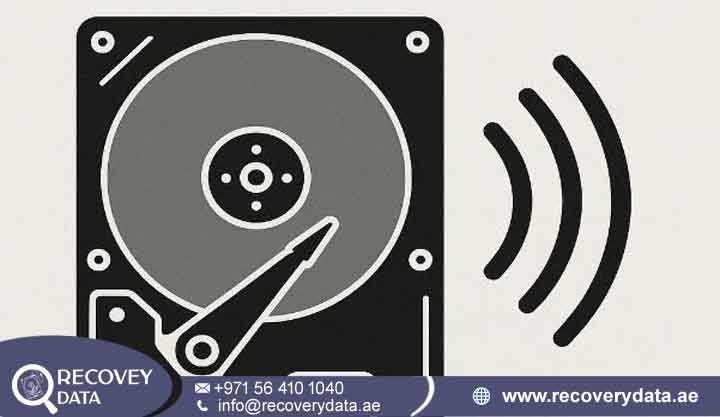
Realizing that you accidentally formatted your hard drive, partition, or external storage device can cause immediate panic. The mistake can happen during an operating system reinstallation, a disk management task, or a wrong partition selection. In seconds, important family photos, business spreadsheets, financial records, or project archives may disappear from view. However, formatting does not always destroy every file immediately. The recovery outcome depends on the type of format, the storage technology, and the activity that followed the format. Taking the right steps during the first few minutes can greatly improve your chances of recovering important information.
If you face this stressful situation in the UAE, prompt and careful action is vital. At Recovery Data, we specialize in professional hard drive accidentally formatted recovery in Dubai. We help individual users and enterprise clients across the Emirates retrieve lost files safely. Our recovery process starts with a detailed diagnosis. We do not immediately scan or modify the affected storage device. First, our engineers check the drive for formatting errors, damaged file-system structures, overwritten sectors, bad sectors, firmware problems, and hardware faults. This assessment helps us choose the right recovery method and protect the remaining data.
Immediate Steps to Take After Accidentally Formatting Your Hard Drive
When an accidental format occurs, many users react quickly. They may download free recovery software, run repair utilities, or try DIY scripts. These actions can create additional problems. A simple logical data loss case can turn into a permanent overwrite situation. Protecting your data requires patience and restraint. The operating system may no longer display your original files, but that does not always mean the data has disappeared. Further activity can change the condition of the drive. For this reason, avoid testing several recovery programs before understanding the situation.
Stop Using the Drive Immediately
The most important step after an accidental format is to stop using the affected storage device. If the formatted drive works as your primary internal boot drive, shut down the computer completely. Do not browse the web or stream videos from that system. Also, prevent background updates, indexing, and other system processes from running. These activities can create new files on the drive. New files may occupy sectors that still contain your original information.
If the affected drive is an external HDD or SSD, disconnect it safely. Keep it in a secure location until you can assess it properly. Do not reconnect the drive several times just to check whether the files have returned. Repeated access can create unnecessary read and write activity. This risk becomes more serious when the drive contains business documents, databases, photographs, videos, accounting files, or project archives. A professional diagnosis can examine the storage device without treating it like a normal working disk.
Avoid Re-partitioning or Writing New Data
When a drive receives a new format, the operating system creates or resets important file system structures. These structures can include the Master File Table in NTFS or allocation tables in FAT32 and exFAT. The raw data may still remain on the storage media after a quick format. However, new data can overwrite those sectors. Installing recovery software on the formatted volume can therefore reduce the chances of successful recovery.
Never save, copy, or download new files to the affected drive. Avoid installing applications on that drive as well. Do not use it as a temporary storage location. Even small files can overwrite important areas. Keep recovered files on a separate healthy storage device. You should also avoid creating a new partition unless a recovery professional confirms that the operation is safe.
If you already performed additional actions after the format, do not assume that recovery has become impossible. Stop using the drive and arrange a professional assessment. Engineers can determine which parts of the original data remain available. They can also check whether new activity has affected the recovery process.
Why DIY Formatting Recovery Software Can Cause Permanent Damage
The internet offers many consumer data recovery applications. These programs often promise quick results with a simple scan. Some tools can recover deleted files in basic situations. However, an accidentally formatted drive requires greater care. A recovery scan can create risks when the user does not understand the condition of the storage device.
Writing to the Target Drive: Installing recovery software on the formatted partition can overwrite sectors that contain lost files. The installation may create several files and temporary data. It can also trigger additional system activity. Use a separate storage environment for recovery software whenever possible. Save recovered files to another healthy drive.
Aggressive Sector Scans: Some low-level scans place significant stress on a mechanical drive. This can create problems when the drive already has bad sectors or weak read heads. Existing spindle or firmware issues can also become worse during repeated scans. If the drive produces clicking, grinding, buzzing, or repeated spin-up sounds, stop scanning it immediately.
Incomplete Reconstruction: Consumer tools may struggle with complex partition tables and modern file systems. They can return files with damaged headers, missing folders, or incorrect names. Some tools rely on file signatures instead of the original file-system structure. This approach can create problems with databases, virtual machines, project files, email archives, and fragmented documents.
For valuable and irreplaceable information, an unverified consumer tool can create unnecessary risks. Professional recovery gives the storage media controlled handling. Engineers can work in a read-only environment and avoid unnecessary changes to the original drive. A professional workflow may also include a sector-level image or clone of the source drive. This approach allows engineers to perform further analysis on a working copy when the drive condition allows it.
Understanding Accidental Format Data Loss Scenarios
Formatting-related data loss can happen in several ways. The exact situation determines the recovery method. A user may format an entire external hard drive, select the wrong partition during Windows installation, delete a volume, or change the file system. Someone may also initialize a previously used disk by mistake. Each situation affects file-system metadata and stored data differently.
Quick Format vs. Full Format: What Data Is Actually Recoverable?
Operating systems generally provide different formatting options. A quick format and a full format can produce very different recovery conditions.
Quick Format: Windows, macOS, and Linux installers commonly provide a quick format option. This process creates a new file-system structure and marks the available space for new data. A quick format does not normally overwrite every existing data block in the same way as a secure erase. If you have not written new information to the drive, many original files may remain available. The final recovery result depends on the file system, drive type, fragmentation, and previous partition layout.
Full Format: A full format can perform additional checks and may overwrite sectors on traditional Hard Disk Drives (HDDs). When the process overwrites the original sectors, the previous data becomes much harder or impossible to recover. Modern Solid State Drives (SSDs) require a different assessment. TRIM, encryption, garbage collection, controller behavior, and wear-leveling can affect recovery. Engineers must therefore examine the specific SSD and its controller before estimating the recovery potential.
Do not judge the recovery possibility only by the message shown by Windows or another operating system. The actual condition of the storage device matters more. A professional diagnostic can identify the format type and check the remaining data structures.
Accidental Reformatting During OS Reinstallation
Accidental reformatting during Windows or macOS installation causes many serious data loss cases. Users may work with several drives and accidentally select the wrong volume. They may also format a data partition while preparing a bootable drive. In some cases, the operating system installer then writes new system files to the same storage device. This creates a mixed recovery situation.
Some original folders may remain untouched while other areas contain new operating system files. The longer the installation continues, the more data the new files can replace. Users often make the situation worse by installing applications or copying personal files after completing the installation.
If you realize the mistake after installation, stop using the affected drive. Do not continue installing software or restoring files to it. Professional recovery may still retrieve information from sectors that new data has not replaced. The final result depends on the amount of new data and the areas it has overwritten.
Accidental External Hard Drive & Partition Formatting
External hard drives from Seagate, Western Digital, Toshiba, and other manufacturers can suffer accidental formatting. The problem often occurs when users connect drives between different operating systems. For example, a user may move a drive between macOS and Windows and receive a formatting prompt. Confusion in Disk Management can also lead to an incorrect format.
Individual partitions can also disappear during resizing or disk management operations. A user may delete a volume and create a new one without realizing that important data existed there. In other cases, the operating system may show the drive as unallocated or ask the user to format it.
When only one partition has changed, other partitions may still contain their original data. Do not initialize or repartition the entire disk in an attempt to fix the problem. A detailed assessment can help identify the previous partition layout. Engineers can then determine whether partition reconstruction or file-level recovery offers the better approach.
Our Professional Formatted Hard Drive Recovery Services in Dubai
At Recovery Data, we use advanced hardware and software systems, recovery algorithms, and detailed file-system analysis tools to reconstruct formatted volumes. Our engineers first examine the storage device and determine whether it can support logical analysis. If the drive shows physical symptoms, we perform additional hardware diagnostics before attempting extensive data extraction.
Internal HDD & SSD Formatting Recovery
Whether you use a desktop workstation, gaming computer, business laptop, or professional system, our laboratory handles internal drive recovery cases. We work with SATA, NVMe, and other common storage technologies. Our engineers can analyze damaged file systems, examine raw sectors, and reconstruct available directory structures.
Internal drives often contain operating system files, business documents, databases, photographs, project folders, and application data. These files may no longer appear after an accidental format. However, the underlying data may remain available in some cases.
SSD and NVMe recovery requires additional consideration. Flash storage works differently from traditional magnetic hard drives. TRIM, encryption, wear-leveling, controller behavior, and logical mapping can affect the recovery process. Our engineers consider these factors before selecting a recovery method.
External Hard Drive Formatted Recovery (Seagate, WD, Toshiba)
External portable drives can suffer formatting errors, accidental drops, sudden disconnections, and power problems. We handle external storage devices from major manufacturers and different form factors. Our team evaluates the drive from the initial diagnosis through final file verification.
An external drive can also have hardware problems alongside a formatting error. USB bridge faults, power issues, bad sectors, firmware problems, and mechanical damage can affect access to the stored information. Our engineers check these possibilities before choosing the recovery procedure.
If the drive remains physically healthy, logical recovery may provide the required solution. If the device has physical damage, engineers may need additional procedures before accessing the stored data. This approach helps prevent unnecessary handling and further damage.
Formatted Partition and File System Reconstruction (NTFS, FAT32, exFAT, APFS, HFS+)
Modern operating systems use file systems to organize stored information. Formatting can reset important metadata, including file names, directory structures, timestamps, and other file-system information. Our engineers can use file-system reconstruction and raw file signature analysis to identify recoverable information.
File signature carving can identify formats such as JPEG, PDF, DOCX, and XLSX. This method can help when normal file-system pointers no longer work. Deep file-system analysis may also help restore the original folder structure when enough metadata remains available.
Businesses often need more than a collection of recovered files. They may need project folders, customer records, financial documents, databases, and other organized information. Our engineers select the recovery method based on the condition of the storage device and the amount of usable metadata that remains.
Why Choose Recovery Data for Formatted Drive Recovery in Dubai?
Choosing a data recovery laboratory requires confidence in its technical skills, security procedures, and handling practices. Accidentally formatted drives can contain highly personal information or confidential business records. The recovery process should therefore protect both the data and the physical storage device.
Advanced Cleanroom Technology & Proprietary Tools
Accidental formatting usually creates a logical data loss problem. However, the affected drive may also have mechanical wear, bad sectors, or failing read/write heads. Our Dubai facility provides specialized diagnostic equipment and cleanroom environments for cases that require physical intervention.
A cleanroom becomes important when engineers need to open a mechanical HDD. Hard drives contain sensitive internal components and recording surfaces. Dust and other contaminants can cause serious problems. Controlled procedures help reduce these risks during physical recovery work.
Our engineers can therefore address cases where formatting occurs alongside physical storage problems. This combined approach provides a more complete recovery assessment.
Certified Data Recovery Engineers
Our technical team brings extensive experience in file-system analysis, data architecture, firmware work, and storage recovery. Engineers examine how the storage device manages data blocks and file structures. This knowledge helps them handle complex formatting cases, fragmented drives, and multi-partition storage devices.
Every recovery case can require a different approach. One drive may need logical reconstruction, while another may require raw sector analysis or firmware work. Physical damage can also change the recovery process. Our engineers evaluate these factors before selecting the appropriate method.
No Data, No Fee Policy & Secure Handling
We believe in transparent and honest recovery practices. We evaluate the formatted drive and determine the amount of recoverable information. After the assessment, we provide a clear quotation before starting the recovery work.
Data privacy also remains a key priority. We follow strict confidentiality and secure data-handling procedures. This approach helps protect personal files and confidential business information during the recovery process.
Business storage devices may contain contracts, employee records, financial information, customer databases, intellectual property, and project documents. Controlled access helps reduce unnecessary exposure during the recovery process. Our team treats the storage device and recovered information with appropriate care.
Frequently Asked Questions (FAQ)
Can files be recovered after a quick format on an external hard drive?
Yes. In many cases, users can recover files after a quick format if they have not written new data to the drive. A quick format can reset file-system information without immediately overwriting every original data block. The original files may therefore remain on the storage media.
The recovery result depends on several factors. These include the drive type, file system, fragmentation, previous partition structure, and activity after formatting. SSDs may also respond differently because of TRIM and other flash-storage processes.
The safest step is to stop using the drive immediately. Do not install software or copy files to it. If the information has significant value, arrange a professional assessment before performing further operations.
How much does formatted hard drive recovery cost in Dubai?
The cost of data recovery depends on the complexity of the case, storage capacity, file system, and condition of the device. Bad sectors, firmware corruption, physical damage, encryption, and other complications can increase the recovery work. We perform a detailed diagnostic before providing a transparent quotation. You can contact Recovery Data to discuss your specific device.
A simple logical format may require less work than a drive with physical damage or extensive overwriting. For this reason, a general price cannot accurately represent every recovery case. A professional diagnosis provides a better understanding of the recovery requirements and expected cost.
What is the success rate of recovering data after accidental reformatting?
If the drive received only a quick format and you did not write new data afterward, recovery prospects can remain very good. Some cases may achieve recovery rates above 90% to 95%. However, results vary from one storage device to another.
A full format can overwrite sectors and reduce recovery possibilities. New data written after formatting can also replace original files. SSDs may present additional challenges because TRIM, encryption, garbage collection, and controller behavior can affect previously stored information.
No responsible recovery provider should guarantee every file before examining the device. A proper diagnostic provides a more realistic recovery assessment.
Can I drop off my formatted hard drive at your Dubai lab directly?
Yes. Clients across the UAE, including Dubai, Abu Dhabi, Sharjah, and other Emirates, can drop off their storage devices at our Dubai facility for assessment. We can also coordinate secure collection and return arrangements for enterprise and remote clients. For more details on our drop-off procedures, review our Dubai Lab Drop-off & Pickup location page.
Before bringing the drive, avoid making further changes to it. Protect the device from heat, moisture, impact, and unnecessary handling. If you have an external drive, bring its original cable, adapter, and enclosure when possible. These components can help engineers determine whether the problem involves the drive or an external connection.
Professional Assistance for Your Formatted Drive
Do not let an accidental format result in permanent data loss. You may need help with an external backup drive, corporate storage volume, or internal workstation partition. Professional assistance can help protect the remaining data and reduce unnecessary risks. Acting quickly can also preserve valuable recovery opportunities when the drive has not received new data.
Contact Recovery Data for a professional data recovery assessment. Our team can evaluate your formatted HDD, SSD, external drive, partition, or other storage media. We can then explain the available recovery options based on the actual condition of the device.
- Email: info@recoverydata.ae
- Phone: +971 56 410 1040
- Location: Dubai, UAE