
Laptop Data Recovery Mirdif
The second your laptop screen goes dark or displays a serious error message, it can feel like everything has stopped. A laptop may hold years of family photos, university work, business documents, financial records, or important project files. For students, remote workers, families, and businesses around Mirdif, losing access to that information can create serious […]
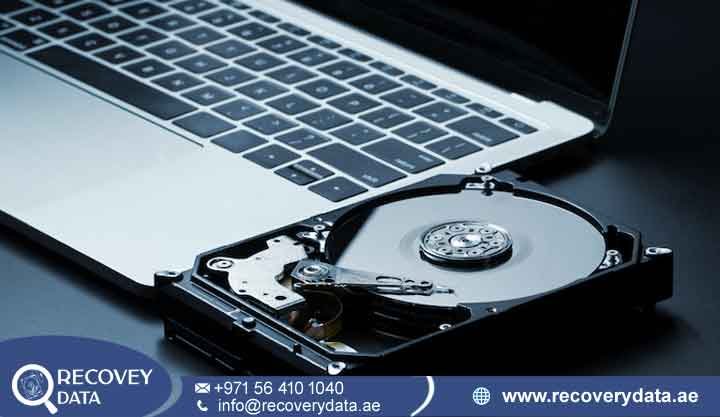
The second your laptop screen goes dark or displays a serious error message, it can feel like everything has stopped. A laptop may hold years of family photos, university work, business documents, financial records, or important project files. For students, remote workers, families, and businesses around Mirdif, losing access to that information can create serious problems.
At Recovery Data, we provide Urgent Laptop Data Recovery Mirdif services for laptops with damaged, corrupted, deleted, formatted, or inaccessible storage. Our engineers use professional laboratory equipment to diagnose SSDs, HDDs, and other storage devices. We then select a recovery method based on the actual cause of the failure.
A modern laptop may look like one compact device, but several components work together to store and access your information. These can include an SSD or hard drive, controller, NAND flash memory, firmware, motherboard, power circuitry, and file-system structures. A fault in any of these areas can prevent you from accessing your files.
If your laptop has suddenly stopped working, avoid repeated attempts to start or repair it. Early professional assessment can help protect the condition of the storage and identify the available recovery options.
Laptop Not Starting? Understanding Critical Data Loss Symptoms
When a laptop will not start, most people naturally want to repair the computer as quickly as possible. However, repairing the laptop and recovering the data are two different tasks. A technician may be able to make the laptop boot again, but certain repair procedures can also affect the information stored on the drive.
For residents in Shorooq, Ghoroob, Mirdif Hills, and surrounding areas, it is important to consider the data before authorizing a reset, operating-system reinstall, or storage replacement. If you need to Recover Data from Dead Laptop Mirdif Dubai, stop using the device and seek a professional assessment. Avoid unnecessary troubleshooting when the laptop contains important files.
Common Issues Requiring Professional Laptop Data Recovery Mirdif
Modern laptops, especially thin models and MacBooks, often use compact or soldered storage components. This design can make recovery more complex when the laptop suffers physical or electronic damage.
Laptop Blue Screen Data Recovery Mirdif: A Blue Screen of Death (BSOD) can result from software problems, driver conflicts, memory errors, or storage failure. If the laptop repeatedly crashes and cannot access files, engineers should check the storage before attempting major repairs.
Recover Data from Liquid Damaged Laptop Dubai: Coffee, water, and other liquids can damage laptop circuitry. Liquid can create short circuits and promote corrosion on the motherboard. Engineers may need to clean the affected components and perform microscopic board-level repairs before attempting data extraction.
Physical Drops and Bumps: A laptop can suffer serious storage damage after a fall or strong impact. If an older HDD begins clicking, grinding, or making unusual sounds, stop using the laptop. Mechanical components inside the drive may require specialist handling in a controlled cleanroom environment.
Laptop Stuck on “Preparing Automatic Repair”: This message can appear when Windows cannot start correctly. The cause may involve the operating system, file system, or storage device. If the drive shows signs of failure, repeated repair attempts can place additional stress on the storage.
SSD Not Recognized: SSDs usually do not make mechanical sounds when they fail. Instead, the drive may disappear from BIOS or UEFI, show the wrong capacity, freeze during detection, or stop responding. Specialist SSD equipment may help engineers diagnose the controller, firmware, or NAND-related problem.
Accidental Formatting: An accidental format can remove access to existing files and folders. Recovery may remain possible when the affected storage areas have not been overwritten. Avoid saving new data to the drive after accidental formatting.
External Hard Drive Not Detected on Laptop: An external drive may fail because of its USB connection, enclosure, power supply, PCB, firmware, or internal storage. Engineers can test the drive and determine whether the issue comes from the enclosure or the storage itself.
Why Recovery Data Provides Professional Laptop Recovery Near Mirdif Hills

Professional data recovery requires more than ordinary computer repair software. A recovery laboratory needs suitable diagnostic equipment, controlled procedures, and technicians who understand different storage technologies.
At Recovery Data, we diagnose the storage before selecting a recovery approach. Our focus remains on preserving and extracting the customer’s data rather than simply making the laptop operational again.
We can assess cases involving HDD mechanical failure, SSD controller problems, file-system corruption, accidental deletion, formatting, liquid damage, electronic faults, and other storage-related issues.
Advanced Recovery Standards
Physical hard drive recovery requires a controlled environment because opening a hard drive exposes sensitive internal components to contamination. Our facility uses an ISO-certified Class 100 Cleanroom for suitable mechanical recovery procedures.
Our engineers also work with logic-board micro-soldering for appropriate electronic and motherboard-level cases. This can help when damaged components prevent a laptop from powering on or communicating with its storage.
Where applicable, our No Data, No Fee policy means the terms are explained before recovery work begins. We also understand the importance of confidentiality when laptops contain private photographs, customer information, financial records, or business documents.
Specialized Laptop SSD Data Recovery Mirdif for Modern Devices
Most modern laptops use SSD storage rather than traditional spinning hard drives. SSD recovery requires a different approach because flash storage has no moving platters or mechanical read/write heads.
We provide specialized Laptop SSD Data Recovery Mirdif services using professional diagnostic and recovery equipment. Depending on the SSD architecture, engineers may examine the controller, firmware, NAND memory, power circuitry, and logical structures.
A controller failure does not automatically mean that the data has disappeared. However, SSD recovery can become technically complex because controllers manage mapping, error correction, wear leveling, and other processes.
Modern Storage Retrieval Capabilities
Our engineers can assess M.2 NVMe SSD data retrieval Mirdif cases involving laptops from manufacturers such as Dell, Lenovo, HP, and others.
We can also assess MacBook and Apple Silicon storage-related cases. Modern Apple devices use integrated security and storage architectures, so recovery depends heavily on the device model, encryption status, hardware condition, and available credentials.
If the storage remains technically accessible, engineers may create a controlled image and work from that copy. When conventional access fails, advanced techniques may be considered for suitable devices.
Expert Solutions to Recover Data from Liquid Damaged Laptop Dubai
A liquid spill can damage a laptop within a short period. Water, coffee, tea, and other liquids can reach the motherboard, connectors, power circuits, and storage components. If you need to Recover Data from Liquid Damaged Laptop Dubai, disconnect the charger and avoid repeatedly powering the laptop on. Do not continue testing the device to see whether it starts.
Liquid can cause short circuits and corrosion. The longer affected components remain exposed to moisture, the greater the risk of additional damage. Engineers can inspect the board under magnification, clean affected areas, and perform suitable micro-soldering repairs. Once the laptop or storage reaches a stable condition, the team can assess the safest method for extracting the data.
Brand-Specific Recovery Services
We can assess laptops from major manufacturers, including Dell, HP, Lenovo, Microsoft Surface, and Apple. Each model can use different storage technologies and internal layouts.
BitLocker-encrypted Windows storage may require the appropriate recovery key or credentials. Likewise, encrypted Apple storage can require authentication or other information associated with the device.
For Surface Pro and other ultra-thin laptops, the internal design can make access more complicated. Engineers must take care when opening the device to avoid damaging the display, motherboard, connectors, or storage components. We also provide Legacy Laptop HDD Recovery for older laptops that still use mechanical hard drives. These cases may involve damaged heads, spindle problems, PCB faults, or bad sectors.
Our Step-by-Step Laptop Recovery Process for Mirdif Residents
We keep the recovery process straightforward so you understand what happens to your device and data.
1. Secure Collection or Device Drop-Off
You can bring your laptop to our facility for assessment. Collection options may also be available for customers in Mirdif, Shorooq, Ghoroob, Mirdif Hills, and other Dubai areas. Keep the laptop in its current condition before handing it over. If it suffered liquid damage, physical impact, or electrical damage, avoid further attempts to power it on.
2. Diagnostic Assessment
Our engineers examine the laptop and its storage to identify the likely source of the problem. The assessment may cover the SSD, HDD, controller, PCB, file system, motherboard, or other relevant components. The findings help determine which recovery method is technically appropriate.
3. Controlled Data Extraction
When possible, engineers create a working copy or image of the storage and perform recovery from that copy. This approach helps reduce unnecessary changes to the original storage. For more complex cases, the team may use specialist hardware, board-level repair, firmware analysis, or advanced flash-memory techniques.
4. Verification and Data Delivery
After recovery, engineers check the available files and folders where technically possible. The recovered information can then be transferred to a new storage device or another agreed delivery method. You can review the recovered data before final delivery.
Don’t Let a Local Repair Attempt Put Your Files at Risk
The first priority after a laptop failure should be protecting the data. A general computer repair shop may focus on restoring the operating system, replacing the storage drive, or making the laptop boot again. Those actions may not preserve existing files.
Avoid factory resets, operating-system reinstalls, formatting, and unnecessary repair attempts when the data is important. Do not install recovery software onto the affected drive because new writing activity can overwrite recoverable information.
If the laptop contains critical business records, family photographs, university work, or other irreplaceable files, preserve the device and seek a professional diagnosis before proceeding.
Emergency MacBook Data Retrieval Mirdif
MacBook recovery can involve additional technical challenges because Apple devices use tightly integrated hardware, encryption, and security features.
A MacBook that stops working after a power event, liquid spill, physical impact, or internal hardware failure may still contain accessible information. The recovery options depend on the specific model, storage architecture, encryption state, and condition of the motherboard.
Our engineers can examine suitable Emergency MacBook Data Retrieval Mirdif cases and determine whether board-level repair, storage-level work, or another recovery approach is appropriate. Recovery results vary by case. No recovery method can guarantee every file when storage components have suffered severe physical or logical damage.
Frequently Asked Questions About Laptop Recovery in Mirdif
Can You Get My Files If the Laptop Won’t Turn On?
In many cases, yes. A laptop that does not power on may have a problem with its battery, charging circuit, motherboard, or another component while the storage remains intact. Engineers can diagnose the laptop and storage separately to determine whether the files remain accessible.
What Do I Do If My External Drive Is Clicking?
Stop using the drive immediately. Clicking or repeated unusual sounds can indicate a mechanical problem in an HDD. Do not run repair software or repeatedly reconnect the drive. A professional laboratory can assess the drive and determine whether controlled imaging or mechanical recovery is appropriate.
Can You Save a Laptop That Had Water Damage?
Recovery may be possible depending on the extent of the liquid damage. Disconnect the power and avoid switching the laptop on again. Engineers can inspect the motherboard and storage, clean affected areas, and perform suitable electronic repairs before attempting data extraction.
How Long Does It Take to Recover Data from an SSD?
The timeframe depends on the SSD’s condition and the recovery method required. A logical recovery case may differ significantly from a controller, firmware, or NAND-related failure. After diagnosis, the recovery team can provide a more realistic timeframe for the specific device.
How Much Does M.2 NVMe SSD Data Retrieval Cost?
The Laptop Data Recovery Price Dubai customers pay depends on the type and complexity of the failure. Logical recovery, electronic repair, controller-related problems, and advanced NAND recovery can require different levels of technical work. A diagnosis allows the recovery team to provide a more accurate quotation.
Will Data Recovery Affect My Laptop Warranty?
Opening or repairing a laptop can affect its manufacturer’s warranty, depending on the device and warranty terms. Before authorizing physical work, check the applicable warranty conditions. If the data has high importance, discuss the available recovery approach with the recovery specialist first.
Visit Our Laptop Recovery Specialists Near Mirdif
A laptop failure does not necessarily mean that your files are gone. Whether your device has suffered SSD failure, HDD damage, accidental formatting, liquid damage, physical impact, file-system corruption, or an electronic fault, professional diagnosis can help determine the available recovery options.
At Recovery Data, we provide Urgent Laptop Data Recovery Mirdif services for individuals, students, professionals, and businesses. We serve customers around Mirdif Hills, Shorooq, Ghoroob, and Mirdif City Centre.
Email: info@recoverydata.ae
Phone: +971 56 410 1040
Location: Dubai, UAE

