
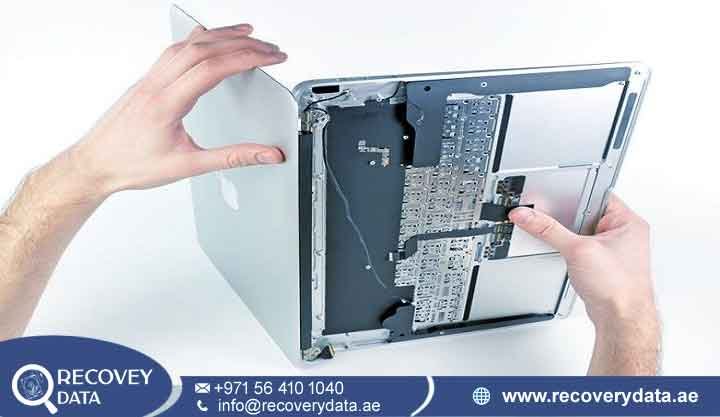
When your Mac stops turning on, or you suddenly realize your important files have just vanished, the panic is immediate. We know that as a professional, your Mac is more than just a computer-it is the heart of your business, your creative work, and all your personal history. At Recovery Data, we are experts in Mac data recovery Al Barari.
We have the high-level skills needed to handle Apple’s tricky file systems and security setup. Whether your logic board failed, your files got corrupted, or you had a bad accident, our team is here to help you get your digital life back, with the speed and care that you expect here in Dubai.
We know your time is super valuable. When you choose us for your MacBook data recovery Al Barari needs, you are working with a lab that really understands how Apple machines are built. From the newest M-series chips to the older iMacs, we have a way of working that gives you the best chance of getting your files back, with as little stress as possible.
Why Mac Data Recovery Requires Specialist Care
Everyone knows Apple makes great computers, but the way they are built is very different from regular Windows PCs. They use special tech like the T2 Security Chip, M-series silicon, and the Apple File System (APFS). Because of this, regular data recovery apps usually don’t work-in fact, they can sometimes make things much worse.
When you need Apple Mac data recovery Al Barari help, it is rarely as easy as just clicking a “fix it” button. Modern MacBooks have hardware-level encryption that links your files directly to the machine’s security chip. Even if you take the storage out and try to put it in another computer, the files will still be locked! This is exactly why you need a real expert. Our engineers have the special training to get past these security layers safely and recover your data without losing anything.
Common Mac Data Loss Issues We Solve
Data loss can happen in so many ways-sometimes it is a software bug, and other times it is a big hardware failure. We have seen just about every type of crash you can imagine, and our lab is set up to fix even the most difficult problems.
-
Liquid Damage: A simple coffee spill can make the logic board and SSD start to corrode very quickly. We have special tools to clean these parts and save your data before it is too late.
-
T2 and M-Series Security Lockouts: If your Mac won’t boot because of a security chip error or a locked encryption key, don’t worry. We have special forensic ways to talk to the drive and get your files back.
-
APFS/File System Corruption: Sometimes an update or a sudden power cut can scramble your Mac’s internal “map,” making your files disappear even though they are still there. We know how to fix this map.
-
Accidental Deletion: Did you empty the trash by mistake? Or maybe you wiped the drive during an update? Often, the data is still sitting there in “hidden” space, and we can usually rebuild it for you.
-
SSD Controller Failure: In the newer Air and Pro models, the controller can break, and the laptop just stops responding. We can do chip-level repairs to make the drive talk to us again so we can pull your files out safely.
-
Physical Impacts and Trauma: If you dropped your laptop or hit it against something, things can get out of alignment inside. We have an ISO-certified cleanroom where we can open the drive in a dust-free space to fix the mechanical parts safely.
The Recovery Data Advantage
Choosing the right partner for your MacBook Pro data recovery Al Barari is a big deal. It’s the difference between losing your work forever or getting it back. At Recovery Data, we don’t just guess what’s wrong. We focus on being exact and careful. Unlike those regular repair shops, we have a dedicated lab built just for hard, high-stakes recovery.
We believe in being honest about the price, so you won’t get any surprises later. tart with a free consultation and a look at your device to see what’s wrong, then we give you a clear, flat price. We also take your privacy very seriously. All our work is done in a secure place, and we are happy to sign a non-disclosure agreement if you have sensitive business data. When you pick us, you are picking a team that values your trust as much as we value your data.
Our Transparent 4-Step Recovery Process
We really believe in keeping things simple and easy to understand. When you need MacBook Air data recovery Al Barari, we try to make it as stress-free as we can.
1. Initial Consultation and Diagnostic
The process starts with a quick chat. We’ll look at your machine to find out exactly where the problem is-whether it’s software, electrical, or a broken part. We’ll tell you honestly if we can fix it and how long it will take.
2. Forensic Imaging
We have a “safety-first” rule. Before we try to fix anything, we make a perfect “bit-level” clone of your storage. We only ever work on this clone copy. This way, your original hardware stays safe and we never risk your data by working directly on the broken parts.
3. Precision Data Extraction
Using our own custom tools, our engineers carefully work around the broken parts to find your files. We are very familiar with how the APFS system works, so we can piece your data back together even when the laptop itself thinks the drive is empty.
4. Verification and Secure Return
Once we have your files, we do a quality check to make sure they are actually working. You’ll get to see a list of what we found, and you can confirm everything is there before we put it on a new, safe, encrypted drive for you.
A Realistic Case Example for Mac data Recovery Albarari
A freelance designer in Al Barari came to us recently after their MacBook Pro suddenly died right before a big deadline. They were so worried about losing weeks of work! Our diagnostic showed that there was a short circuit on the power board. We fixed the board to get power back to the storage, made a clone of the drive, and got 100% of their project files back within just 24 hours. The client met their deadline, and their contract was saved.
Frequently Asked Questions (FAQ)
-
Is it possible to recover data from a MacBook that won’t turn on? Yes, it usually is. Most of the time, your files are still safe on the SSD even if the computer itself won’t start. We have ways to power the storage alone and get your data out.
-
How long does the recovery process usually take? Most jobs take about 3 to 5 business days. If it’s a real emergency, we have a priority service to jump your project to the front of our queue.
-
Is my data kept strictly confidential? Absolutely. We take your privacy very seriously. Every project is done in a secure, private area, and we are happy to sign an NDA for your peace of mind.
-
Can you recover data if the Mac is encrypted with FileVault? Yes, we can. We have the tech to handle encrypted volumes, as long as we can work with you to confirm the passwords or recovery keys.
-
Should I try running disk repair tools like First Aid? Honestly, we suggest you don’t. If there is a hardware problem, running diagnostic tools can sometimes make the damage worse. It’s much safer to let us look at it first.
-
Do you offer pickup and delivery in Al Barari? Yes! We provide convenient pickup and delivery all across Al Barari and the wider Dubai area so your device gets to us safely.
Secure Your Files with Recovery Data Today
Don’t let a computer crash ruin your hard work or lose your precious memories. If you are having data trouble, the best thing to do is turn off your device and give us a call. At Recovery Data, we are ready to bring our expertise right to you in Al Barari. Contact our emergency support line or visit our lab today to get started-let us help you get your data back, exactly where it belongs.