
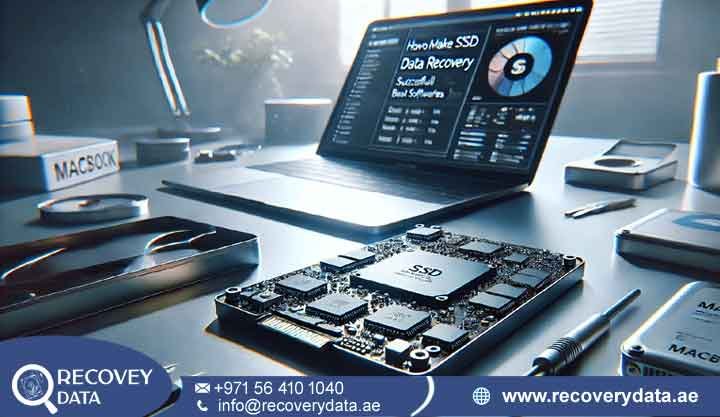
When your Apple device stops responding, the stress is immediate. Whether you are using a MacBook Pro for high-end video editing, an iMac for your business operations, or a MacBook Air for your daily tasks, losing access to your files is more than just a technical inconvenience-it is a crisis.
At Recovery Data, we specialize in professional Mac Data Recovery in Al Nahda, Dubai. We understand that Apple’s hardware architecture, from the T2 security chip to the proprietary M-series unified memory, requires a specialized, forensic-level approach that standard IT shops simply cannot provide.
If your Mac is showing a flashing folder icon, stuck in a kernel panic loop, or failing to power on entirely, you are likely worried about the safety of your photos, creative projects, and business records. We are here to tell you that in most cases, your data is still physically present-it just needs the right expertise to be retrieved. As a leading MacBook Data Recovery Al Nahda Dubai provider, we prioritize non-invasive recovery methods to ensure your data remains intact and secure.
The Technical Reality: Why Apple Devices Require Specialized Data Recovery
Most computer repair shops treat a Mac like a standard PC. This is a dangerous mistake. Apple’s transition to the APFS (Apple File System) and the integration of hardware-level encryption via the T2 and M-series chips mean that traditional “file recovery software” often fails or, worse, triggers a security lockout that makes your data permanently unreadable.
Understanding the APFS Architecture
Apple File System (APFS) is not just a file system; it is a complex, copy-on-write architecture designed for SSDs. When you delete a file on an APFS-formatted drive, the system doesn’t just “clear” the space. It uses snapshots and metadata structures that are notoriously difficult for standard, off-the-shelf software to parse. If you use the wrong recovery tool, you risk overwriting the very snapshots that could have saved your files.
The T2/M-Series Encryption Challenge
On modern Macs, the storage is hardware-encrypted to the Secure Enclave on the T2 or M-series processor. This means you cannot simply remove an SSD and plug it into another reader. If the logic board is damaged, the data remains trapped inside the encrypted memory chips. Recovering this data requires board-level microsoldering to “revive” the original logic board just enough to decrypt and extract the data.
Common Mac Data Loss Issues We Resolve
Apple hardware is incredibly reliable, but it is not immune to failure. Over the years, we have identified several specific failure patterns that are unique to the Mac ecosystem. Here is a comprehensive list of the issues we handle daily:
-
T2/M-Series Chip Lockouts: If your device is encrypted and the firmware is corrupted, standard recovery tools will be blocked by the hardware security chip.
-
APFS Container Corruption: A sudden power loss during an update can scramble the Apple File System, making your volumes “invisible” to the OS.
-
Logic Board Failure: When the motherboard dies due to a component short, the SSD (which is soldered to the board on modern Macs) becomes inaccessible. We perform board-level repairs to get it talking again.
-
Liquid Damage: This is the most common issue in Al Nahda. Coffee, tea, or water spills can cause rapid corrosion on the logic board, affecting the storage controller.
-
Flashing Folder Icon: This indicates the Mac cannot find a valid bootable system.
It could be a simple OS corruption or a failing SSD.
-
Kernel Panic Loops: This is a sign of a deep system error, often caused by failing hardware reporting incorrect data to the CPU.
-
Damaged iMac Hard Drives: Older 21.5-inch and 27-inch iMacs still use mechanical SATA drives that are prone to head crashes and platter degradation.
-
Accidental File Deletion: Whether you emptied your Trash or accidentally wiped a partition, we can recover data from HFS+ and APFS volumes.
-
Ransomware and Malware: Sophisticated attacks specifically targeting macOS can encrypt your user directory, requiring advanced decryption techniques.
-
Firmware Password Issues: If you have forgotten your firmware password and the drive is locked, we can assist with authorized access protocols.
Trust and Authority: Why Choose Recovery Data?
In Al Nahda, you have many options for tech support, but there is only one choice for professional, ISO-certified data recovery.
ISO-Certified Cleanroom Technology
Data recovery from a physically damaged Mac SSD or HDD must happen in a cleanroom environment to prevent microscopic dust particles from ruining the drive platters.Mac Data Recovery Al Nahda Dubai Our lab meets these strict international standards, ensuring your hardware remains in a pristine state during the recovery process.
Expertise in APFS and FileVault
Generic recovery tools often fail because they don’t understand Apple’s encryption. Our team is trained in the decryption of FileVault volumes. Even if you have lost your recovery key, we have proprietary forensic methods to assist in regaining access to your encrypted data.
Proven Privacy and NDA Compliance
We treat your data with the same level of security that Apple builds into their hardware. Our facility is monitored 24/7, and we strictly follow non-disclosure agreements. We never access your files for any reason other than performing the recovery.
Our Professional Recovery Services
We provide tailored solutions based on the specific type of Apple hardware you are using. Our focus is always on getting the maximum amount of data back in the shortest possible timeframe.
MacBook Pro and Air Data Recovery
Modern MacBooks have their storage chips soldered directly to the motherboard. If the laptop is “dead,” we don’t just fix the laptop-we perform micro soldering to bypass the broken circuits and extract your data directly from the NAND chips.
iMac and Mac Mini Recovery
Whether you have an all-in-one iMac or a compact Mac Mini, these devices are notoriously difficult to open. We use precision tools to access the internal storage without damaging the display assemblies or the internal chassis, ensuring your device remains intact.
Mac Hard Drive Recovery Al Nahda Dubai
For older Macs with traditional mechanical hard drives, we specialize in mechanical head-stack repairs. If your drive is clicking or grinding, we replace the failed parts in our cleanroom to get your data back safely.
Our 3-Step Mac Recovery Process
We believe in making the recovery process as easy as possible for you. You have enough to worry about; let us handle the technical side.
-
Initial Assessment & Free Diagnostic: Bring your device to our lab or request a secure pickup in Al Nahda. We will perform a non-invasive diagnostic to pinpoint the exact failure point-whether it is a logic board short, an encrypted SSD failure, or simple partition loss.
-
Transparent Diagnostic Report: We will tell you exactly what is wrong, the probability of recovery, and the exact cost. There are no hidden fees. Once you approve the quote, our engineers begin the work.
-
Secure Recovery & Verification: We perform the recovery in our controlled environment. We then invite you to verify the integrity of your files. Only after you are satisfied that your crucial data is back do we ask for final payment.
Frequently Asked Questions (FAQs)
Can you recover data from a MacBook Pro with an M1 or M2 chip?
Yes. These chips use highly integrated storage, but our team specializes in NAND chip extraction and logic board repair, which allows us to recover data from these advanced systems even if the laptop is completely powered off.
How is your service different from a standard Apple repair shop?
Apple repair shops focus on replacing parts (like swapping a motherboard). They often discard the old, “broken” motherboard-and your data with it. We focus on repairing the board just enough to extract your data.
How long does the process take?
Most logical data recoveries (like accidental deletion) take 24-48 hours. Physical failures that require logic board repair or cleanroom work take 3-7 business days.
Is it safe to send my encrypted Mac to you?
Yes, it is perfectly safe. We provide secure handling for all encrypted devices. In fact, our forensic tools are specifically designed to navigate Apple’s encryption layers to ensure your data remains protected.
Where are you located in Al Nahda?
We are conveniently located to serve the Al Nahda 1 and Al Nahda 2 areas. You can visit our lab during business hours or call us to schedule a secure pickup for your device.
Ready to Recover Your Data for Mac Data Recovery in Al Nahda, Dubai.
Do not let a hardware failure or a system crash become a permanent loss. Every hour that passes with a failing drive increases the risk of further degradation, especially with Apple’s high-speed NVMe storage.
Contact Recovery Data today. Our specialists are standing by to guide you through the process and get your Mac files back where they belong.