
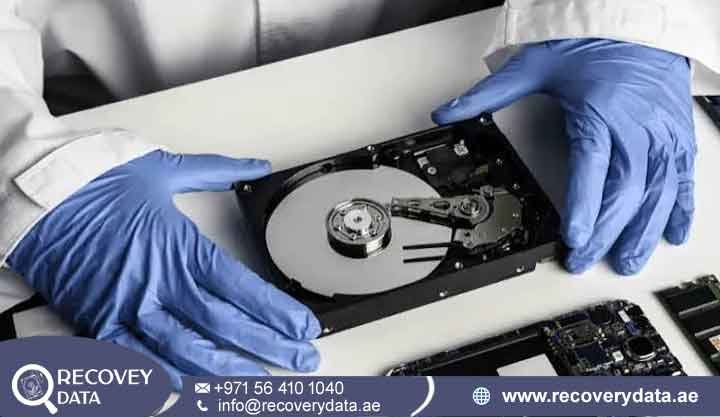
Excessive heat is one of the most damaging problems a computer or storage device can experience. An internal desktop hard drive, enterprise server drive, or portable external drive can all suffer from prolonged heat exposure. High temperatures can place extreme stress on sensitive electronic and mechanical components. In severe cases, heat can cause components to warp, seize, fail, or short-circuit.
If your storage device has suffered thermal stress, stopped responding, or disappeared from the operating system, avoid repeated testing. Professional intervention can help prevent additional damage. At Recovery Data, we provide advanced Overheated hard drive data recovery Dubai services for business databases, personal archives, financial records, photos, and other important files stored on heat-damaged drives.
Signs Your Hard Drive Failed Due to Overheating
Recognizing the early signs of thermal stress can help you protect your data. Hard drives contain precision mechanical components that operate with extremely small clearances. Excessive heat can affect these tolerances and cause the drive to become unstable.
Common Symptoms of Thermal Hard Drive Failure
Extreme external temperature is one of the most noticeable warning signs. An external hard drive may feel unusually hot when you touch its enclosure. An internal drive may also produce excessive heat around the computer’s drive bay. Persistent overheating can place additional stress on the drive’s electronic and mechanical components.
Sudden disconnection or non-detection can also indicate heat-related failure. The drive may disconnect during large file transfers or demanding workloads. In more serious cases, BIOS, UEFI, Windows, or macOS may fail to detect the drive completely when the computer starts.
Unusual mechanical noises can signal serious internal problems. Ticking, clicking, scratching, or rhythmic whining sounds may appear after a significant heat spike. These noises can indicate read/write head problems or spindle motor failure. Stop using the drive if you notice these symptoms.
System freezing and BSODs may occur when an overheating drive struggles to read stored data. You may notice severe lag, application freezes, or Blue Screens of Death when accessing files. These symptoms can indicate that the drive is becoming unstable.
Chemical or burning odors can point to electrical damage. A plastic burning smell or unusual chemical odor from the computer case or external enclosure may indicate overheated or damaged circuit components. Disconnect the drive immediately if you notice a burning smell.
Can Data Be Recovered from an Overheated Hard Drive?
Many users assume that severe overheating permanently destroys all stored data. In many cases, the magnetic platters remain physically intact even when the electronic or mechanical components fail.
The platters contain the actual magnetic data. If the platter surfaces remain readable, recovery specialists may restore access by repairing the PCB, replacing damaged components, or performing controlled mechanical recovery.
However, recovery results depend on the severity of the thermal damage. Continued operation after failure can increase platter and head damage. Professional diagnosis can help determine the safest recovery method.
What Happens Inside a Hard Drive When It Overheats?
Traditional Hard Disk Drives (HDDs) rely on complex electromechanical components. These components operate with very small mechanical tolerances. Excessive heat can affect the PCB, spindle motor, read/write heads, and magnetic platters.
Printed Circuit Board (PCB)
The Printed Circuit Board (PCB) controls power distribution and communication between the drive and computer. Excessive heat can damage sensitive components such as TVS diodes, controller chips, and power regulators.
Heat can cause these components to exceed their normal operating limits. A failed PCB can prevent the drive from powering on or communicating with the computer.
Spindle Motor
The spindle motor rotates the magnetic platters at a controlled speed. Excessive heat can increase stress on the motor and its bearings. Prolonged exposure can contribute to bearing failure or lubrication problems.
When the spindle motor cannot rotate the platters correctly, the drive may fail to initialize. It may also produce unusual humming, buzzing, or clicking sounds.
Read/Write Heads
The read/write heads operate extremely close to the platter surface. Thermal stress can affect their alignment and calibration. In severe cases, damaged heads may contact the platters and cause surface damage.
A head crash can create unreadable sectors and make the drive unstable. Continued operation can increase the affected area and reduce the chances of complete recovery.
Magnetic Platters
The magnetic platters store the actual data. Severe thermal stress can affect the mechanical tolerances required for accurate head positioning. Any physical damage to the platter surface can make data tracks difficult or impossible to read.
For this reason, specialists must carefully assess the condition of the platters before attempting mechanical recovery.
Our Professional Hard Drive Overheating Recovery Process in Dubai
Recovering data from a heat-damaged hard drive requires specialized equipment and controlled procedures. At Recovery Data, our engineers first identify the type and severity of the failure. They then select a recovery method that limits additional stress on the original drive.
1. Comprehensive Diagnostic Assessment
Every recovery case starts with a detailed evaluation at our Dubai facility. Our engineers determine whether the problem affects the PCB, spindle motor, read/write heads, firmware, or multiple components.
We document the drive’s condition and assess the available recovery options. We explain the findings before beginning complex recovery procedures.
2. Class 100 Cleanroom Intervention
Some heat-damaged drives require internal mechanical work. Engineers must open these drives in a controlled Class 100 Cleanroom environment to reduce the risk of airborne contamination.
A hard drive contains exposed magnetic platter surfaces when opened. Dust and other particles can interfere with the read/write heads and damage sensitive surfaces. A controlled cleanroom environment helps protect the drive during internal recovery work.
3. Component Repair and Donor Matching
For heat-damaged PCBs, our engineers inspect and repair affected electronic components where possible. They may also transfer specific ROM or firmware components to a compatible donor PCB when required.
For mechanical failures, the team can identify compatible donor components for damaged heads or spindle assemblies. Engineers select donor parts according to the drive’s model and internal requirements.
4. Sector-Level Raw Imaging
After stabilizing the drive, our engineers create a sector-level image of the available data. Specialized hardware imaging tools can manage unstable or difficult-to-read areas during this process.
The recovery team then works from the image instead of repeatedly accessing the original drive. This approach reduces unnecessary stress and provides a safer environment for file reconstruction.
Types of Storage Media We Recover from Heat Damage
Thermal problems can affect different hard drive types and form factors. Our engineering team handles a wide range of heat-damaged storage devices.
Internal Desktop Hard Drives
We recover 3.5-inch SATA and IDE hard drives from desktop computers, workstations, gaming systems, and office machines. Poor airflow, blocked vents, and cooling fan failures can contribute to excessive drive temperatures.
Laptop Hard Drives
Laptop hard drives can experience heat problems when vents become blocked or cooling systems fail. Intensive workloads can also increase internal temperatures and place additional stress on the storage device.
External Portable and Desktop Hard Drives
External drives can overheat during continuous operation, especially when the enclosure provides limited airflow. We handle heat-damaged external drives from major manufacturers, including Western Digital, Seagate, Toshiba, LaCie, and SanDisk.
Enterprise Server Hard Drives
Enterprise drives can experience thermal stress inside high-density server environments. HVAC failures, restricted airflow, and prolonged high temperatures can affect SAS and SCSI drives in data centers across the UAE.
For broader external drive recovery requirements, you can also explore our external hard drive recovery services. If your drive produces physical clicking alongside heat symptoms, consider our guidance on HDD clicking noise recovery. You can also learn more about the controlled environment required for physical drive repairs through our cleanroom data recovery infrastructure.
What NOT to Do When Your Hard Drive Overheats
A failed hard drive can cause panic, especially when it contains important business or personal files. However, some popular DIY methods can make the situation worse. Avoid the following actions after thermal failure.
Never Freeze the Hard Drive
Do not place an overheated or failed hard drive inside a freezer. This common internet suggestion can create condensation when you remove the drive from the cold environment.
Moisture can reach sensitive surfaces and electronic components. Condensation can cause corrosion and additional damage. Freezing does not provide a safe recovery method.
Do Not Keep Re-Powering the Drive
Avoid repeatedly connecting and disconnecting an overheating or clicking drive. Each power cycle can place additional stress on damaged heads, motors, and electronic components.
If the heads have already suffered damage, continued operation can increase platter contact and create additional unreadable areas.
Avoid Aggressive Recovery Software
Do not run intensive scanning or repair software when the operating system cannot reliably detect the drive. Software cannot repair a failed PCB, seized motor, or physically damaged read/write head.
Repeated scanning can also force a failing drive to operate for extended periods. This may increase mechanical stress and reduce the chances of a successful recovery.
Hard Drive Heat Damage Recovery Cost & Turnaround in Dubai
Losing important data can disrupt business operations and cause significant stress. At Recovery Data, we provide professional evaluations and explain the recovery options before starting major work.
The cost and turnaround time for hard drive overheating data recovery depend on the type and severity of the damage.
Level 1: Logical or Minor Electronic Damage
Level 1 cases may involve minor firmware problems, power regulation faults, or limited electronic damage. Our engineers diagnose the affected components and determine whether they can restore stable communication with the drive.
These cases usually require less recovery work than serious mechanical failures. The final turnaround depends on the drive’s condition and the amount of recoverable data.
Level 2 and Level 3: Mechanical or Cleanroom Recovery
More serious cases can involve damaged heads, spindle motor problems, or internal mechanical failure. These cases may require compatible donor parts and controlled cleanroom procedures.
Our engineers may need to replace damaged head assemblies or perform other internal recovery procedures before imaging the available data. These cases typically require more time and specialized work.
Transparent Recovery Process
We keep clients informed throughout the evaluation and recovery process. Our team explains the drive’s condition, recovery options, expected turnaround, and applicable costs before major recovery work begins.
Frequently Asked Questions
How do I know if my hard drive failure is heat-related?
A drive may have suffered thermal damage if it became unusually hot before failure. Other warning signs include a burning odor, sudden disconnection, clicking sounds, system freezes, or complete non-detection.
Cooling fan failures and blocked ventilation can also provide useful clues. If the drive failed after prolonged overheating, avoid repeated testing.
Can I plug my overheated external hard drive back in to check if it works?
We strongly recommend keeping an overheated or mechanically unstable drive powered off. Repeated power cycles can increase stress on damaged heads, motors, and electronic components.
If the drive contains important files, arrange a professional assessment instead of repeatedly testing the device.
How long does hard drive overheating recovery take in Dubai?
The recovery timeline depends on the type of damage. A drive with minor electronic problems may require less time than one that needs donor parts or cleanroom mechanical work.
Initial evaluations may take around 24 to 48 hours, depending on the case and laboratory workload. Complex recovery cases can require additional time. Expedited options may be available for urgent business requirements.
Can data be recovered if the hard drive circuit board smells burnt?
Yes, recovery may remain possible when a power surge or excessive heat damages the PCB. The magnetic platters may still contain readable data even when the electronic board no longer works.
Our engineers can inspect the PCB and determine whether component repair, PCB replacement, or ROM and firmware transfer can restore drive communication.
Professional Data Recovery Services in Dubai & UAE
Recovery Data provides secure and professional data recovery services for individuals, SMEs, and enterprises across Dubai, Abu Dhabi, Sharjah, and the wider UAE.
Our engineers handle logical, electronic, mechanical, and thermal storage failures. We maintain controlled procedures for sensitive recovery cases and focus on protecting customer data throughout the process.
If your hard drive has suffered overheating, mechanical failure, or electrical damage, stop using it and arrange a professional assessment.
Contact Recovery Data for a professional data recovery assessment.
Email: info@recoverydata.ae
Phone: +971 56 410 1040
Location: Dubai, UAE