
M2 SSD Recovery Al Barsha Heights
Losing important files from an M.2 SSD can be extremely stressful. The problem can feel like a complete emergency when the drive contains business projects, customer files, financial documents, or years of personal photos. Whether an SSD has failed inside a TECOM media office or your personal laptop has suddenly stopped working, quick and careful […]
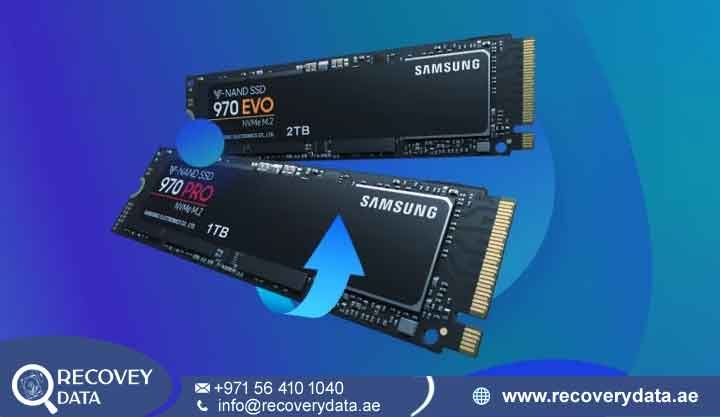
Losing important files from an M.2 SSD can be extremely stressful. The problem can feel like a complete emergency when the drive contains business projects, customer files, financial documents, or years of personal photos. Whether an SSD has failed inside a TECOM media office or your personal laptop has suddenly stopped working, quick and careful action matters.
At Recovery Data, we provide professional M2 SSD Recovery Al Barsha Heights services for damaged, corrupted, inaccessible, and failed SSDs. Our engineers use specialist diagnostic equipment to identify controller, firmware, NAND, electronic, and logical problems. We select the recovery method according to the condition of the drive.
When you search for failed M2 SSD recovery Al Barsha Heights, you may find general computer repair shops nearby. However, SSD recovery is different from normal computer repair. An M.2 SSD has no moving platters or mechanical heads. Instead, it relies on a controller, NAND flash memory, firmware, translation information, error correction, and other internal processes.
An M.2 drive can therefore fail without making any unusual noise. The computer may suddenly stop detecting it, show an incorrect capacity, freeze during startup, or display a “No Bootable Device” message. Our team handles these cases with a recovery-first approach. We avoid unnecessary changes to the original device and work to preserve the available data before attempting advanced recovery procedures.
Why M.2 SSDs Are Tricky and Need Professional Help
M.2 is a physical form factor rather than a specific storage protocol. An M.2 drive can use SATA or NVMe, depending on its design. This distinction matters because the recovery approach can vary significantly between devices. Unlike a traditional hard drive, an M.2 SSD normally does not provide mechanical warning sounds when it fails. A controller failure, firmware problem, power issue, NAND problem, or communication fault can make the drive disappear from the BIOS or operating system without any obvious physical symptom.
You may notice several signs when an SSD develops a problem. The SSD may be missing from the BIOS or UEFI, while Windows may display a “No Bootable Device” message. The drive may also appear with the wrong capacity, cause the computer to freeze during detection, or make files suddenly inaccessible. Other symptoms include extremely slow performance, file-system corruption warnings, repeated disconnections, and the SSD becoming read-only or stopping the acceptance of commands. These symptoms do not identify one specific type of failure by themselves. A proper diagnosis is necessary to determine the underlying problem and select the appropriate data recovery method.
How TRIM and Garbage Collection Affect SSD Recovery
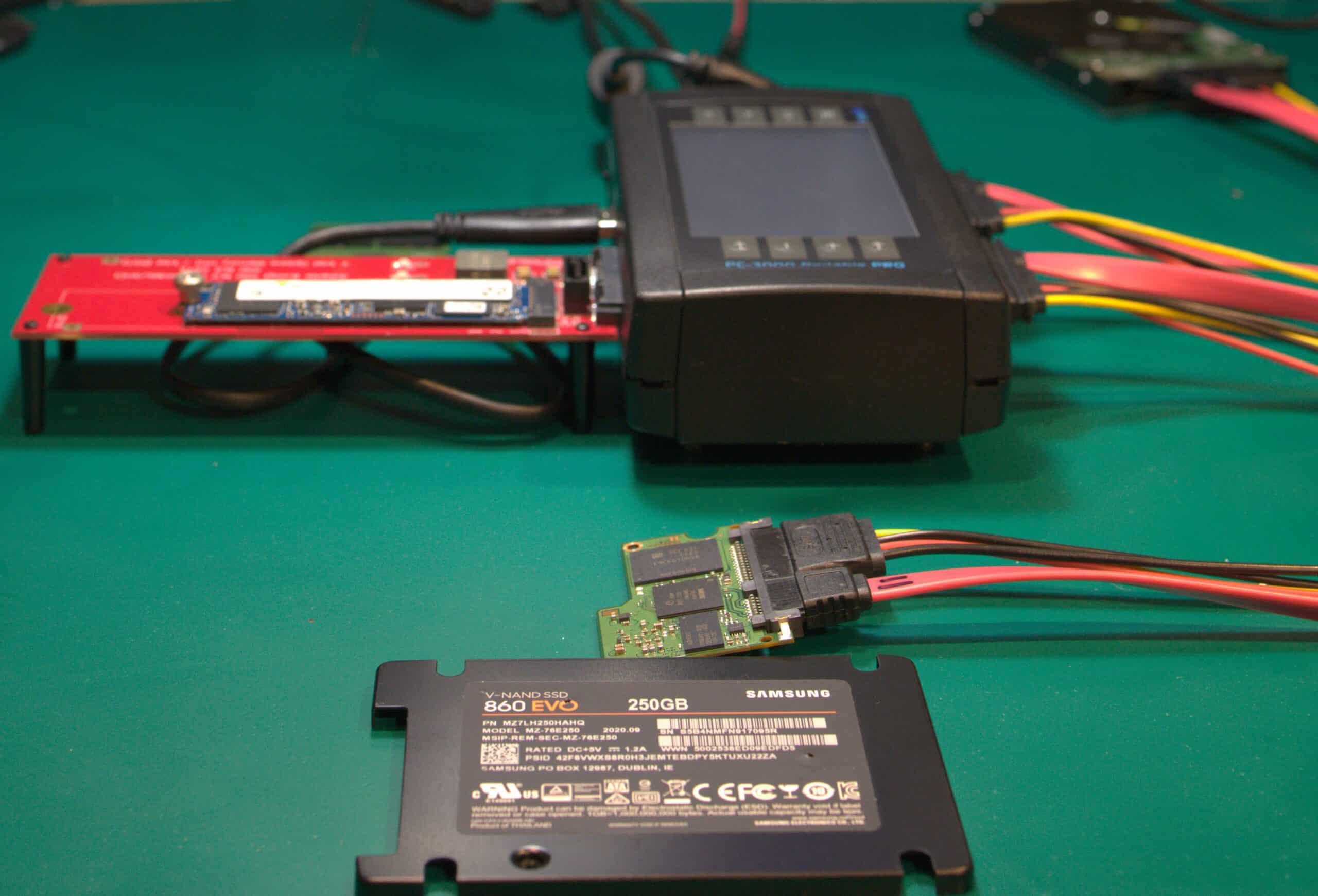
TRIM is an important SSD feature that helps the drive manage unused blocks. When an operating system deletes data, it can notify the SSD that certain blocks are no longer required.
The SSD may later process those blocks through garbage collection and internal housekeeping. This can make deleted-data recovery more difficult than recovery from many traditional HDDs.
For this reason, if you accidentally delete important files from an SSD, stop using the device as soon as possible. Avoid installing recovery software onto the same drive or continuing normal computer activity.
A professional deleted data recovery M2 SSD Al Barsha Heights assessment can determine whether the required information is still present and technically recoverable.
Recovery Data – A Team You Can Trust
Recovering data requires more than simply connecting an SSD to a computer and running recovery software. A failed M.2 device may require electronic diagnostics, firmware analysis, controller-level work, or specialized NAND examination.
At Recovery Data, our approach begins with diagnosis. We determine what the drive is doing before deciding how to proceed.
We also understand that M.2 SSDs can contain highly sensitive information. Business documents, customer databases, photographs, source files, and confidential projects all require careful handling throughout the recovery process.
Professional Laboratory Standards
Our recovery work takes place in a controlled professional environment. We use specialist equipment for storage diagnostics and advanced recovery procedures.
When a drive requires board-level work, engineers can examine components such as the controller, power-management circuitry, NAND packages, and other relevant electronics.
Physical HDD cleanroom procedures are different from SSD recovery because M.2 SSDs have no exposed magnetic platters. Therefore, an SSD does not normally require the same internal cleanroom procedure used for mechanically opened HDDs.
Advanced Tools for Flash Memory Recovery
Some M.2 SSD failures require more advanced techniques than conventional file-recovery software can provide. Depending on the device, engineers may need to analyze the controller, firmware, NAND flash, translation information, error-correction structures, or encryption-related components.
Specialist flash recovery equipment can assist with NAND-level examination in suitable cases. However, raw NAND data is not normally equivalent to ordinary files. The controller may apply scrambling, error correction, wear leveling, mapping, compression, or encryption.
The recovery process therefore involves interpreting the available NAND information and reconstructing the logical data structure where technically possible.
Privacy and Secure Data Handling
We understand how sensitive recovered data can be. Your SSD may contain private photographs, business documents, customer records, accounting files, or confidential project material.
We handle client storage carefully during diagnosis and recovery. Access is limited to the work required for the recovery process, and confidentiality arrangements such as an NDA can be discussed when required. Working copies and recovered data are handled according to the agreed recovery process and retention requirements.
Specialized M.2 SSD Solutions for Al Barsha Heights
No two SSD failures are exactly the same. The M.2 form factor is used across laptops, desktops, workstations, and other computing devices.
Our M.2 SSD Recovery Al Barsha Heights service covers a range of SSD problems.
Laptop M.2 SSD Recovery Al Barsha Heights
Many modern laptops use compact M.2 SATA or NVMe SSDs. These drives can contain operating systems, work files, photographs, databases, and application data.
A laptop that suddenly refuses to boot does not always mean that the SSD has completely failed. The issue could involve the laptop’s power circuitry, connector, SSD controller, firmware, or file system.
Our laptop M.2 SSD recovery Al Barsha Heights service starts by separating the laptop problem from the storage problem. If the SSD itself has failed, we assess whether the data can be accessed through specialist recovery methods.
Desktop M.2 SSD Recovery Al Barsha Heights
High-performance desktops and workstations often use NVMe M.2 SSDs for video editing, design, development, engineering, and other demanding workloads.
A sudden power event, component failure, firmware issue, or controller problem can make the SSD inaccessible.
Our desktop M.2 SSD recovery Al Barsha Heights service can assess both SATA and NVMe M.2 devices. The recovery method depends on the specific SSD architecture and failure.
Deleted Data Recovery M2 SSD Al Barsha Heights
Accidental deletion is one of the most common data-loss situations. However, SSDs require special consideration because of TRIM and garbage collection.
Creating a conventional clone is not always possible when an SSD is unstable or not responding correctly. Engineers first determine whether the device can communicate reliably enough for imaging.
Where direct imaging is possible, a controlled image may be created. Where the controller or firmware prevents normal access, more advanced techniques may be required. The goal is to preserve as much recoverable information as possible without unnecessarily modifying the original SSD.
Common M.2 SSD Problems We Handle
Our engineers can assess a wide range of M.2 SSD failures, including:
Controller Failure: The computer may not detect the SSD, or the device may report an incorrect model or capacity.
Firmware Problems: Firmware-related faults can prevent normal initialization or communication with the host system.
Power Surge Damage: Electrical events can damage power-management components, controller circuitry, or other board-level components.
Heat-Related Damage: Excessive operating temperatures can contribute to component stress and SSD instability. The actual cause must be confirmed during diagnosis.
Accidental Formatting: Formatting can remove or alter file-system structures. Recovery depends on the type of format, subsequent drive activity, and SSD behavior.
Broken Connectors or PCB Damage: Physical damage to the M.2 edge connector or circuit board can prevent the SSD from communicating with the computer.
Encryption-Related Recovery: BitLocker and other encryption technologies can protect data even when the storage device is physically accessible. Recovery may depend on having the required recovery key, credentials, or encryption information.
Our M.2 SSD Recovery Process
We keep the recovery process controlled and transparent from initial assessment through final delivery.
1. Drop-Off or Collection
You can bring the SSD or affected device to our recovery facility. Collection options may also be available for customers in Al Barsha Heights and other areas of Dubai.
If the SSD is installed inside a laptop or desktop, avoid unnecessary attempts to repair or reinstall the operating system before the storage has been assessed.
2. Technical Diagnosis
We examine the SSD to identify its interface, controller behavior, firmware condition, electrical status, and logical accessibility. The diagnosis helps determine whether the problem is logical, electronic, firmware-related, or associated with NAND flash.
3. Controlled Recovery
The recovery method depends on the SSD architecture. A healthy but logically damaged drive may allow conventional imaging or file-system recovery. A controller-level failure may require more advanced techniques. In suitable cases, NAND-level work may also be considered. There is no single recovery procedure that works for every M.2 SSD.
4. File Verification and Delivery
After recovery, we verify the available files where technically possible. You can review the recovered data before the final delivery stage. Files are then transferred to suitable replacement storage according to the agreed recovery arrangement.
Fair M.2 SSD Recovery Pricing
The cost of corrupted M.2 SSD recovery Al Barsha Heights depends on the type of failure and the technical work required. A logical file-system problem may require less specialist work than a controller or NAND-related failure. SSD capacity, encryption, physical damage, firmware condition, and data requirements can also affect the recovery process.
We assess the device before providing the applicable recovery quotation. Where our “No Data, No Fee” policy applies, the specific terms are explained before recovery work begins.
Why Choose Recovery Data for M.2 SSD Recovery?
M.2 SSD recovery is a specialist field. A general computer repair procedure is not always appropriate when important data is at risk. For example, reinstalling Windows, formatting the SSD, updating firmware, initializing the device, or repeatedly testing an unstable drive can change information that may be relevant to recovery.
A recovery-focused assessment helps separate the need to repair the computer from the need to preserve the storage data. Our team works with M.2 SATA and NVMe storage and considers the individual architecture of each device before selecting a recovery method.
M.2 SSD Recovery for Businesses in Al Barsha Heights
Al Barsha Heights is home to media companies, technology businesses, consultants, agencies, professional offices, and other organizations that depend on digital storage. A failed workstation SSD can contain active projects, accounting records, databases, client documents, design files, and other business information.
If a business SSD fails, avoid using the affected computer as a normal workstation. Do not install a new operating system over the original drive unless a verified backup exists. For business-critical cases, preserve the original SSD and provide any available passwords, encryption keys, recovery information, or system details that may be relevant.
Frequently Asked Questions
How long does corrupted M.2 SSD recovery in Al Barsha Heights take?
The timeframe depends on the failure. Logical problems can sometimes be handled relatively quickly, while controller, firmware, electronic, or NAND-related cases can require significantly more analysis. After diagnosis, we can provide a more realistic recovery timeframe based on the actual condition of the SSD.
Can you recover an M.2 SSD that is not detected?
Potentially, yes. A missing SSD can result from controller failure, firmware problems, power circuitry damage, connector issues, or other faults. The fact that the computer cannot detect the drive does not by itself determine whether the stored data is recoverable.
Can you recover deleted files from an M.2 SSD?
Recovery may be possible in some cases, but SSD deletion is affected by TRIM, garbage collection, wear leveling, and other internal processes. Stop using the SSD immediately after accidental deletion and avoid installing recovery software on the affected drive.
Does TRIM make SSD recovery impossible?
No. TRIM can make deleted-data recovery more difficult, but its effect depends on the operating system, SSD controller, timing, and internal drive behavior. A specialist assessment is needed to determine whether the deleted information remains recoverable.
Can you recover data from a completely dead M.2 SSD?
It depends on the cause of the failure. If the problem involves the SSD’s power circuitry or controller, specialist electronic or NAND-level techniques may sometimes provide an avenue for recovery. However, recovery is not guaranteed and depends on the SSD architecture and condition of the stored data.
Can you recover BitLocker-encrypted M.2 SSD data?
Encryption does not necessarily prevent physical recovery, but the recovered information may remain encrypted. For BitLocker or other encrypted storage, the appropriate recovery key or credentials may be required to access the files.
Do you recover MacBook M.2 SSDs?
MacBook storage architecture varies by model and generation. Some older Mac systems use removable storage, while many newer Apple Silicon MacBooks use storage components integrated into the motherboard.
Therefore, recovery depends on the exact Mac model and storage architecture. We assess the device before confirming the available options.
Is my recovered data kept private?
Yes. Storage devices and recovered files are handled as confidential client information. If your business requires formal confidentiality documentation, an NDA can be discussed before recovery work begins.
Contact M.2 SSD Recovery Experts in Al Barsha Heights
Do not let an SSD failure put your important files at risk. If your M.2 drive has become corrupted, disappeared from BIOS, stopped booting, or suffered an electronic failure, avoid unnecessary repairs and repeated testing.
Whether you need failed M2 SSD recovery Al Barsha Heights, corrupted M.2 SSD recovery, or deleted data recovery M2 SSD Al Barsha Heights, Recovery Data can assess the device and explain the available recovery options.
Email: info@recoverydata.ae
Phone: +971 56 410 1040
Location: Dubai, UAE

