
M.2 SSD Recovery Al Barsha South
M.2 solid-state drives have become a common storage solution for modern laptops, ultra books, high-performance desktop workstations, and gaming systems. M.2 SSD Recovery Al Barsha South These compact drives use high-speed PCIe NVMe or SATA interfaces to deliver fast read and write performance. However, their compact design and high component density can make them vulnerable […]
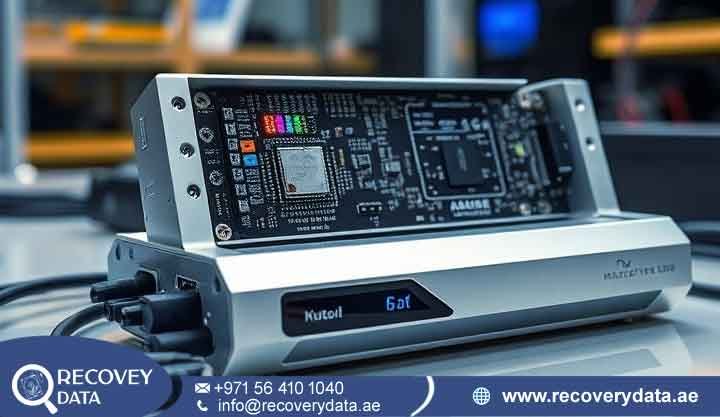
M.2 solid-state drives have become a common storage solution for modern laptops, ultra books, high-performance desktop workstations, and gaming systems. M.2 SSD Recovery Al Barsha South These compact drives use high-speed PCIe NVMe or SATA interfaces to deliver fast read and write performance. However, their compact design and high component density can make them vulnerable to sudden technical failures.
When an M.2 drive stops working, loses its partition, or disappears from the system BIOS, standard operating system tools may no longer provide access to critical documents, personal files, or business data. Recovery Data provides specialized, lab-grade M.2 SSD data recovery services for individuals, creative professionals, and businesses in Al Barsha South, Arjan, Dubai Science Park, and throughout Dubai. M.2 SSD Recovery Al Barsha South Our technical team uses specialized hardware for flash memory extraction, chip-level diagnostics, and micro-soldering to address complex controller, power-delivery, and NAND flash failures while minimizing further risk to the stored data.
Common M.2 SSD Failure Modes and Symptoms
Unlike traditional hard disk drives (HDDs), which use spinning magnetic platters and moving read/write heads, M.2 SSDs store information electronically in non-volatile NAND flash memory. This design eliminates mechanical components but introduces different electrical, thermal, firmware, and logical failure mechanisms. Recognizing these symptoms early can help prevent further damage to an unstable SSD.
Logical Data Loss and File System Corruption
Logical failures occur when the M.2 SSD hardware remains functional but its file system, partition structure, or data records become corrupted or inaccessible. Accidental formatting or partition deletion can remove important file system structures such as NTFS, APFS, or EXT4 metadata. RAW file system errors can also cause the SSD to appear in Disk Management while Windows asks you to format the drive before use. Operating system crashes, failed updates, and unexpected power interruptions can corrupt system files and directories, making stored data inaccessible. Accidental deletion can also cause data loss, including files removed from the Recycle Bin or Trash, although SSD recovery chances depend heavily on TRIM and garbage-collection activity.
Physical, Electrical, and Controller Hard Failures
M.2 SSDs combine a micro-controller, Power Management Integrated Circuit (PMIC), supporting components, and NAND flash memory on a compact printed circuit board (PCB). This compact design can make the drive vulnerable to several hardware-related problems. When the SSD fails to communicate with the computer, the system may no longer display it in BIOS/UEFI, Device Manager, or disk management utilities. Controller firmware problems can also place the drive in a “Busy” or safe mode state, sometimes causing incorrect capacities or generic controller identifiers such as SATAFIRM S11. Excessive heat can degrade the controller or other board components and cause the SSD to disconnect during demanding workloads. Power surges and voltage irregularities can damage the PMIC, fuses, capacitors, or other components and prevent normal drive operation.
Technical Challenges in Flash Memory Recovery
M.2 SSD recovery presents several technical challenges that require specialized diagnostic equipment and controlled extraction techniques. Unlike traditional HDDs, SSDs rely on controller firmware, NAND flash memory, wear leveling, error correction, and Flash Translation Layer (FTL) mapping to organize stored data.
The Impact of TRIM on Data Extraction
When you delete a file from an M.2 SSD running Windows, macOS, or Linux, the operating system can send a TRIM command to the SSD controller. The controller then marks the NAND blocks associated with the deleted data as no longer required.
During idle periods, the SSD can run garbage collection and erase those invalid blocks so that it can reuse the NAND space. Once these processes erase the relevant data, conventional recovery methods may no longer recover the original file contents.
For this reason, stop using the SSD as soon as you notice important data loss. If the drive remains powered off after deletion or formatting, recovery specialists may have a better opportunity to identify and extract remaining data. A sudden controller or electronic failure can also interrupt normal background operations, which may preserve some recoverable information.
Flash Translation Layer (FTL) Corruption
The SSD controller uses a Flash Translation Layer (FTL) to translate logical block addresses requested by the operating system into physical locations within the NAND memory. The controller continually updates this mapping as it performs wear leveling, bad-block management, and other flash-management functions.
A power failure, firmware problem, or controller fault can corrupt the FTL information and prevent the SSD from locating stored data correctly. The computer may then show the drive as uninitialized, RAW, or completely unreadable. Recovery engineers can use specialized hardware and controlled techniques to analyze the available NAND data and reconstruct the logical mapping where technically possible.
Professional M.2 SSD Data Recovery Process
At Recovery Data, our engineers follow a structured, safety-focused process when they handle compromised flash storage. Instead of repeatedly scanning an unstable SSD with standard recovery software, our team first evaluates the hardware and determines the safest way to access the stored data.
Phase 1: Hardware and Power Diagnostics
When your M.2 SSD reaches our facility, our technicians begin with detailed physical and electronic testing. They inspect the PCB under magnification for burnt components, damaged traces, cracked surface-mount parts, and thermal discoloration around the controller and PMIC. They also measure impedance across the relevant power rails to identify potential short circuits before applying controlled power. Where necessary, our engineers isolate individual power circuits and use controlled diagnostic equipment to protect the NAND components during testing.
Phase 2: Firmware Patching and FTL Emulation
When the SSD has a stable physical board but remains undetected in BIOS or enters a busy state, our engineers may use specialized firmware-level recovery techniques. They can connect the drive to diagnostic platforms such as the PC-3000 SSD suite and, where the specific model supports it, access factory or technological modes to work around certain firmware problems. Compatible loader code may provide controlled access to the SSD’s service area and internal functions. Engineers can then analyze or reconstruct the FTL mapping so that the system can access available data without depending entirely on the damaged logical structure. Throughout this stage, the recovery team minimizes unnecessary writes and other background activity that could affect recoverable data.
Phase 3: Component-Level Repair and Micro-Soldering
Severe physical, liquid, or electrical damage to an M.2 SSD may require component-level repair. Our technicians can replace damaged capacitors, power components, PMICs, or other board-level parts using precision micro-soldering equipment and magnification. If the original PCB has suffered extensive damage, compatible board-transfer procedures may allow engineers to move critical components, such as the controller and NAND packages, to a suitable donor structure when technically feasible.
If the controller has suffered permanent damage, our engineers may consider chip-off NAND recovery. This process involves carefully removing the NAND packages, creating raw memory dumps with specialized programmers, and analyzing the resulting data. Engineers then reconstruct the available information by accounting for the drive’s storage layout, wear-leveling behavior, and error-correction requirements.
Phase 4: Target Extraction and Data Verification
After our engineers establish controlled access to the SSD’s physical memory, they begin secure data extraction and verification. The team creates a controlled physical image of the accessible storage on secure target media while minimizing unnecessary interaction with the original drive. Engineers then analyze and reconstruct the file system structures and cross-check recovered files to confirm readability and consistency. Once the required data passes verification, the team transfers the recovered files to a new external storage device and provides the completed recovery to the client.
Local M.2 Data Recovery Services in Al Barsha South and Across Dubai
When a critical M.2 SSD fails, quick access to a professional recovery service can help protect valuable data. Recovery Data serves residential communities, businesses, and technology companies throughout Al Barsha South, Arjan, Dubai Science Park, the Dubai Miracle Garden area, Motor City, Sports City, and Jumeirah Village Circle (JVC).
Express Pick-Up and Secure Handling
We place collected drives inside protective ESD shielding bags to reduce the risk of electrostatic damage during transportation. Residents and business IT managers in Al Barsha South can arrange local courier pickup or deliver their storage media to our facility for secure intake and diagnostic assessment.
We also accept recovery media from clients throughout the UAE, including Abu Dhabi, Sharjah, Ajman, Ras Al Khaimah, Fujairah, and Umm Al Quwain.
Preventing Further Damage to a Failing M.2 SSD
If your computer freezes, displays blue-screen errors, or reports disk problems, take immediate precautions to protect the remaining data.
Crucial Steps to Follow
Power off the computer as soon as possible. Continued operation can place additional stress on an unstable SSD, particularly when the drive has a failing controller, damaged NAND, or a shorted power component.
Do not run Windows CHKDSK, macOS First Aid, or similar repair utilities on an SSD that may contain important recoverable data. These tools focus on file system repair rather than preserving evidence from a failing storage device, and some operations can modify the drive.
Avoid repeatedly running commercial recovery software against an SSD that the BIOS cannot detect or that shows serious firmware or hardware symptoms. Repeated attempts can increase drive activity and complicate professional recovery.
Do not initialize or format the SSD if Windows reports that you must format the drive before using it. Cancel the prompt and seek professional advice before making further changes to the storage device.
If you remove an M.2 board from a computer, handle it carefully by the edges and avoid touching the exposed contacts or components. Store the drive in suitable anti-static packaging to reduce the risk of electrostatic discharge.
Frequently Asked Questions
Can data be recovered from an M.2 SSD that is not detected in the system BIOS?
In some cases, yes. An M.2 SSD that disappears from BIOS or UEFI may have a controller, firmware, power, or PCB problem. Professional recovery engineers can use specialized diagnostic hardware to determine whether they can establish controlled communication with the drive and access the available data.
How does the TRIM command affect M.2 SSD recovery chances?
TRIM tells the SSD controller which storage areas no longer contain active files. The controller may later erase those areas through garbage collection. If the SSD completes these processes after deletion or formatting, conventional recovery becomes much more difficult. For this reason, stop using the SSD immediately after accidental data loss.
What is the difference between an M.2 NVMe SSD and an M.2 SATA SSD?
Both drives use the M.2 physical form factor, but they use different communication protocols. M.2 SATA SSDs communicate through the SATA interface, while NVMe SSDs communicate through PCIe. Their controllers, firmware, and recovery procedures can therefore differ significantly.
How much does professional M.2 SSD data recovery cost in Dubai?
The recovery cost depends on the type and severity of the failure rather than the SSD capacity alone. Logical data loss may require less complex work, while firmware faults, electrical damage, controller failures, and NAND extraction can require specialized equipment and advanced engineering. A professional diagnostic assessment helps determine the failure type and the appropriate recovery approach before the team provides a quotation.
How long does the diagnostic and recovery process take?
Initial diagnostic evaluations typically take 24 to 48 hours, depending on the SSD’s condition and the complexity of the failure. Logical recovery may take less time than firmware repair, component-level work, or chip-off NAND extraction. Complex cases can require additional time when engineers need to stabilize damaged components, analyze degraded NAND, or reconstruct complex storage structures. Emergency options may also be available for business-critical recovery cases.
Can you recover data from an encrypted M.2 SSD?
In some cases, yes. Recovery depends on the physical condition of the SSD and access to the appropriate encryption credentials or recovery key. For BitLocker, FileVault, LUKS, and similar encryption systems, engineers first work to obtain a stable and usable image of the available data and then use the authorized decryption information to access the recovered volume.
Contact Recovery Data for a Professional Evaluation
If your M.2 NVMe or SATA SSD has failed, dropped out of BIOS, or experienced accidental formatting, avoid repeated power cycles. Professional evaluation helps protect your data from permanent loss.
Contact our technical team in Dubai for guidance, intake details, or to arrange an express device pickup in Al Barsha South and surrounding areas. Email: info@recoverydata.ae Phone / WhatsApp: +971 56 410 1040 Location: Dubai, United Arab Emirates Website: recoverydata.ae

