
Server Data Recovery Dubai Silicon Oasis
Dubai Silicon Oasis is home to technology companies, startups, offices, data-driven businesses, and organizations that depend on servers for everyday operations. When a server suddenly stops working, the problem can affect far more than the IT department. Shared files may become inaccessible, applications can stop responding, databases may go offline, and employees may lose access […]
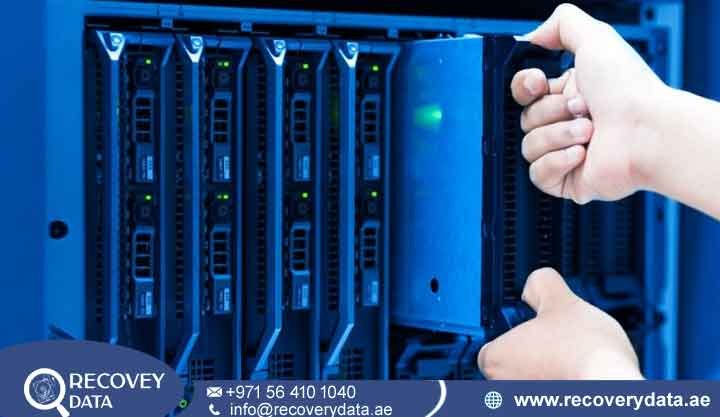
Dubai Silicon Oasis is home to technology companies, startups, offices, data-driven businesses, and organizations that depend on servers for everyday operations. When a server suddenly stops working, the problem can affect far more than the IT department. Shared files may become inaccessible, applications can stop responding, databases may go offline, and employees may lose access to information required for their daily work. Server Data Recovery Dubai Silicon Oasis UAE provides a specialist approach for situations where normal troubleshooting cannot restore access to important data.
A server failure can involve a single hard drive, multiple failed drives, a RAID configuration, a damaged controller, corrupted file-system structures, database problems, virtual machines, or a combination of several issues. The correct recovery method depends on the storage architecture and the condition of the original media. Instead of immediately rebuilding, formatting, initializing, or replacing drives, a professional assessment helps determine what happened and how the available data can be preserved.
Recovery Data provides professional server data recovery support for businesses in Dubai Silicon Oasis and across the UAE. Our approach focuses on diagnosis, controlled handling, and data preservation. We work with different server storage configurations, including HDDs, SSDs, RAID arrays, NAS systems, and other enterprise storage environments.
Why Server Failure Requires More Than Standard IT Troubleshooting
A server that refuses to boot does not necessarily have a simple operating-system problem. The underlying issue may be a failed storage device, RAID controller fault, corrupted metadata, damaged file system, firmware problem, power-related failure, or several failed components.
This distinction matters because some standard repair procedures can modify the storage system. Rebuilding a RAID, initializing a disk, reinstalling an operating system, or running repair utilities may change metadata that could be important during recovery. If the server contains critical information and no verified backup exists, preservation should come before experimentation.
A professional Data Recovery Company in Dubai Silicon Oasis can examine the available evidence before deciding whether the problem requires logical recovery, hardware recovery, RAID reconstruction, database recovery, or another specialized procedure. The objective is not simply to make the server boot again. The priority is to protect the original data while determining the safest route to recover accessible files.
Server Data Recovery for Businesses in Dubai Silicon Oasis
Businesses use servers for many different purposes. A file server may contain shared documents and project folders, while a database server may hold customer records, financial information, inventory data, or application data. Virtualization servers can contain multiple business environments inside VMDK, VHDX, or other virtual disk files.
When one of these systems fails, replacing the hardware does not automatically restore the information stored on it. Recovery may require access to the original storage devices and an understanding of how the server organized the data.
Our IT Server Recovery Services DSO can address different failure scenarios while keeping the original storage media as protected as practical. Depending on the case, technicians may work with individual drives, RAID members, server volumes, database files, virtual disks, or NAS storage.
Windows Server Data Recovery
Windows Server environments can contain large volumes of business information across NTFS or ReFS storage. A damaged file system, failed update, partition problem, unexpected shutdown, storage failure, or other issue can prevent normal access.
Windows Server Data Recovery focuses on identifying whether the problem is related to the operating system, file system, storage hardware, or a combination of these factors. If the underlying storage remains readable, controlled imaging or logical recovery may be considered. If the storage itself has failed, hardware-level recovery may be necessary before file-system analysis can begin.
The recovery process also depends on whether the server uses standalone drives, RAID, Storage Spaces, virtual machines, or another storage configuration. The architecture must be understood before recovery work begins.
Linux Server Data Recovery
Linux servers are widely used for web hosting, development environments, databases, applications, and other business services. File systems such as EXT4, XFS, and Btrfs can be affected by storage failure, metadata corruption, unexpected shutdowns, accidental deletion, or hardware problems.
Our Linux Server Data Recovery process begins by identifying the storage layout and determining which components remain accessible. Logical problems may require file-system analysis, while physical drive problems may require controlled imaging or hardware recovery.
A Linux server should not be repeatedly mounted, repaired, or modified when the underlying storage is unstable. Every additional write can potentially change information that may be useful during recovery.
RAID Server Data Recovery in Dubai Silicon Oasis
RAID is designed to provide performance, redundancy, or both, but a RAID array can become difficult to recover when multiple components fail or the original configuration becomes damaged.
may involve RAID 0, RAID 1, RAID 5, RAID 6, RAID 10, and other configurations. The actual recovery approach depends on the RAID level, number of members, drive condition, stripe size, disk order, parity layout, controller metadata, and the state of each member.
A failed RAID controller does not automatically mean that the data on the member drives is gone. In some cases, the array can be reconstructed using information available from the member disks. However, the correct parameters must be established before reconstruction.
If multiple drives have failed, technicians may first assess each member separately. Stable drives can sometimes be imaged before virtual RAID reconstruction. This helps reduce unnecessary stress on the original media and provides a working copy for analysis where technically possible.
Why You Should Avoid an Unplanned RAID Rebuild
A RAID rebuild can place substantial activity on the remaining drives. If one of those drives already has unreadable sectors or is showing signs of instability, additional stress can complicate the recovery.
The same concern applies to changing drive order, initializing replacement disks, resetting a RAID controller, or creating a new array with the original members. These actions can modify configuration or metadata.
If the information is critical and there is no verified backup, stop before attempting a rebuild. A specialist can first determine the condition of the individual members and establish the original RAID parameters as accurately as possible.
NAS Server Data Recovery
Network-attached storage systems are common in offices because they provide centralized access to documents, backups, media, and business files. A NAS failure can involve individual drives, RAID configuration, firmware, controller hardware, file-system corruption, or the NAS enclosure itself.
Our NAS Server Data Recovery service can cover different storage configurations and manufacturers, including systems from brands such as Synology and QNAP, subject to the specific model and architecture.
NAS recovery requires more than simply connecting a failed drive to another computer. The storage may use RAID, proprietary metadata, Linux-based file systems, encryption, snapshots, or other features. The recovery process therefore starts with understanding how the NAS was configured.
Virtual Server and VMware Data Recovery
Virtualization allows one physical server to host multiple virtual machines. This provides flexibility but also means that one storage failure can affect several virtual environments at the same time.
Virtual Server Data Recovery can involve virtual disk files, snapshots, configuration files, virtual machine metadata, and the underlying physical storage. VMware environments may contain VMDK files and other components required to reconstruct individual virtual machines.
If a virtual disk becomes corrupted or inaccessible, technicians need to determine whether the problem exists inside the virtual disk or on the physical storage beneath it. Recovering the underlying storage first may be necessary when the physical drives themselves have failed.
Database Server Data Recovery
For many companies, the most valuable information is stored inside databases rather than ordinary documents. A server failure can therefore affect customer records, transactions, inventory, applications, financial information, and other operational data.
Database Server Recovery requires careful handling because database files often depend on internal structures, logs, indexes, metadata, and transaction information. A corrupted database should not simply be overwritten with a new installation if the original information is still required.
SQL Server Database Recovery
SQL Server Database Recovery can involve damaged MDF and NDF files, transaction logs, deleted records, storage failure, unexpected shutdowns, or corruption caused by an underlying hardware problem.
The recovery approach depends on the condition of the database and its storage. If the original database files are still accessible, logical analysis may be possible. If the storage has failed, recovering the underlying media may be the first priority.
Exchange Server Data Recovery
Business email can represent years of communication and may contain important attachments, customer correspondence, contracts, and internal records. An Exchange failure can therefore create a significant operational problem.
Exchange Server Data Recovery can involve damaged database files, storage failures, accidental deletion, corruption, or problems affecting the server environment. Recovery depends on the condition of the original database and available backups or logs.
Common Server Failure Scenarios We Handle
Server failures can occur for many different reasons. RAID controller failure can prevent the operating system from accessing an otherwise healthy array. Multiple drive failures can make a redundant array inaccessible when more members fail than the configuration can tolerate. File deletion or accidental formatting can cause logical data loss without necessarily damaging the physical drives.
Electrical problems can also affect server hardware. A power event may damage a drive, controller, power supply, or motherboard component. Overheating can contribute to hardware instability, while an aging storage device may develop unreadable sectors or other faults.
Human error remains another important cause of server data loss. Incorrect RAID operations, accidental deletion, wrong drive replacement, formatting, initialization, or configuration changes can all create recovery situations.
Ransomware introduces a different type of problem. In these cases, the original storage may remain physically operational while files have been encrypted or otherwise made inaccessible. Recovery options depend on the ransomware variant, available backups, encryption state, and whether unencrypted copies or other recovery paths exist.
Our Server Data Recovery Process
Every server case begins with diagnosis. The first objective is to understand the storage configuration and identify what has changed.
Initial Assessment
Technicians review the server symptoms, storage configuration, RAID level, operating system, drive count, failure sequence, and any actions already taken. This information can help establish the safest starting point.
Storage Examination
Individual drives may be tested to determine whether they remain readable and stable. If a physical drive is failing, controlled imaging may be considered where technically possible. The objective is to work from copies rather than repeatedly stressing an unstable original.
RAID or Storage Reconstruction
For RAID cases, technicians can analyze available member information and determine the appropriate reconstruction parameters. This may include disk order, stripe information, parity layout, offsets, and other configuration details.
Logical and File-System Analysis
Once accessible storage is available, technicians can analyze partitions, file systems, directories, databases, virtual disks, and other structures. The recovery method depends on what remains intact.
File Verification and Handover
Recovered data should be checked before delivery. Where practical, a file listing or sample verification can help confirm the recovered information. The destination storage should have sufficient capacity and should be suitable for safely receiving the recovered files.
Emergency Server Data Recovery Dubai Silicon Oasis
When a server contains information required for daily operations, waiting several days before starting a diagnosis may not be practical. Emergency Server Recovery Dubai Silicon Oasis is intended for situations where a business needs rapid assessment and priority handling.
Emergency recovery does not mean skipping the diagnostic process. It means prioritizing the case while still protecting the original storage. The recovery timeline depends on the failure, number of drives, storage capacity, physical condition, RAID complexity, and required procedures.
Collection and delivery arrangements may also be available for eligible cases in Dubai. Availability and response time should be confirmed when the emergency request is made.
Server Recovery for HDD and SSD Storage
Servers can contain both mechanical HDDs and SSDs, and the recovery approach differs significantly between them. HDD recovery may involve mechanical components, read/write heads, motor problems, PCB faults, firmware issues, or damaged magnetic surfaces.
SSD recovery involves different technologies. Controller failure, firmware problems, NAND degradation, power circuitry, encryption, and logical mapping can affect recovery. SSDs do not contain spinning platters, so HDD-style cleanroom procedures are not normally required for SSD recovery.
When a server contains mixed storage technologies, each device should be assessed according to its own architecture before the wider server structure is reconstructed.
Secure Handling of Business Server Data
Server storage can contain sensitive business information, including employee records, customer documents, financial files, databases, emails, credentials, and confidential projects. Recovery therefore requires careful handling of the original media and recovered files.
Recovery Data follows controlled handling procedures for server recovery cases and can work with businesses that require confidentiality. Where appropriate, clients can discuss NDA and data-handling requirements before recovery work begins.
The recovery process should also consider the destination device. Recovered information should be transferred to suitable storage with enough capacity and appropriate access controls.
Transparent Server Data Recovery Pricing
The cost of Server Data Recovery Dubai Silicon Oasis UAE depends on the technical complexity of the case rather than simply the amount of storage capacity. A single failed drive with a simple logical problem may require a different level of work from a multi-drive RAID with several unstable members.
Factors that can influence the recovery cost include the number of drives, physical condition, RAID configuration, failure type, database structure, required hardware work, imaging time, and complexity of logical reconstruction.
A diagnostic assessment can provide a clearer understanding of the problem before recovery work proceeds. Pricing and recovery expectations should be confirmed for the specific case rather than relying on a generic server recovery price.
Frequently Asked Questions
What should I do if my server suddenly stops working?
If the server contains important data and there is no verified backup, avoid repeated restarts and major repair operations. Do not initialize drives, rebuild RAID arrays, or format storage without first understanding the failure. A professional assessment can help determine the safest next step.
Can you recover data from a failed RAID controller?
Recovery may be possible if the member drives and required RAID information remain accessible. A failed controller does not necessarily mean that the data on the drives has been destroyed. The original RAID configuration and condition of the members must be assessed.
Can you recover data after multiple RAID drives fail?
It depends on the RAID level, number of failed members, condition of the remaining drives, and amount of accessible information. In some cases, recovery may still be possible through individual drive imaging and virtual reconstruction. There is no single recovery outcome for every multi-drive failure.
Can you recover a VMware virtual machine?
Recovery may be possible when the required virtual disk files and underlying storage remain accessible. Cases can involve VMDK files, snapshots, virtual machine metadata, or physical storage failures. The exact recovery method depends on where the corruption or hardware failure occurred.
Can you recover SQL Server databases after a server crash?
Potentially, yes. Recovery depends on the condition of the MDF, NDF, log files, underlying storage, and available database information. If the storage itself has failed, recovering the original media may be necessary before database-level analysis.
Can encrypted server data be recovered?
Encrypted data can sometimes be recovered if the required credentials, encryption keys, recovery keys, or other necessary information are available. Recovering the physical storage does not automatically bypass encryption.
Do you provide emergency server recovery in Dubai Silicon Oasis?
Emergency cases can receive priority assessment depending on availability and case requirements. The actual recovery timeline depends on the storage configuration, failure type, number of drives, and technical work required.
How much does server data recovery cost?
There is no single price for every server case. The cost depends on the number of drives, storage architecture, failure type, physical damage, RAID complexity, and recovery procedures required. A case assessment provides a more accurate basis for pricing.
Contact Recovery Data for Server Recovery in Dubai Silicon Oasis
If your server has suddenly failed, avoid unnecessary rebuilds, formatting, initialization, or repeated repair attempts when the stored data is important. The first priority should be preserving the original storage and understanding the failure.
Recovery Data provides professional Server Data Recovery Dubai Silicon Oasis UAE services for businesses dealing with RAID failures, failed server drives, NAS problems, database corruption, virtual server issues, and other storage-related failures.
For a professional assessment, contact Recovery Data at info@recoverydata.ae or +971 56 410 1040.

