
Elite M2 SSD Data Recovery Al Barsha 2
Losing important files can feel overwhelming. Business documents, architectural renders, university projects, and family photographs may all depend on one storage device. M.2 SSDs offer fast performance and compact designs, but a sudden failure can make important files inaccessible without warning. At Recovery Data, we provide professional M.2 SSD data recovery services in Al Barsha […]
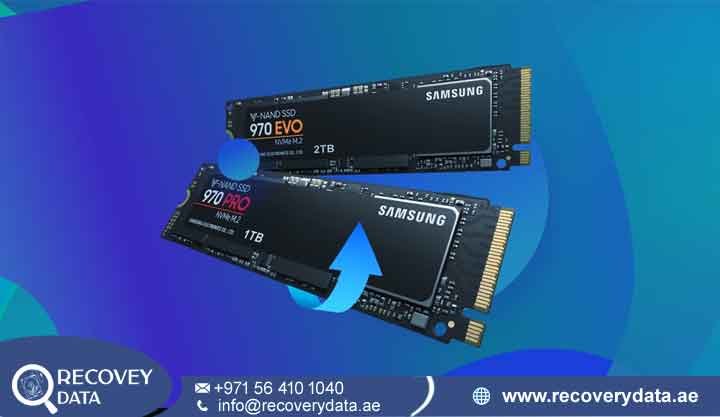
Losing important files can feel overwhelming. Business documents, architectural renders, university projects, and family photographs may all depend on one storage device. M.2 SSDs offer fast performance and compact designs, but a sudden failure can make important files inaccessible without warning.
At Recovery Data, we provide professional M.2 SSD data recovery services in Al Barsha 2 and across Dubai. Our engineers assess failed, corrupted, formatted, inaccessible, and physically damaged SSDs. We use specialist diagnostic equipment to identify the cause of the failure before selecting a suitable recovery method.
Unlike traditional hard drives, M.2 SSDs store information in NAND flash memory. A controller manages how the system accesses that information. Firmware, mapping structures, power circuits, and file-system data also play important roles. A problem with any of these components can prevent the computer from accessing your files.
If your M.2 SSD suddenly stops working, avoid repeated restarts and unnecessary repair attempts. Early assessment can help protect the remaining data and prevent additional changes to the storage.
Why Choose Recovery Data for Your SSD Emergency in the UAE?
SSD recovery requires specialized knowledge because different M.2 drives use different controllers, NAND configurations, firmware, and storage architectures.
At Recovery Data, our engineers diagnose the device before attempting recovery. We use specialist hardware and software tools for suitable SSD and flash-memory cases. Our service focuses on protecting the original storage while identifying the safest available recovery approach.
Key service features include:
- Professional SSD Diagnostics: We examine the SSD to identify controller, firmware, NAND, power, or logical problems.
- Controlled Recovery Environment: Suitable physical recovery work takes place in a controlled laboratory environment.
- SSD & NAND Flash Expertise: Our engineers work with different M.2 SATA and NVMe storage architectures.
- Strict Data Privacy: We treat personal and business information as confidential. NDA arrangements can be discussed for corporate cases.
- No Data, No Fee: Where this policy applies, the terms are explained before recovery work begins.
Critical Warning Signs: Your M.2 SSD May Be Failing

M.2 SSDs can fail without the clicking or grinding sounds associated with mechanical hard drives. A drive may work normally and then suddenly become inaccessible. If you notice unusual SSD behavior at your Al Barsha 2 home or office, stop unnecessary use and arrange a professional assessment.
SSD Not Detected in BIOS
If BIOS or UEFI no longer detects the M.2 SSD, the problem may involve the SSD controller, firmware, power supply, motherboard connection, or another hardware component. A “No Bootable Device” message can also appear when the system cannot access the expected boot storage.
Repeated Blue Screen Errors
Repeated BSOD errors such as “Critical Process Died” or “Inaccessible Boot Device” can have several causes. Storage failure is one possibility. If the system repeatedly crashes while accessing files, engineers should examine the SSD before you perform major repairs or reinstall the operating system.
SSD Becomes Read-Only
Some SSDs can enter a read-only state when the controller detects certain internal problems. Other read-only conditions can result from operating-system settings or file-system issues. If you can view files but cannot save, modify, or delete them, avoid continued use until you understand the cause.
Extremely Slow Performance
A sudden and significant drop in SSD performance can indicate storage or system problems. Frequent freezes, long file-opening times, and repeated read errors deserve attention. Continued use can change the condition of the drive, especially when the SSD has limited remaining health.
Overheating or Burning Smell
High-performance NVMe SSDs can generate considerable heat during demanding workloads. Excessive temperatures can affect performance and long-term reliability. A burning smell, visible damage, or unusual heat can indicate an electrical problem. Disconnect the device and avoid further power-on attempts.
Important Note About TRIM and SSD Recovery
Do not assume that a formatted or deleted SSD remains recoverable simply because traditional hard drives often retain deleted data. SSD controllers use technologies such as TRIM, garbage collection, wear leveling, and background maintenance. These processes can make deleted or formatted information difficult or impossible to recover.
If important data has been deleted or formatted, stop using the SSD as soon as possible. Do not install software or save new files to the affected drive.
Common Causes of M.2 SSD Failure in Dubai
M.2 SSDs can fail for many reasons. The exact cause depends on the drive design, operating conditions, usage pattern, and hardware condition.
High Thermal Stress
High temperatures can affect SSD performance and may contribute to long-term component wear. Heavy workloads such as video editing, gaming, virtual machines, and large data transfers can increase SSD temperatures. Adequate cooling helps maintain stable operation.
Voltage Fluctuations and Electrical Damage
Power problems can damage sensitive electronic components. A surge may affect the SSD’s power-management circuitry, controller, or other components. If an SSD stops working after a power event, avoid repeatedly reconnecting it. A specialist can check the electrical condition before attempting data extraction.
Firmware and Mapping Problems
An SSD relies on firmware and internal mapping information to locate data within NAND flash memory. Firmware corruption or controller problems can prevent normal communication with the drive. The computer may then show the SSD as missing, report an incorrect capacity, or fail to access the stored data.
NAND Flash Wear
NAND flash has a limited endurance rating. Repeated program and erase operations gradually wear the memory cells. Heavy workloads can accelerate wear over time. When an SSD develops extensive NAND degradation, read errors and instability can occur.
Our Specialized M.2 SSD Recovery Solutions
At Recovery Data, we use professional SSD recovery equipment for suitable M.2 cases. Depending on the drive architecture and failure, engineers may use controller diagnostics, firmware analysis, controlled imaging, or advanced flash-memory techniques.
Advanced NVMe Recovery
We assess M.2 NVMe SSDs using different PCIe generations, including suitable PCIe Gen 3, Gen 4, and Gen 5 devices. Compatibility depends on the specific SSD model, controller, NAND configuration, and failure type. Common manufacturers include Samsung, Western Digital, Crucial, Kingston, Sabrent, and others.
Engineers first determine whether the SSD can communicate normally. If it cannot, they investigate the controller, firmware, NAND, and related structures.
NAND-Level and Chip-Off Recovery
In selected cases, engineers may need to work directly with NAND memory components. Chip-off recovery involves removing NAND chips from the circuit board and reading their contents with specialist equipment. The extracted information may then require reconstruction because SSD controllers use mapping, error correction, scrambling, and other processes.
This technique does not apply to every SSD. Its suitability depends on the drive architecture and condition of the NAND memory.
Firmware Analysis and Recovery
Firmware problems can prevent an otherwise physically intact SSD from communicating correctly. Engineers can examine firmware-related issues and determine whether controlled firmware work or another recovery approach is appropriate. Any firmware procedure should protect the original data and avoid unnecessary changes to the device.
BitLocker and Encrypted Drive Support
We can assess encrypted SSD recovery cases involving technologies such as BitLocker when the required recovery key, password, or credentials are available. Encryption does not disappear simply because engineers can access the underlying NAND memory. Without the required authentication information, recovered raw data may remain encrypted.
M.2 SSD Recovery for Al Barsha 2 Residents and Businesses
For residents and businesses searching for “M.2 SSD recovery near me,” local access can make it easier to submit a failed drive for assessment. Our service covers Al Barsha 2 and surrounding Dubai areas, including customers near Mall of the Emirates, Al Barsha, Al Sufouh, and TECOM.
Businesses can also request priority assessment when an SSD failure affects an important workstation, laptop, server, or project.
Transparent Recovery Pricing
SSD recovery costs depend on the actual failure and technical work involved. A deleted-file case may require a different approach from a controller failure or NAND-level recovery.
Factors can include the SSD architecture, physical damage, encryption, controller condition, NAND health, and complexity of the recovery. After diagnosis, we can explain the available recovery approach and applicable cost before proceeding.
Emergency Recovery Service
A failed SSD can interrupt business operations, university work, creative projects, and other important activities. Priority services may be available for urgent cases, depending on the technical requirements and laboratory workload. The expected timeframe can be discussed after diagnosis.
Pickup and Delivery
Customers in Al Barsha 2 can arrange device drop-off or ask about available pickup and delivery options. Keep the affected SSD or laptop in its current condition before collection. Avoid additional troubleshooting if the stored data is important.
The Recovery Data 4-Step Process
1. Initial Consultation
Contact our team and explain what happened to the SSD. We can provide basic guidance on what to avoid before the device reaches the laboratory.
2. Detailed Diagnostic
Our engineers examine the SSD and identify the likely source of the failure. The assessment may include controller communication, firmware status, NAND condition, power circuitry, and file-system structures. The diagnostic findings help determine the appropriate recovery method.
3. Secure Data Extraction
After you approve the recovery plan, engineers perform controlled data extraction using suitable specialist equipment. Where technically possible, the team works from an image or working copy rather than making unnecessary changes to the original storage.
4. Verification and Secure Delivery
Engineers verify the recovered file structure where technically possible. You can review the recovered file list before final delivery. The recovered information can then be transferred to a new storage device or another agreed delivery method.
What Should You Do When an M.2 SSD Fails?
If your M.2 SSD contains important information, stop using it as soon as you notice a serious problem. Avoid repeatedly restarting the computer, formatting the SSD, or installing Windows or another operating system on the affected drive. You should also avoid running unnecessary disk-repair utilities or saving new files to the SSD.
Do not open or physically modify the drive unless you have the proper technical knowledge and equipment. These actions can change the storage structure or overwrite information that may still be recoverable. Preserving the SSD in its current condition gives a professional recovery specialist a better opportunity to assess the problem and determine the appropriate recovery method.
Frequently Asked Questions About M.2 SSD Recovery
Can You Recover Data If an M.2 SSD Was Formatted?
Recovery may be possible in some cases, but SSDs present additional challenges because of TRIM, garbage collection, wear leveling, and other internal processes. The chances depend on the SSD model, controller, NAND condition, operating system, and activity after formatting. Stop using the SSD and seek professional assessment as soon as possible.
What If My M.2 SSD Is Not Detected?
An undetected M.2 SSD can have several possible causes. These include controller failure, firmware problems, power issues, motherboard problems, or physical damage. Do not assume that an undetected drive has lost all its data. A professional diagnostic can determine whether the storage still responds at a hardware level.
Can You Recover Data From a Dead NVMe SSD?
Recovery may be possible depending on the failure. Engineers may examine the controller, firmware, NAND memory, power circuits, and internal storage structures. The outcome depends on the condition of the components and the architecture of the particular SSD.
How Much Does M.2 SSD Data Recovery Cost?
The cost varies according to the type and complexity of the failure. Logical recovery, firmware problems, controller failure, electronic damage, and NAND-level recovery can require different procedures. A diagnosis provides the information needed for a more accurate quotation.
Can You Recover BitLocker-Encrypted SSD Data?
We can assess BitLocker-encrypted SSDs when the necessary recovery key, password, or credentials are available. Encryption can prevent access to recovered raw data without the correct authentication information.
How Long Does M.2 SSD Recovery Take?
Recovery time depends on the SSD condition and the method required. A straightforward logical case can take less time than a controller, firmware, or NAND-level recovery. After diagnosis, the team can provide a more realistic timeframe for the individual case.
Does Chip-Off Recovery Work on Every M.2 SSD?
No. Chip-off recovery is a specialized procedure that depends on the SSD architecture and NAND condition. Some SSDs use complex controller-specific data structures that require additional reconstruction after reading the NAND chips.
Contact M.2 SSD Data Recovery Experts in Al Barsha 2
An M.2 SSD failure does not automatically mean that your files are gone. The right recovery approach depends on the actual cause of the failure and the condition of the stored data.
At Recovery Data, we provide professional M.2 SSD Data Recovery Al Barsha 2 services for individuals, professionals, and businesses across Dubai. Our engineers assess NVMe and other M.2 storage devices affected by deletion, formatting, corruption, firmware problems, controller failure, electronic damage, and other storage issues. If your SSD has suddenly disappeared, stopped responding, or started showing serious errors, avoid further use and arrange a professional assessment.
Email: info@recoverydata.ae
Phone: +971 56 410 1040
Location: Dubai, UAE
Recovery Data – Professional SSD Recovery for Al Barsha 2 and Dubai.

