
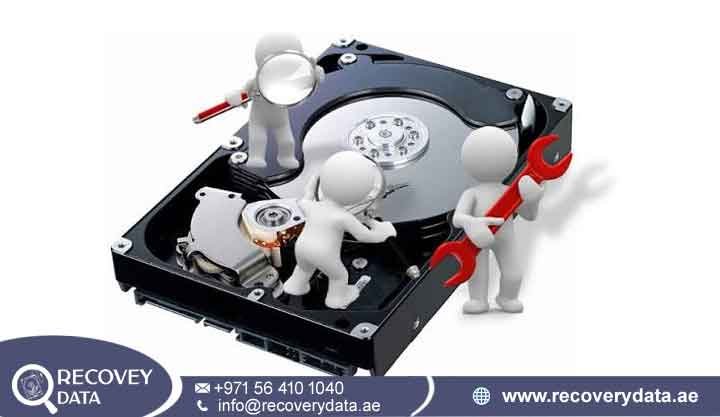
An unexpected power outage or sudden grid blackout across Dubai can disrupt more than just your daily workflow it poses a hidden threat to your digital storage infrastructure. Whether it occurred during a severe weather event, a local transformer fault, or routine grid switching, an abrupt loss of power can instantly compromise desktop hard drives, external backup units, and enterprise storage arrays. When power is abruptly cut, storage media are caught mid-write, often resulting in severe file-system corruption or hardware failure.
At Recovery Data, we specialize in resolving complex hardware and software failures caused by electrical disruptions. Our engineering team provides advanced hard drive damaged after power outage Dubai services, combining deep technical diagnostics with cleanroom capabilities to recover critical business data and personal files safely.
Why a Power Outage Can Destroy or Lock Your Hard Drive
To understand why a blackout or power cut can cause data loss, it helps to understand how traditional Hard Disk Drives (HDDs) operate. Inside an active hard drive, magnetic platters spin at high speeds, typically between 5,200 and 7,200 RPM. Enterprise drives can operate at even higher speeds. Read/write heads float only nanometers above the platter surface while the drive reads and writes data. A sudden loss of power can interrupt this delicate process and create both logical and physical problems.
Abrupt head retraction can occur when the drive loses power unexpectedly. The read/write heads may not complete their normal parking process before the motor stops. In some failure conditions, the heads can contact the platter surface. This contact may scratch the media or cause other physical degradation. If the heads or platter surfaces suffer damage, professional hard drive recovery may require specialized hardware and controlled laboratory procedures.
Interrupted write cycles can also cause data corruption during a sudden outage. Operating systems continuously write file system information, metadata, file allocation tables, and cached data to storage devices. A blackout can stop these operations before the drive completes them. As a result, the file system may contain incomplete information, broken pointers, or corrupted directory structures. The drive may still power on afterward, but the computer might show missing files or fail to open the partition.
Grid restoration voltage spikes create another risk when electricity returns. Power lines can experience brief voltage fluctuations as the electrical supply resumes. These spikes can reach connected devices if surge protection fails or the power supply cannot regulate the incoming voltage. Excess voltage can damage the hard drive’s Printed Circuit Board (PCB) and its power components. In severe cases, the drive may stop spinning or disappear from BIOS and Disk Management after the power returns.
Logical Corruption vs. Physical Damage from Power Failure
Distinguishing between logical file corruption and physical hardware damage is important when recovering data after a power failure. A power cut can damage the file system without harming the drive hardware. In more serious cases, it can also damage electronic or mechanical components.
Logical Damage
When a power cut interrupts an active write operation, the drive hardware may continue to function normally. However, the sudden shutdown can leave the file system with incomplete or inconsistent information. This can prevent the operating system from locating files and accessing the affected partition.
Master File Table (MFT) corruption can affect NTFS-based storage when a sudden shutdown interrupts file system operations. The MFT stores important information about files and their locations. If this information becomes inconsistent, Windows may fail to display the directory structure correctly. The partition may then appear as RAW, unallocated, or inaccessible.
Metadata and partition table loss can create additional access problems. A sudden shutdown can interrupt updates to critical file system structures, including volume boot records and partition information. In some cases, the drive may still appear in the operating system, but the computer may show an incorrect capacity or fail to identify the existing partition correctly.
Physical and Electrical Damage
Physical damage affects the actual hardware inside the storage device. A power failure can contribute to mechanical problems, while voltage fluctuations during power restoration can damage the drive’s electronic components. These failures often require hardware-level diagnosis rather than standard recovery software.
Printed Circuit Board (PCB) failures can occur when a voltage spike reaches the hard drive as power returns. Excess voltage can damage protective components such as Transient Voltage Suppression (TVS) diodes, resistors, and controller circuits. When critical PCB components fail, the drive may stop responding or remain completely undetected by the computer.
Mechanical head stiction can occur when the read/write heads contact the platter surface during an unexpected shutdown. In severe cases, the heads can stick to the platter or prevent the spindle motor from starting normally. The drive may then produce unusual sounds or fail to spin. Engineers may need specialized mechanical procedures to access the stored data safely.
Can Your Data Be Recovered? Success Rates and Expectations
It is completely normal to feel anxious when critical files become inaccessible after a sudden blackout. However, in the vast majority of power outage scenarios, the underlying magnetic platters—where your personal documents, financial databases, and corporate records reside—remain physically intact.
Because the data itself is securely encoded on the platters, professional data recovery yields a high success rate as long as the electronic or logical barrier can be safely bypassed in a laboratory setting. While hardware wear and severe head crashes introduce variable recovery limitations, our structured diagnostic process provides absolute clarity on what can be retrieved.
Power Outage Damaged Hard Drive Recovery Cost & Turnaround in Dubai
We operate on a transparent, structured evaluation model for all clients in Dubai and across the UAE:
-
Comprehensive Diagnostic Evaluation: When you bring or securely ship your device to our Dubai laboratory, our technicians perform a thorough electrical, mechanical, and logical assessment.
-
Transparent Quotation: Following diagnostics, we provide a detailed report outlining the exact nature of the failure, the complexity of the required procedure, and a fixed price quote with no hidden fees.
-
Secure Recovery Execution: Once you approve the evaluation, our engineers perform the necessary cleanroom or electronic repairs in a secure, confidential environment, ensuring complete data privacy.
Turnaround times vary depending on whether the recovery requires software-level sector extraction, electronic component soldering, or cleanroom head replacement. Expedited emergency options are available for time-sensitive business-critical environments.
Frequently Asked Questions
Can a power outage permanently destroy my hard drive data?
While a power outage frequently causes severe logical corruption or electrical damage, it rarely destroys the magnetic data stored on the internal platters. As long as the physical platters are not severely scratched by a head crash, professional recovery procedures can typically retrieve the data successfully.
Why is my external hard drive not working after a power cut in Dubai?
External hard drives rely on external power adapters or bus-powered USB connections that are highly susceptible to voltage fluctuations and power surges when local grids recover from an outage. The internal SATA-to-USB bridge board or the drive’s native PCB often absorbs the electrical shock, sacrificing itself to protect the rest of the unit.
Should I run disk check (chkdsk) if my drive acts strange after a blackout?
No. Running automated repair utilities like chkdsk on a physically unstable or power-damaged drive is strongly discouraged. These utilities attempt to force file-system corrections blindly, which can inadvertently overwrite critical data structures and turn a recoverable situation into permanent data loss.
How much does it cost to recover data from a power-damaged hard drive in the UAE?
The cost depends entirely on the nature of the damage. Logical file corruption and simple electronic diode replacements involve different procedures than complex cleanroom head replacements. We perform a thorough diagnostic assessment in Dubai and provide a transparent quote before starting any work.
Professional Assistance When You Need It
Recovering data from a storage drive damaged by an unexpected power outage requires specialized technical expertise, cleanroom infrastructure, and meticulous handling protocols. Do not risk losing irreplaceable files to trial-and-error repairs.
Contact Recovery Data for a professional data recovery assessment.
-
Website: recoverydata.ae
-
Email: info@recoverydata.ae
-
Phone: +971 56 410 1040
-
Location: Dubai, UAE