
When an internal hard drive or external storage device suddenly stops spinning, the situation can become extremely stressful. The problem can be even more concerning when the drive produces rhythmic ticking, buzzing, beeping, or clicking sounds before becoming completely silent. For businesses and individuals across Dubai and the wider UAE, a failed hard drive can place important financial records, customer information, business documents, photographs, videos, databases, and other valuable files at risk. Among the mechanical problems that affect traditional magnetic hard disk drives (HDDs), HDD motor failure data recovery Dubai requires specialized diagnostic equipment, precision mechanical work, controlled laboratory conditions, and experienced recovery engineers. The spindle motor plays a critical role in keeping the platters rotating at a stable speed. When the motor, spindle assembly, or related electronic components fail, the drive may no longer reach operating speed or may fail to spin at all.
A non-spinning hard drive does not automatically mean that the stored data has disappeared. The magnetic recording surfaces may still contain readable information even when the motor or electronics have failed. However, repeated attempts to power, restart, open, shake, or repair the drive without the correct equipment can increase the risk of additional damage. For this reason, mechanical HDD failures require careful diagnosis before any recovery procedure begins. At Recovery Data, we specialize in professional recovery for hard drives affected by mechanical, electronic, firmware, and logical failures. Our laboratory-based approach allows engineers to examine the condition of the storage device before selecting the safest recovery method. We provide secure and confidential recovery services for customers in Dubai, Abu Dhabi, Sharjah, Ajman, Umm Al Quwain, Ras Al Khaimah, and Fujairah.
Understanding HDD Motor and Spindle Failures
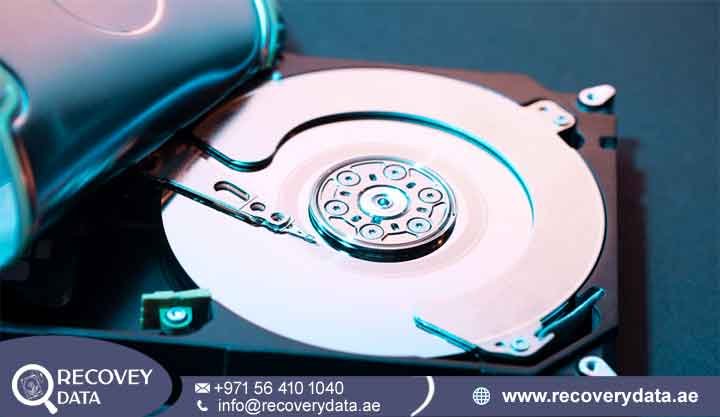
To understand why a hard drive stops spinning, it helps to understand how a mechanical HDD operates. Unlike Solid State Drives (SSDs), which store information in NAND flash memory, HDDs use rotating magnetic platters and moving read/write heads. The platters contain the magnetic recording surface where your files are stored. During normal operation, these platters rotate at a controlled speed while the heads move across the surface to read and write data. Many desktop and external HDDs operate at approximately 5,400 or 7,200 RPM, while some enterprise drives operate at higher speeds. The spindle motor provides the rotational force required to keep the platters moving. The motor must maintain stable rotation so that the drive’s internal servo system can position the heads accurately over the required data locations.
When the spindle motor develops a fault, the platters may fail to reach their required operating speed. The drive may attempt to start and then stop, produce unusual sounds, or remain completely silent. In some cases, the underlying problem may not be the motor itself. A damaged PCB, motor-control component, power circuit, firmware problem, or related mechanical issue can produce similar symptoms. This is why professional hard drive motor failure recovery Dubai begins with diagnosis rather than immediate mechanical replacement.
Why Your Hard Drive Stopped Spinning
A hard drive can stop spinning because of mechanical wear, physical impact, electrical damage, PCB failure, power problems, or other internal faults. When the drive receives power through a SATA connection, USB interface, or external enclosure, its electronic circuitry controls the startup sequence and supplies the required power to the spindle motor. If the electronic control circuit fails, the motor may not receive the correct power. If the motor or spindle assembly itself has a mechanical problem, the electronics may attempt to start the motor without achieving stable rotation.
Common causes include:
Bearing Seizure: Over time, the spindle bearing system can experience wear and increased friction. Long operating hours, age, manufacturing-related issues, or mechanical stress can contribute to bearing problems. When friction becomes excessive, the spindle may struggle to start or may become unable to rotate.
Motor Driver or PCB Failure: The spindle motor depends on electronic circuitry located on the drive’s PCB. Electrical surges, component failure, power irregularities, or damage to the motor-control circuit can prevent the motor from receiving the correct operating current. In such cases, the mechanical motor may remain physically intact even though the drive cannot start.
Spindle or Mechanical Friction Problems: Certain mechanical failures can create excessive resistance within the spindle assembly. The drive may produce a buzzing or beeping sound as it attempts to start. Continued operation under these conditions can place additional stress on the motor and other internal components. Because several failures can produce similar symptoms, engineers should test the PCB, power circuits, firmware status, motor behavior, and mechanical condition before deciding on a recovery procedure.
Common Auditory Cues: Beeping, Clicking, or Complete Silence
The sound produced by a failing hard drive can provide useful diagnostic information, although sound alone cannot confirm the exact cause of failure. Experienced recovery engineers consider the sound together with the drive’s electrical behavior, detection status, physical condition, and diagnostic readings.
Complete Silence: If the drive remains completely silent after receiving power, possible causes include PCB failure, power-related damage, a motor-control problem, or another electrical fault. In some cases, the drive may receive insufficient or incorrect power through the enclosure, cable, adapter, or power supply. Professional testing can help determine whether the problem originates inside the drive or in an external component.
Beeping or Buzzing: A repetitive beeping or buzzing sound can occur when the drive attempts to start but the spindle cannot achieve normal rotation. Mechanical resistance, spindle problems, or related electrical faults can cause this behavior. If the drive repeatedly attempts to start, it is better to disconnect it rather than continue cycling the power. Repeated startup attempts can place unnecessary stress on already damaged components.
Clicking or Grinding: Clicking often appears in cases involving read/write head, servo, or firmware-related problems, although other faults can sometimes produce similar sounds. Grinding or unusual mechanical noise can indicate a more serious internal mechanical issue. Users should not assume that a particular sound identifies one specific failure without professional testing.
BIOS and Operating System Failure to Detect the Device
A hard drive affected by motor or spindle failure may not appear correctly in the computer’s BIOS or UEFI environment. The operating system may also fail to detect the storage device. External drives may repeatedly attempt to initialize but fail to mount. In some cases, the drive may appear with an incorrect capacity or an unusual device identifier. Windows Disk Management may show an uninitialized or inaccessible device, while macOS Disk Utility may fail to display the expected volume. These symptoms can occur with several types of hardware and logical failures, so they should not automatically be interpreted as proof of motor damage.
If the drive is making unusual mechanical sounds and is also failing to detect, continued troubleshooting can increase the risk of further damage. Professional diagnosis can determine whether the problem involves the motor, PCB, firmware, heads, media, enclosure electronics, or another component.
Root Causes of HDD Motor and Spindle Failure
Hard disk drives contain highly precise mechanical and electronic components that must operate together correctly. Although HDDs are designed for long-term use, mechanical components can eventually wear or fail. External conditions can also increase the risk of failure.
1. Mechanical Wear and Tear
Mechanical wear is one of the possible causes of spindle and motor problems. HDDs contain moving components that operate continuously during active use. Enterprise systems can remain active for long periods, while desktop and external drives may experience repeated startup and shutdown cycles. Over time, bearing wear or other mechanical deterioration can increase friction. A worn spindle may produce unusual sounds, struggle during startup, or become unable to maintain stable rotation. Age alone does not determine when a drive will fail, but older drives can have a greater risk of mechanical deterioration. If a drive contains important information and begins producing unusual mechanical sounds, it should be treated as a potential hardware failure rather than as a normal software problem.
2. Physical Impact and Drop Damage
External HDDs are particularly vulnerable to physical impact because they are frequently moved between locations. Dropping a drive while it is operating can place significant mechanical stress on the spindle, heads, platters, and internal mounting structures. A strong impact can affect spindle alignment or damage internal mechanical components. It can also cause the read/write heads to move outside their normal operating position. In more serious cases, platter surfaces can suffer physical damage. The drive may continue to power on after a drop but behave abnormally. It may spin briefly, repeatedly restart, click, or disappear from the operating system. Continuing to operate a physically damaged drive can increase the risk of additional media damage.
3. Electrical Surges and Power Fluctuations
Electrical problems can also contribute to hard drive failure. Power surges, defective power adapters, unstable supplies, damaged USB cables, and faulty external enclosures can expose the drive’s electronics to abnormal electrical conditions. Modern HDDs include protective components, but severe electrical events can still damage the PCB, motor-control circuitry, power regulation components, or other electronic parts. In some cases, the motor itself remains functional while the PCB prevents the drive from starting. A professional recovery laboratory can test the PCB and related circuits to determine whether electronic repair or component-level work may restore access. Replacing a PCB is not always a simple plug-and-play procedure because modern HDDs can contain drive-specific firmware and adaptive information.
4. Environmental Stress and Temperature Extremes
Temperature and environmental conditions can also affect HDD reliability. Excessive heat can accelerate component aging and place additional stress on mechanical and electronic parts. Repeated temperature changes can cause expansion and contraction of materials within the drive. Humidity, improper storage, vibration, and unsuitable operating conditions can also contribute to long-term problems. While environmental exposure does not automatically cause motor failure, it can increase the likelihood of mechanical or electronic deterioration. For drives containing important information, unusual operating temperatures, repeated overheating, or environmental damage should be treated as warning signs rather than ignored.
Professional HDD Motor Recovery Process in Dubai
Recovering data from a hard drive with a seized or failed motor requires a controlled and methodical approach. Standard data recovery software cannot repair a physically damaged spindle motor because software operates at the logical or operating-system level. At Recovery Data, the recovery process begins by identifying the actual cause of the failure. Engineers then select the least invasive procedure capable of restoring stable access to the stored data.
Step 1: Comprehensive Diagnostics in a Class 100 Cleanroom
Every mechanical recovery case begins with detailed diagnostics. Engineers inspect the external condition of the drive and examine the PCB, power circuits, connectors, firmware behavior, and startup response. They also determine whether the drive produces abnormal mechanical sounds or attempts to spin. If the evidence indicates an internal mechanical problem that requires opening the sealed drive assembly, the procedure must take place in a controlled cleanroom environment. A Class 100 cleanroom environment helps minimize airborne particles during sensitive internal HDD work.
The internal surfaces of a hard drive require careful handling. Dust and other contaminants can interfere with the extremely small clearance between the read/write heads and the platter surface. Engineers therefore use appropriate cleanroom procedures, tools, and handling techniques when accessing the internal assembly. The purpose of this stage is not simply to make the drive spin again. The main objective is to restore controlled access to the media so engineers can safely create an image of the readable data.
Step 2: Spindle Motor Replacement and Donor Matching
When diagnostics confirm a mechanical spindle problem, engineers assess whether the spindle assembly can be repaired or whether a compatible donor drive is required. Donor matching requires more than finding another hard drive with the same storage capacity. Engineers may compare the drive family, model, firmware information, manufacturing details, PCB characteristics, and other compatibility factors.
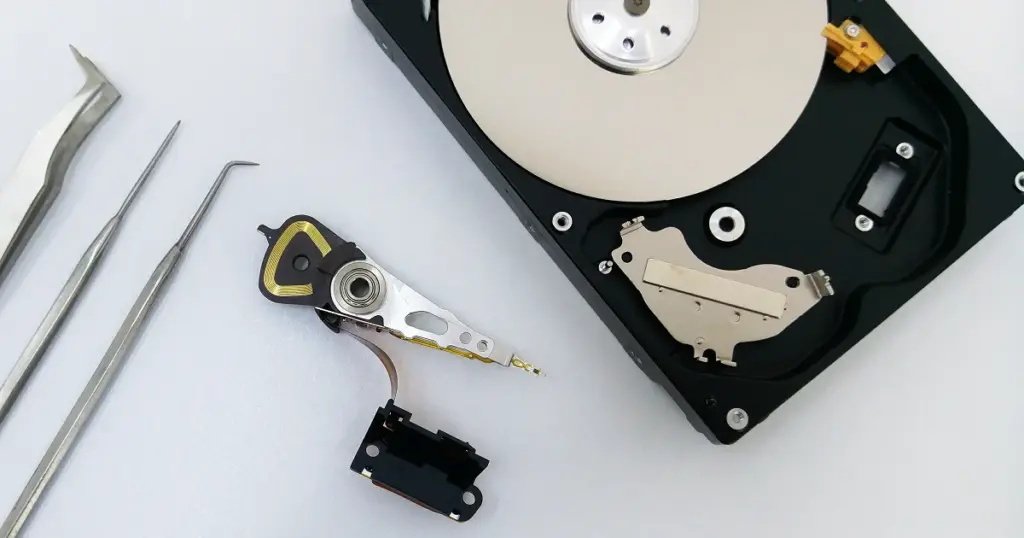
Depending on the drive design and failure type, the recovery procedure may involve repairing the existing electronics, replacing a compatible mechanical assembly, or transferring the platter assembly into a suitable donor chassis. The exact procedure depends on the construction of the affected HDD. Platter handling requires precision because the magnetic recording surfaces must maintain their original relationship to the drive’s mechanical and servo system. Engineers use specialized fixtures and controlled procedures to reduce the risk of disturbing the platter alignment.
Step 3: Sector-by-Sector Cloning and Extraction
Once engineers restore stable drive operation, they focus on imaging the available data. The objective is to create a sector-level copy of the source media before performing extensive file-system analysis. Specialized hardware imaging equipment can help manage unstable sectors and control read attempts. Instead of repeatedly accessing the original drive through normal operating-system commands, engineers can use a controlled imaging process designed for failing media.
The resulting image can then be analyzed separately. This approach reduces unnecessary handling of the original drive and allows recovery specialists to work from a controlled copy whenever the condition of the media permits. After imaging, engineers analyze the file system and reconstruct accessible folders, directories, partitions, and file structures. Depending on the condition of the media, recovery may include documents, photographs, videos, databases, email files, archives, and other business or personal data.
Dispelling DIY Myths and Understanding Recovery Limitations
When a hard drive stops spinning, users often search for quick solutions online. Some commonly shared methods may provide temporary changes in symptoms in isolated historical cases, but they are not appropriate procedures for protecting valuable data.
The Freezer Trick: Freezing an HDD is not a recommended recovery method. Extreme temperature changes can introduce condensation and place additional stress on the drive’s materials. Modern HDDs require controlled environmental conditions, and exposing a damaged drive to a household freezer can complicate a professional recovery attempt.
Percussive Maintenance: Hitting, tapping, shaking, or dropping a hard drive in an attempt to free a stuck spindle can cause additional mechanical damage. An impact may affect the heads, platter surfaces, spindle assembly, or internal alignment. Even if the drive temporarily starts afterward, the procedure can make subsequent recovery more difficult.
Repeated Power Cycling: Continuously connecting and disconnecting a failing drive is another common mistake. If the motor is struggling to rotate or the drive has internal mechanical damage, repeated startup attempts may place additional stress on the affected components.
Running Repair Utilities: Commands and utilities designed for logical problems cannot repair a seized spindle or physically damaged motor. Tools such as file-system repair utilities may also write information to the affected media. For a drive with valuable data and suspected hardware failure, professional diagnosis should come before repair attempts.
Recovery Limitations
Professional data recovery can often retrieve information from drives that no longer operate normally, but no responsible recovery provider can guarantee every sector of every damaged drive. The final result depends on the condition of the magnetic recording surface, heads, firmware, electronics, mechanical components, and the number of successful imaging passes. If the platters remain readable, engineers may be able to extract a significant amount of the stored information after restoring controlled access. However, sectors affected by severe physical media damage may remain unreadable. Early professional intervention can help reduce unnecessary read attempts and prevent avoidable damage. This is especially important when the drive contains business databases, accounting records, customer information, surveillance footage, or irreplaceable personal files.
Comprehensive Data Recovery Services Across the UAE
Data loss can affect individuals, businesses, organizations, and enterprises regardless of location. Recovery Data provides professional storage recovery services for customers throughout Dubai and the wider UAE. Our recovery services can support a wide range of storage devices, including internal HDDs, external hard drives, SSDs, NVMe drives, RAID arrays, NAS systems, USB flash drives, memory cards, and other storage media.
Customers in areas such as Downtown Dubai, Business Bay, Dubai Internet City, Dubai International Financial Centre (DIFC), Jebel Ali, Dubai Silicon Oasis, and other parts of the emirate can arrange professional evaluation of their affected storage devices. We also support customers across Abu Dhabi, Sharjah, Ajman, Umm Al Quwain, Ras Al Khaimah, and Fujairah. For business customers, secure handling and confidentiality remain important throughout the recovery process. Sensitive files should be handled only by authorized personnel and transferred through controlled procedures.
Whether the failed HDD contains company databases, accounting information, project files, CCTV footage, photographs, videos, or personal documents, the first priority should be to protect the original storage media from unnecessary handling.
Frequently Asked Questions
1. Can data be recovered from a hard drive that is completely dead and not spinning?
Data may still be recoverable from a hard drive that does not spin. A non-spinning condition does not automatically mean that the magnetic recording surface has been destroyed. The actual recovery possibility depends on the cause of the failure and the condition of the platters and heads. If the problem involves the PCB, power circuitry, motor-control components, or spindle assembly, engineers may be able to restore controlled access long enough to image the available data. However, the recovery outcome can only be determined after proper diagnostics.
2. How much does HDD motor failure data recovery cost in Dubai?
The cost of HDD motor failure data recovery Dubai varies from case to case. Factors can include the drive model, storage capacity, type of mechanical failure, condition of the PCB, platter condition, donor requirements, amount of readable data, and the complexity of the recovery procedure. A standard external HDD with an isolated electronic issue may require a different procedure from a drive with severe spindle damage and media complications. Enterprise drives and RAID systems can also require additional engineering and equipment. A professional evaluation provides a clearer understanding of the required work before recovery begins. Recovery Data can assess the affected device and provide information about the available recovery approach and associated cost.
3. Can I attempt to fix a seized hard drive motor myself?
A seized HDD motor should not be opened or mechanically repaired as a DIY project. The internal drive assembly contains sensitive components that require controlled handling and specialized equipment. Opening the drive in an uncontrolled environment can expose the internal assembly to airborne contaminants. Attempting to move the platter stack, heads, spindle, or other internal components without suitable fixtures can also cause additional damage. If the stored information is important, disconnecting the drive and obtaining a professional assessment is generally safer than experimenting with internal repairs.
4. How long does a mechanical hard drive recovery take?
Recovery time depends on the type and severity of the failure. Initial diagnosis may be completed within a defined assessment period, while complex mechanical recoveries can require substantially more time. The recovery process may include diagnostics, electronic repair, donor selection, cleanroom mechanical work, controlled imaging, bad-sector management, file-system reconstruction, and data verification. Urgent business cases may require priority handling where available. The exact timeline depends on the condition of the affected drive and the complexity of the recovery.
5. What should I do immediately if my external hard drive stops spinning and makes beeping sounds?
Switch the drive off and disconnect it from the computer or power source. Do not repeatedly restart it, shake it, strike it, freeze it, or attempt to open the enclosure or drive assembly. If the drive contains important information, avoid running formatting, initialization, repair, or recovery utilities before the hardware condition has been assessed. Keep the drive in a safe, dry location and provide it to a professional recovery laboratory for diagnosis. Early handling can make a significant difference when a mechanical failure is involved because unnecessary operation may increase stress on damaged components.
Secure Professional Assistance Today
A hard drive that stops spinning requires careful attention, particularly when it contains important or irreplaceable information. Attempting random repairs can turn a potentially recoverable mechanical or electronic problem into a more complicated recovery case. Professional HDD motor failure data recovery Dubai combines detailed diagnostics, controlled mechanical procedures, specialized imaging equipment, and experienced recovery engineers. The goal is to restore access to the storage media while minimizing unnecessary stress on the affected drive. If your hard drive has stopped spinning, produces beeping or unusual mechanical sounds, or is no longer detected by your computer, stop using the device and arrange a professional assessment.
Contact Recovery Data for a secure data recovery evaluation.
Email: info@recoverydata.ae
Phone: +971 56 410 1040
Location: Dubai, UAE