
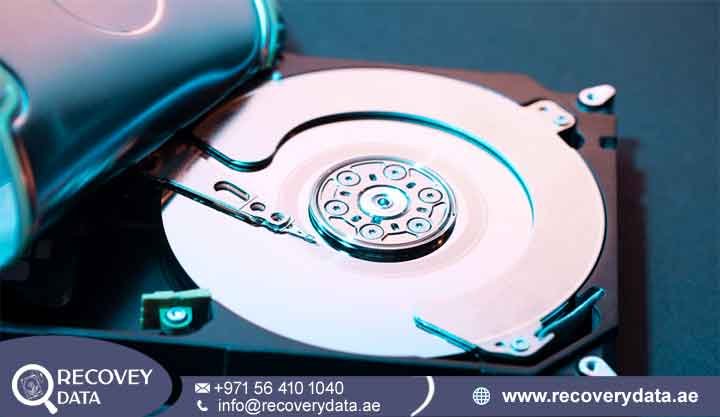
Facing an unexpected storage drive failure can quickly disrupt business operations, professional workflows, and personal productivity. An IT administrator may depend on corporate server backups, while a multimedia professional may store large projects on external drives. Home users can also face serious disruption when a desktop suddenly refuses to boot. A hard drive that shows no vibration, produces no normal startup sound, or gives off a burning odor may have suffered an electrical fault or PCB failure.
Successful HDD PCB data recovery Dubai requires specialized electronic diagnostics, precision micro-soldering equipment, and a strong understanding of hard drive firmware. At Recovery Data, we operate a professional data recovery laboratory in Dubai. Our engineers combine advanced diagnostic equipment with careful electronic repair techniques to restore communication with non-responsive storage devices and protect the original data.
Understanding Hard Disk Circuit Board (PCB) Failures
To understand why a hard disk can suddenly stop working after an electrical problem, it helps to understand the role of its Printed Circuit Board (PCB). A traditional HDD contains magnetic platters and read/write heads inside a sealed enclosure. The PCB sits externally on the underside of the drive and manages many of the drive’s electronic functions. The PCB receives power from the computer, power supply, or external adapter. It controls communication with the host system and supports the operation of the spindle motor and head actuator. It also manages signals through interfaces such as SATA, SAS, or USB, depending on the drive design. A failure on this board can prevent the drive from receiving or regulating power correctly. It can also stop the controller from communicating with the computer. As a result, the drive may appear completely dead even though the magnetic media inside remains physically intact.
What Is an HDD PCB and Why Do Circuit Boards Fail?
The HDD PCB contains several electronic components that work together to control the drive. These components can include power-management circuits, controller chips, protective devices, interface components, and firmware-related memory. Because the board handles incoming electrical power, severe voltage problems can damage sensitive components. A failed PCB may prevent power from reaching the motor or other drive electronics. In some cases, the drive may remain completely silent. In other cases, it may repeatedly attempt to start but fail to initialize.
Common symptoms that may indicate the need for professional hard drive PCB recovery Dubai services include:
Complete Motor Silence: When you connect the hard disk to a known working power source, the drive may produce no normal spinning vibration or operating sound. This can indicate a power-related problem, PCB failure, or another electronic fault. Engineers must test the drive before identifying the exact cause.
Burning Smell or Visible Charring: A strong electrical burning smell can indicate damage to components on the circuit board. You may also notice darkened areas, melted components, or visible marks around power-management circuits and protective components such as TVS diodes.
System Detection Failure: A damaged PCB can prevent the computer from communicating with the drive. The HDD may not appear in BIOS, Disk Management, or another storage utility. Some external drives may instead produce USB communication or device descriptor errors.
Instant Power Tripping: A damaged drive can sometimes cause a power supply or USB protection circuit to shut down when connected. This behavior may occur when a component on the drive has developed an electrical short. Disconnecting the drive and avoiding repeated power attempts can help reduce further risk.
Common Triggers: Power Surges, Volatile Grids, and Mismatched Adapters
Several electrical and environmental conditions can contribute to HDD PCB failure. Identifying the likely cause helps engineers select an appropriate diagnostic and recovery procedure.
Power Surges and Lightning Strikes: Severe voltage fluctuations can damage protective components and power-management circuits on a hard drive PCB. External drives can also suffer damage when an unstable power source reaches the enclosure or adapter.
Mismatched Power Adapters: External hard drives and enclosures require specific voltage and polarity requirements. Using an incorrect adapter can send unsuitable electrical power to the device. This can damage the PCB and its connected components.
Electrostatic Discharge (ESD): Static electricity can damage sensitive electronic components. Proper anti-static handling becomes especially important when technicians work directly with exposed PCBs and other electronic storage components.
Component Aging and Thermal Stress: Long operating periods, poor ventilation, and repeated temperature changes can place stress on electronic components. Over time, certain components may fail or develop electrical faults that prevent normal drive operation.
Professional HDD Circuit Board Repair & Data Recovery Workflows
When a hard disk stops working because of PCB damage, many users look for a quick replacement board online. However, modern HDDs contain drive-specific firmware and adaptive information. A simple board swap may not restore access to the stored data. Professional electronic recovery starts with controlled diagnostics. Engineers first determine whether the fault exists on the PCB, within the drive’s internal components, or in both areas. This approach helps protect the original media and avoids unnecessary intervention.
Why Blind Donor Board Swapping Can Complicate Recovery
A common assumption is that an identical hard drive model will work if its circuit board is transferred to the damaged drive. In practice, the process is more complicated. Modern hard drives can contain unique factory calibration information and adaptive parameters. Depending on the model, important information may reside in a dedicated ROM chip or within other drive electronics. The donor board must therefore match the requirements of the original drive. A compatible donor PCB may still require the transfer or management of drive-specific firmware information. Without the correct information, the drive may fail to initialize or communicate properly. Improper board replacement can also complicate later recovery work. For this reason, technicians should diagnose the original PCB before attempting any donor-board procedure. The goal is to restore communication while preserving the drive-specific information required for controlled data extraction.
Component-Level Repair vs. ROM Chip Transplantation
Professional HDD PCB failure recovery Dubai procedures use different repair methods depending on the type and severity of the electronic damage.
Micro-Component Level Repair: If the fault affects components such as TVS protection devices, fuses, power-management components, or damaged PCB traces, engineers may repair the original board. This approach can preserve the original electronic configuration and may restore stable power to the drive.
ROM Chip Desoldering and Transfer: If the original PCB has suffered extensive damage, a compatible donor board may provide the necessary electronic platform for recovery. When the drive design allows it, technicians can carefully transfer the original ROM or required firmware information to the donor PCB. Precision micro-soldering equipment and high-magnification inspection help reduce the risk of damaging delicate components. The correct procedure depends on the drive model, PCB design, failure type, and condition of the original electronics. Engineers should confirm these factors before selecting a donor board or beginning component-level repair.
Cleanroom Data Extraction & Sector Imaging
Once engineers restore stable communication with the drive, they can assess whether the internal magnetic media remains readable. The next objective is to secure the available data through controlled imaging. Specialized hardware-level recovery equipment, including systems such as PC-3000, can assist with drive diagnostics and controlled sector-level imaging. Engineers create an image of the accessible data on separate healthy storage media. This approach reduces unnecessary stress on the original drive during later recovery work. A severe electrical event can sometimes affect components beyond the external PCB. If diagnostics indicate internal head or mechanical damage, engineers may need to consider controlled cleanroom intervention.
In such cases, the drive can be moved into a Class 100 Cleanroom environment. This controlled workspace helps limit airborne contamination when technicians need to access the internal drive assembly. Depending on the failure, engineers may replace suitable internal components or use other controlled techniques before attempting further imaging. The recovery process always depends on the condition of the original drive. Not every PCB failure requires cleanroom work, and technicians should avoid opening the sealed drive assembly unless diagnostics show that internal intervention is necessary.
External HDD PCB Recovery & Desktop Storage Solutions
The physical design of a storage device affects both the symptoms of electronic failure and the recovery procedure. External portable drives, desktop HDDs, enterprise drives, and NAS storage can use different circuit-board configurations.
External HDD PCB Failure Recovery in Dubai
Portable external hard disks often use specialized circuit-board designs. Some models place the USB interface directly on the main PCB, while others use a separate USB-to-SATA bridge board. This distinction matters during recovery. A damaged USB bridge does not always mean that the internal hard disk has suffered the same failure. Engineers must identify whether the fault exists in the USB interface, power circuit, main PCB, or internal HDD electronics. External drives can also suffer electrical damage through faulty cables, adapters, USB hubs, or unstable power sources. Recovery specialists can test the drive and determine whether the native storage interface remains accessible. Depending on the drive architecture, the recovery process may involve repairing the power circuit, addressing the USB interface, restoring communication through an appropriate interface, or repairing the original PCB.
Internal 3.5-inch Desktop & Enterprise Hard Disk Recovery
Corporate environments often rely on multiple hard drives for servers, workstations, NAS systems, and RAID storage. A power event can affect several devices at the same time, especially when multiple drives share the same enclosure or power infrastructure. When several drives experience electronic failure, technicians must treat the array as a complete storage system. Each drive requires individual assessment before engineers attempt RAID reconstruction or file-system recovery.
For enterprise cases, the recovery process may include electronic repair, drive imaging, RAID parameter analysis, virtual reconstruction, and file-system recovery. Database files, virtual machines, shared folders, and business documents may require additional verification after the array becomes accessible. This structured approach helps protect the original storage devices and reduces unnecessary changes to the RAID configuration.
Why Choose Recovery Data for Electronic HDD Recovery?
Choosing a professional recovery provider matters when a failed drive contains important personal or business information. Electronic recovery requires careful handling because unnecessary power attempts, incorrect board replacements, and unsuitable repair methods can complicate the case.
Advanced In-House Lab in Dubai: Recovery Data operates a professional data recovery facility in Dubai with electronic diagnostic equipment, micro-soldering tools, and controlled recovery workspaces. Keeping the recovery process within the facility allows engineers to assess the drive and select the appropriate recovery method.
Strict Data Confidentiality: We follow secure data-handling procedures for personal and business storage devices. Sensitive files remain protected during the diagnostic and recovery process. Where required, confidentiality arrangements can also support business and corporate recovery cases.
Transparent Evaluation & No Data, No Fee Policy: Each case starts with a professional diagnostic assessment. Our engineers evaluate the storage device and explain the recovery requirements before billable work proceeds. Recovery Data follows a No Data, No Fee policy for qualifying recovery cases.
Convenient UAE-Wide Coverage: Our physical laboratory is located in Dubai, while clients across the UAE can arrange device drop-off or collection options. We support customers in Dubai, Abu Dhabi, Sharjah, Ajman, Umm Al Quwain, Ras Al Khaimah, and Fujairah.
Frequently Asked Questions (FAQ)
1. Can data be recovered from an HDD with PCB failure?
Data recovery can be possible when an HDD has PCB failure. The magnetic platters may remain physically intact even when the external circuit board stops working. Engineers can inspect the PCB and determine whether component-level repair, firmware-related work, or a compatible donor board can restore communication. The final recovery outcome depends on the condition of the PCB, firmware, magnetic media, read/write heads, and other internal components.
2. How do specialists recover data from a failed HDD PCB?
Professional technicians begin by inspecting the PCB and testing its electrical condition. They may check power rails, protective components, controller-related circuits, and visible board damage. If the original PCB cannot support recovery, engineers may use a compatible donor board. Depending on the drive design, they can transfer or manage the required ROM and firmware information so the drive can communicate correctly. After communication is restored, engineers can proceed with controlled diagnostics and sector-level imaging.
3. What is the HDD PCB data recovery cost in Dubai?
The HDD PCB data recovery cost in Dubai depends on the type of electronic failure and the condition of the drive. A simple PCB component repair may require a different process from extensive controller damage or a case that also needs internal cleanroom work. Drive capacity, model, firmware condition, PCB damage, and additional mechanical problems can also affect the recovery process. Recovery Data performs a diagnostic assessment before providing a transparent recovery quotation.
4. Can a burnt HDD PCB be repaired for data recovery?
A burnt PCB may still be repairable, depending on the extent of the damage. Engineers can inspect the board to determine whether components, power circuits, traces, or controller-related sections have failed. In suitable cases, technicians may repair damaged components on the original PCB. If the board has extensive damage, a compatible donor PCB and drive-specific firmware work may provide another recovery route. However, a burnt board does not automatically indicate that the stored data remains fully accessible. Engineers must test the complete drive before confirming the recovery prospects.
5. Do you provide external HDD PCB failure recovery in Dubai?
Yes. Recovery Data handles external and portable hard drives from major manufacturers, including WD, Seagate, and Toshiba. External HDD failures can involve the USB bridge, power circuit, main PCB, or internal drive components. Our engineers first identify the failed section. They then select a recovery method that matches the specific external drive architecture.
6. Do you service clients across the UAE outside of Dubai?
Yes. Recovery Data is based in Dubai and supports customers across the UAE. Clients in Abu Dhabi, Sharjah, Ajman, Umm Al Quwain, Ras Al Khaimah, and Fujairah can arrange suitable device drop-off or collection options.
Professional Assessment & Contact
A dead hard drive or burnt circuit board does not automatically mean that the stored data is lost. In many cases, the magnetic media can remain intact even when the drive’s electronics fail. Professional diagnosis can determine whether the PCB, firmware, internal components, or several areas require attention. Avoid repeatedly powering a failed drive or installing an unverified donor PCB. Each additional attempt can complicate the recovery process. Instead, have the device assessed by a specialist before further repair attempts.
Contact Recovery Data for a professional HDD PCB data recovery Dubai assessment.
- Email: info@recoverydata.ae
- Phone: +971 56 410 1040
- Location: Dubai, UAE