
Hearing an unusual noise from your computer or external backup drive is never reassuring. A clicking sound is a warning sign of a serious hardware issue. Many people call this the “click of death.” This mechanical noise often means that your storage device is struggling to read or write data properly.
For individuals and businesses in the UAE, external backups and desktop systems can hold critical information. Understanding the cause of the sound can help protect your files. Knowing what the sound means can also prevent permanent data loss. When a storage component produces sharp, repetitive sounds, your valuable files may already be at risk. Many people ignore these warning signs or try quick software fixes. These actions can accelerate damage to the underlying magnetic surfaces.
Digital storage failure often happens at the worst possible time. It may occur before an important project deadline. It may also happen when you need years of family photos. Your computer’s storage drive is a precision-engineered machine. It operates with extremely small internal tolerances. When a physical problem develops inside the sealed enclosure, forceful repair attempts can make the situation worse. Data recovery professionals regularly see damaged drives. Some of these drives could have been saved. The owners only needed to power down the machine when the noise started.
A sudden hardware malfunction requires a calm and methodical response. You first need to understand the mechanics behind the clicking sound. Learn how read and write heads interact with spinning platters. Understand why head crashes happen. You should also recognize the warning signs of total drive failure. These steps can help protect your information from permanent loss. Professional recovery facilities in the UAE can also provide a safe recovery path. This becomes especially important when the drive has suffered physical damage.
Understanding the Sound: Why Is Your Hard Drive Clicking?
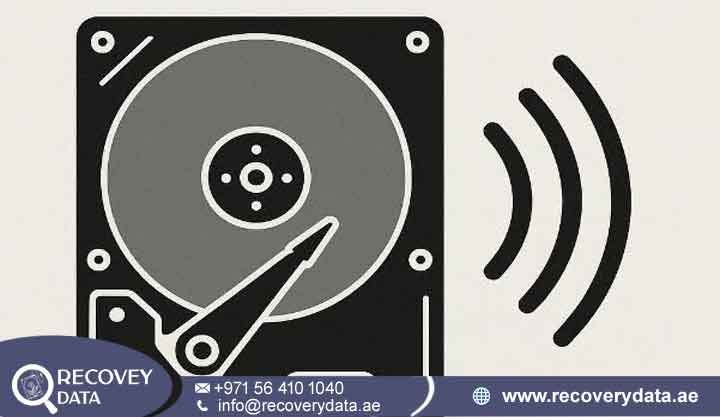
To understand why a hard drive clicks, it helps to look inside a traditional Hard Disk Drive (HDD). Unlike Solid State Drives (SSDs), HDDs use mechanical components to store and access information. Inside an HDD, data is stored on rapidly spinning magnetic platters. A small actuator arm moves read/write heads across these platters to locate and read the stored data. These components work together with extreme precision and require very small operating tolerances.
When a hard drive starts making clicking sounds, something may be preventing these internal components from working correctly. The read/write heads may struggle to find the correct data tracks. The actuator arm may repeatedly move back and forth while attempting to position the heads. In some cases, the drive may also experience problems with its firmware, spindle motor, or magnetic platter surface. This repeated movement can create the familiar clicking or ticking noise associated with a failing HDD.
The Mechanics of a Click: Read/Write Heads and Platters
Microscopic read/write heads read and write data on the platters. These heads sit on an actuator arm. The arm moves back and forth across the spinning platters at very high speeds. When a drive begins clicking, the actuator arm may repeatedly reset. It may fail to locate track data. It may also hit internal limits. These problems can occur when the drive cannot communicate correctly with its firmware. They can also happen when the drive cannot read the platter surface. The actuator arm may keep searching for the correct position. Internal component degradation can cause this problem. Electrical instability can also contribute to it. Physical surface damage may have the same effect. This repeated mechanical movement creates the familiar clicking or ticking noise.
What is a “Head Crash” and Why Does It Happen?
A clicking sound often points to hard drive head failure. A read/write head can become damaged or misaligned. It can also drop onto the spinning platter surface. Data recovery specialists call this a “head crash.” When the head touches the magnetic coating, it can cause physical damage. The contact can also produce microscopic metal debris. This damage often creates a rhythmic clicking or ticking noise. A head crash is a serious mechanical failure. The gap between a hard drive head and platter is extremely small. It is thinner than a human hair. Even a small shock or vibration can cause contact. Thermal expansion and component wear can also affect head alignment. At this speed, contact can cause severe damage. The damaged head can scrape the magnetic data layer. It may destroy the data stored on affected tracks. The drive’s control system may then attempt another read. This process can repeat again and again. The result is often an endless loop of clicking sounds.
Key HDD Failure Symptoms Associated with Clicking
A clicking sound rarely occurs alone. Other HDD failure symptoms can appear at the same time. These symptoms may indicate serious data loss.
Drive Disappears or Fails to Mount
Your operating system may suddenly disconnect the drive. It may also fail to display the drive in File Explorer or Finder. You may hear the drive spin up and then start clicking. The drive may then disappear from the system.
Endless Boot Loops or BIOS Not Detecting the Drive
A clicking boot drive can cause startup problems. Your computer may freeze during startup. It may enter an automatic repair loop. The BIOS or UEFI may also fail to detect the drive. The motherboard may wait for a response that never arrives.
Extremely Slow Performance or System Freezes
The system may freeze when you open certain folders. The drive may repeatedly attempt to read damaged sectors. Applications can become unresponsive. Mouse movement may also become slow or erratic. These problems can occur when the operating system waits for the failing drive.
Common Causes of Hard Drive Mechanical Failure
Mechanical hard drives contain precision components. They operate within very small tolerances. Several physical problems can cause them to fail.
Damaged Read/Write Heads
Wear and tear can damage the delicate read/write heads. Manufacturing defects can also affect them. Even mild impacts may cause problems. The heads must float correctly above the platters. Damage to the suspension arm can affect this movement. Long-term use can also cause metal fatigue. Small alignment changes can eventually cause physical contact. Once the head loses proper clearance, it can touch the platter. This contact can cause mechanical damage. It can also produce the familiar clicking noises associated with a failing drive.
Hard Drive Motor Failure and Spindle Issues
The spindle motor keeps the platters spinning. If the motor fails, the drive may not reach its required RPM. The read heads may then fail to calibrate correctly. This can cause initialization errors and mechanical clicking. Motor bearings can also wear over time. Poor lubrication can contribute to the problem. Physical shock may damage the motor as well. The drive needs a smooth and consistent spin. Without it, the read/write heads cannot maintain their proper position. The drive may then enter a repeated reset cycle.
Hard Drive Platter Damage (The Worst-Case Scenario)
Physical trauma can cause the read heads to severely gouge the magnetic platters. Scratched tracks may contain permanently damaged data. Minimizing run-time is critical when this happens. Every second of operation can increase the damage. A damaged head can continue dragging across the platter. It may destroy additional magnetic data tracks. A recoverable situation can quickly become an unrecoverable one.
Physical Damage from Drops, Shocks, or Power Surges
An external HDD powered on during a drop can suffer serious damage. Electrical surges can also damage the PCB and internal components. These problems can cause mechanical misalignment and clicking noises. A sudden jolt while the drive is active can move the actuator assembly. It can also bend internal components or damage the ceramic sliders. Such damage can stop the drive from operating normally.
What NOT to Do If Your Hard Drive Is Clicking (Critical Warnings)

When panic sets in, it is easy to follow dangerous advice. If your hard drive is making clicking sounds, stop using it immediately. Continued operation can increase the risk of further damage.A failing read/write head can scratch the platters. This damage can cause irreversible data loss. Disconnect the power cable or unplug the external hard drive as soon as possible. Do not keep restarting the computer. A reboot will not repair a mechanical fault. Repeated attempts to access a mechanically damaged drive can make the problem worse. They can also reduce the chances of successful data recovery.
Avoid DIY Hard Drive Repairs
You should also avoid DIY fixes such as the freezer trick. Placing a hard drive in a freezer can cause condensation. Moisture can damage internal components when you remove the drive. Condensation can also contaminate the platters. Slapping, shaking, dropping, or hitting the drive can cause additional damage. These actions can damage the read/write heads, actuator assembly, and motor. Some internet forums recommend freezing or hitting a clicking hard drive. These methods do not repair mechanical failures. They can instead cause more physical damage. They may also make professional recovery more difficult.
Do Not Run CHKDSK or Recovery Software
Do not run CHKDSK, FSCK, disk repair utilities, or data recovery software on a clicking hard drive. These tools may force the drive to perform repeated read and write operations. A mechanically damaged drive may struggle with these operations. Repeated access can place additional stress on failing components. Software cannot repair broken read/write heads, damaged actuator arms, seized motors, or scratched platters. Repeated software scans can increase platter damage. They may also make important files harder to recover. In severe cases, they can make recovery impossible.
Disconnect the Clicking Hard Drive
If your hard drive is clicking, the safest approach is to stop using it and disconnect it. Avoid unnecessary power cycles. Do not attempt DIY repairs. Avoid software-based repair attempts. These precautions can help protect the remaining data. They can also improve the chances of professional data recovery.
Can Data Be Recovered from a Clicking Hard Drive?
Yes, professional specialists may recover data from a clicking hard drive. Software cannot normally solve a mechanical failure. Clicking noises often result from physical or mechanical problems. Recovery therefore requires specialized hardware and professional techniques.
The Role of a Certified Cleanroom Hard Drive Recovery Environment
Professional technicians may need to open the hard drive. They must perform this work inside an ISO-certified Class 100 cleanroom. A cleanroom limits airborne particles around the exposed drive. Even small dust particles can damage the platter surface. A single particle can interfere with the read/write head. Technicians use controlled environments to reduce this risk. Cleanrooms also use advanced HEPA and ULPA filtration systems. These systems help maintain the clean conditions required for physical data recovery.
Head Replacement and Mechanical Donor Parts Procedures
Specialists can use compatible donor parts to replace a damaged read/write actuator assembly. They select donor components carefully. Firmware versions, model numbers, manufacturing dates, and batch codes can all matter. Technicians use specialized tools and microscopes during the procedure. They carefully transplant fragile head assemblies. They avoid contact with the sensitive platter surfaces. After restoring stable mechanical operation, technicians can begin data extraction. They may bypass damaged sectors during the process. They can then clone the available data sector by sector.
Professional Hard Drive Diagnostic Service in the UAE
Businesses and residents across the UAE may experience sudden storage failure. Dubai and Abu Dhabi users may need professional assistance when this happens. Recovery Data provides secure evaluations for different types of mechanical failures. These include portable external HDDs, desktop drives, and enterprise storage systems. Technicians handle every device with strict confidentiality. They use advanced cleanroom diagnostic tools during evaluation. These tools help determine the extent of internal damage. The evaluation also helps determine recovery feasibility. Every device receives a careful assessment before recovery work begins. This approach helps protect important family memories, corporate records, and financial files.
Frequently Asked Questions
Is a clicking hard drive always a sign of permanent data loss? Not necessarily. The drive hardware may have suffered permanent damage. However, professional specialists may still recover the files. They can use specialized techniques in a cleanroom environment.
Can I use data recovery software if my hard drive is making clicking noises? No. Data recovery software depends on the drive’s firmware and read heads. A clicking drive may have damaged mechanical components. Running software scans can force the heads to work repeatedly. This can increase the risk of platter damage.
How long does a professional hard drive diagnostic take in Dubai? Standard diagnostics typically take 24 to 48 hours. Technicians use this time to assess the mechanical condition of the drive. They can then provide a recovery evaluation.
Where can I securely submit a failing hard drive for evaluation in the UAE? You can bring your device to our facility in Dubai. You can also contact our team about secure pickup and drop-off options. These options are available across Dubai, Abu Dhabi, Sharjah, and other emirates.
Secure Your Files with Expert Assistance
If your storage device has started making clicking or ticking noises, stop using it immediately. Do not risk important documents, memories, or business databases with trial-and-error fixes.
Contact Recovery Data for a professional data recovery assessment.
Email: info@recoverydata.ae
Phone: +971 56 410 1040
Location: Dubai, UAE