
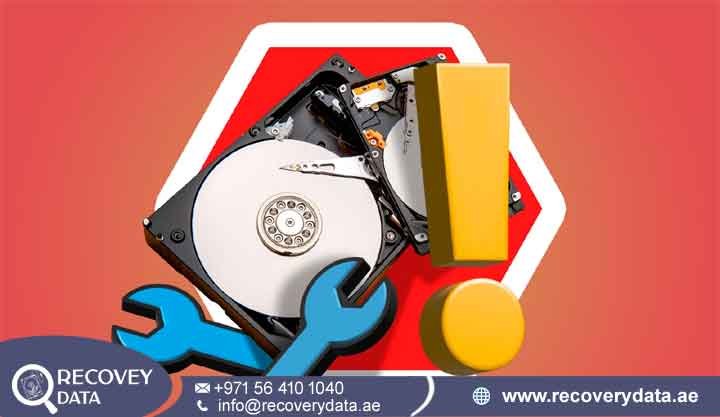
Few moments are more stressful for a computer user or business professional than a storage drive suddenly going silent. An internal hard drive may contain essential business files. An external drive may store years of family photos and videos. When the drive stops working, productivity can come to a sudden halt. In a busy and technology-driven city like Dubai, people depend heavily on digital storage. Corporate offices in Downtown Dubai, creative professionals in JLT, and rwarning signs can also helpesidential users across the UAE all rely on working storage devices. When a drive suddenly fails, the situation can become stressful very quickly. Understanding why hard drives fail can help you respond correctly. Recognizing early you protect important files. Most importantly, knowing what to do after a failure can improve the chances of successful data recovery.
Understanding Hard Drive Failures: The Anatomy of a Crash
To understand why a hard drive suddenly stops working, it helps to understand how it operates. Traditional Hard Disk Drives (HDDs) contain several highly precise mechanical and electronic components. Magnetic platters spin at high speeds inside the drive. Many consumer HDDs operate at 5,400 or 7,200 RPM. Read/write heads move across the platter surface to locate stored information. These heads operate with extremely small tolerances.The drive performs these operations whenever the computer reads or writes data. The components must work together with great precision. Even a small mechanical fault can interrupt normal operation. Several problems can cause a sudden failure. A damaged read/write head can prevent the drive from reading data. A weak spindle motor can stop the platters from reaching operating speed. Damaged platter areas can also make important sectors difficult to read. A failing drive may not stop working immediately. Instead, it may become slower over time. You may notice freezing, unusual sounds, failed file transfers, or random disconnections. In other cases, the drive may fail without warning. An electrical surge, physical impact, or serious component defect can cause an immediate shutdown. Because mechanical HDDs contain moving parts, they remain vulnerable to physical wear. Continued use can also make certain mechanical problems worse. This makes early diagnosis especially important when the drive contains valuable data.
2. Top Reasons Why Hard Drives Fail Suddenly in Dubai
Hard drives can fail for many different reasons. Environmental conditions, physical damage, electrical problems, mechanical wear, and logical corruption can all affect storage devices. Several factors can explain why a hard drive suddenly stops working in Dubai and across the UAE.
Environmental Factors: Heat, Humidity, and Dust
Dubai experiences extremely high temperatures during the summer. Computers and storage devices can experience thermal stress when they operate in poorly ventilated environments. Air conditioning helps control indoor temperatures. However, server rooms, offices, home workstations, and portable computers can still become hot. Continuous operation can increase this stress. Excessive heat can affect electronic components. Repeated heating and cooling can also place stress on mechanical and electrical connections. Over time, this stress may contribute to component degradation. Poor ventilation creates another risk. A computer that cannot release heat efficiently may operate at higher temperatures for long periods.
This can shorten the useful life of storage hardware. Dust can create additional problems. Construction work, building maintenance, and desert conditions can introduce fine particles into computer environments. Dust can collect around ventilation openings, drive enclosures, and cooling systems. A properly sealed HDD protects its internal platters from normal environmental dust. However, opening the drive outside a controlled environment creates a serious contamination risk. Fine particles can interfere with the read/write heads. They can also damage sensitive platter surfaces when the heads move across them. A severe head crash can scratch the platter and make Recovery Data much more difficult. Businesses and home users should therefore maintain good ventilation and suitable operating temperatures. Regular equipment maintenance can also reduce environmental risks.
Electrical Issues and Power Surges
Electrical problems can also cause sudden hard drive failure. The UAE generally has a stable electrical infrastructure, but individual equipment can still experience voltage problems. Power surges can occur because of faulty power supplies, damaged adapters, electrical faults, or unusual power events. Lightning activity can also create electrical risks during storms. A sudden electrical spike can damage sensitive components inside a hard drive. The Printed Circuit Board (PCB) controls important electronic functions. It manages power delivery and communication between the drive and computer. A strong surge can damage components such as diodes, voltage regulators, controller chips, and power management circuits. When this happens, the drive may stop responding completely. A damaged drive may not spin. The computer may fail to detect it. The drive may also disappear from BIOS or UEFI. Some electrical failures affect only the PCB. Other failures can damage additional internal components. Repeatedly powering the drive can increase the risk of further damage. If the drive contains important files, avoid unnecessary power cycles. A professional diagnostic assessment can determine whether the failure involves the PCB, power circuitry, firmware, or internal mechanical components.
Mechanical and Physical Impact
Physical impact represents one of the biggest risks for mechanical hard drives. The risk becomes especially serious when the drive operates during the impact. Dropping a laptop while it runs can damage the HDD. Dropping an external hard drive from a desk can cause similar problems. Strong vibration can also affect sensitive internal components. HDD platters rotate at high speeds. The read/write heads move extremely close to their surfaces. A sudden impact can therefore cause the heads to move unexpectedly. In severe cases, the head can contact the platter. This event can create a head crash. The contact may scratch the magnetic surface and damage the sectors containing important files. Physical impact can also create debris inside the drive. The debris may interfere with the heads and cause additional platter damage. A damaged spindle motor creates another serious problem. The motor rotates the platters at the required operating speed. If the motor fails, the drive may not spin correctly. A damaged drive may produce unusual sounds. It may repeatedly attempt to start. It may fail to spin completely. The computer may also stop detecting it. If an important HDD suffers a physical impact, avoid repeatedly testing it. Every additional power cycle can increase mechanical stress. Professional assessment provides a safer approach for valuable data.
Logical Corruption and File System Failures
Not every hard drive failure involves physical damage. Sometimes the hardware works correctly, but the logical structure becomes corrupted. An abrupt shutdown can damage file-system information. This can happen when a computer loses power during a write operation. Removing an external drive without safely ejecting it can also create problems. File systems such as NTFS, exFAT, APFS, and EXT4 rely on important structures to organize files and folders. Corruption can make those structures difficult for the operating system to read. The computer may still detect the drive. However, files may appear missing or inaccessible. A partition may also appear as RAW or unallocated. Malware and ransomware can create additional logical problems. Malware may alter files or directory structures. Ransomware can encrypt files and prevent normal access. These situations require careful handling. Formatting the drive or rebuilding partitions without understanding the problem can overwrite important information. When the drive still works physically, the recovery process should focus on protecting the existing data. A specialist can determine whether the problem involves file-system corruption, partition damage, deleted information, or another logical issue.
3. Recognizing the Signs of Imminent or Sudden Failure
Hard drives do not always fail without warning. Many drives show symptoms before they become completely inaccessible. Some failures happen instantly. A major electrical surge or severe physical impact can cause immediate failure. However, other problems develop gradually. Recognizing these warning signs gives you an opportunity to protect important files. One of the most concerning symptoms is a rhythmic clicking, ticking, or grinding sound. People often describe repeated clicking as the “click of death.” The sound can indicate problems with the read/write heads or internal mechanical systems. Extreme slowness can also indicate trouble. Files may take much longer to open. Transfers may become unusually slow. The computer may freeze when you access a specific folder. Other warning signs include disappearing files and random drive disconnections. An external HDD may repeatedly disconnect and reconnect. The drive may also appear and disappear from the operating system. More serious symptoms can occur when the drive approaches complete failure. The HDD may disappear from Disk Management. BIOS or UEFI may also stop detecting it. A computer may display messages such as “Boot Device Not Found.” The system may also fail to start because it cannot access the operating system. Do not ignore these symptoms. Continued use can place additional stress on a failing drive. If the device contains important data, stop unnecessary activity and consider professional assessment.
4. Critical Mistakes to Avoid When a Hard Drive Stops Working
When a hard drive suddenly stops working, panic can lead to harmful decisions. Some common troubleshooting steps can make a recoverable problem much worse.
If the drive contains important information, avoid the following actions.
Do Not Keep Reconnecting a Failing Drive: Avoid repeatedly connecting a clicking or grinding HDD. Every power cycle can place additional stress on damaged mechanical components. Disconnect the drive and avoid unnecessary testing. Do Not Trust Unverified DIY Recovery Software: Recovery software can help with some logical problems. However, it cannot repair serious mechanical damage. Intensive scanning can place heavy demands on a failing drive. It can also worsen an unstable situation. Never Open a Hard Drive at Home:
Never open an HDD in a normal room. Dust and airborne particles can contaminate the internal platters. Professional recovery laboratories use controlled environments for internal drive work. Avoid Shaking or “Freezing” Drives: Do not shake, hit, or freeze a failing hard drive. These old DIY methods can cause additional physical or electronic damage. Temperature changes can also create condensation and increase the risk of further problems.
5. Professional Data Recovery Solutions in Dubai
Some storage failures require specialist intervention. Professional data recovery teams use specialized equipment and controlled procedures to handle complex failures. The recovery process should begin with a proper diagnosis. Technicians first identify the type and severity of the failure. They then select an appropriate recovery strategy.
The Professional Diagnostic Process
Every professional recovery case should begin with a detailed evaluation.
Initial Assessment:
Engineers determine whether the problem involves logical corruption, electronic damage, firmware problems, or mechanical failure. Logical failures can include deleted partitions and corrupted file systems. Electronic failures can involve damaged PCBs or power components. Mechanical failures can involve damaged heads or spindle motors.
Class 100 Cleanroom Environment:
Engineers use controlled cleanroom environments when they need to open a damaged HDD. These environments reduce airborne contamination and protect exposed platter surfaces. Controlled airflow and filtration help minimize particles during sensitive procedures. Technicians should perform internal HDD work with appropriate tools and equipment.
Component Interchange and Cloning:
Specialists may use compatible donor components when a damaged mechanical or electronic component prevents normal operation.After stabilizing the drive, technicians may create a sector-by-sector image. This process copies readable data to a healthy storage device. Engineers then work from the image instead of repeatedly stressing the original media. The goal is to preserve the source drive while maximizing the amount of recoverable data.
Specialized Scenarios Handled Professionally
RAID, NAS, and Server Recovery:
Enterprise storage systems require a different recovery approach. RAID arrays can experience multiple drive failures, controller problems, metadata corruption, or configuration loss. Specialists may need to reconstruct the RAID structure before they can extract files. Incorrect rebuilding can overwrite critical information. Professional analysis can reduce this risk.
SSD Recovery Challenges:
SSDs operate differently from traditional HDDs. They do not use spinning platters or mechanical read/write heads. Modern SSDs use NAND flash memory and controller technology. Some recovery cases require specialists to work with raw NAND data and reconstruct the logical information. Encryption, wear leveling, garbage collection, and proprietary controller systems can make SSD recovery complex. The correct approach depends on the specific SSD architecture and failure.
Water, Fire, and Physical Damage:
Storage devices can also suffer from water, fire, smoke, corrosion, or crushing. These cases require careful handling before engineers attempt data extraction. Technicians may need to clean contaminated components and stabilize damaged electronics. Severe physical damage may also require component replacement or specialized recovery procedures.
Frequently Asked Questions (FAQ)
How much does data recovery cost in Dubai?
Data recovery costs vary according to the type and severity of the failure. A simple deleted-file recovery usually requires less work than a mechanical HDD recovery. RAID reconstruction, severe physical damage, and cleanroom procedures can require more specialized equipment and labor. A professional diagnostic assessment can identify the problem before the recovery team provides a recovery quote.
Can data be recovered from a completely dead hard drive?
Sometimes, yes. A hard drive can appear completely dead because of electronic or mechanical problems. A damaged PCB, power component, firmware issue, or internal mechanical failure may prevent normal operation. Engineers can diagnose the affected components and determine whether the storage media remains accessible. The final recovery outcome depends on the condition of the platters and other internal components. No responsible provider should guarantee recovery before examining the drive.
Can deleted files be recovered after being emptied from the Recycle Bin?
Yes, recovery may remain possible after you empty the Recycle Bin. When you delete a file, the operating system may remove its reference without immediately erasing the underlying data. New files can overwrite those storage areas later. Once new data overwrites the original sectors, recovery becomes more difficult or impossible. Stop using the affected drive as soon as possible. Avoid downloading, installing, or copying new files onto it.
How long does the data recovery process take?
Recovery time depends on the failure type and the condition of the storage device. Simple logical recoveries may take less time. Mechanical failures can require much more careful work. Large RAID systems can also require additional processing and reconstruction. A professional evaluation can provide a more realistic timeframe after engineers identify the failure.
Is my data kept confidential during the recovery process?
A reputable data recovery provider should use strict confidentiality and security procedures. Professional facilities may use controlled access, secure storage, encrypted transfer methods, and isolated recovery systems. These measures help protect personal photographs, business documents, financial records, and other sensitive information. Before handing over a device, ask the recovery provider about its privacy procedures and data-handling policies.
Professional Assistance & Next Steps
A sudden storage failure can interrupt business operations and put important personal files at risk. The right response can help protect the remaining data. If your hard drive suddenly stops working, avoid unnecessary power cycles and do not attempt risky repairs. Instead, seek a professional assessment as soon as possible.
Contact a professional data recovery provider in Dubai for an evaluation of your failed storage device.
Email: info@recoverydata.ae
Phone: +971 56 410 1040
Location: Dubai, UAE