
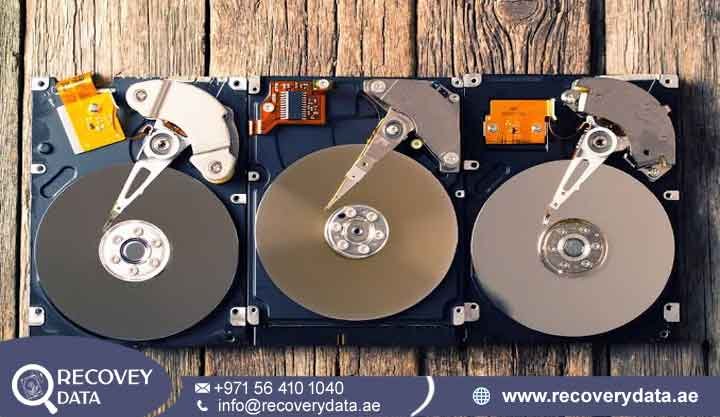
When a hard drive suddenly stops spinning, becomes silent, or disappears from your computer, an electronic fault may be the cause. A damaged Printed Circuit Board (PCB) can stop the drive from receiving power or communicating with your computer. In such cases, hard drive PCB failure data recovery Dubai services can help recover important files without putting the original data at greater risk.
At Recovery Data, we provide professional data recovery for hard drives with electronic and PCB-related failures. Our technicians use specialized tools to diagnose damaged circuit boards and restore drive access where possible. We support home users, businesses, and organizations across Dubai and the UAE. Our service also covers Abu Dhabi, Sharjah, Ajman, and other Emirates.
Understanding Hard Drive PCB (Circuit Board) Failures
The Printed Circuit Board, or PCB, sits on the underside of a hard disk drive. It controls the electronic functions that allow the drive to work. The board manages power distribution, motor control, data communication, and other important operations. It also helps the computer communicate with the drive through interfaces such as SATA or SAS. The PCB works together with the mechanical parts inside the hard drive. These parts include the spindle motor and read/write heads. The PCB sends power and control signals to these components. It also processes commands from the computer. If the circuit board fails, the drive may stop working even when the magnetic platters still contain the original data. A PCB can fail for many reasons. A power surge may damage sensitive electronic components. An incorrect power adapter can also send too much voltage to the drive. Heat, short circuits, physical damage, and component aging can cause similar problems.
Signs of a Hard Drive PCB Failure
A failed PCB can produce several warning signs. One common sign is a hard drive that remains completely silent after you connect it to power. The drive may not spin at all. This can happen when the PCB cannot deliver power to the spindle motor. Another warning sign is a burning smell or visible damage on the circuit board. You may notice black marks, burned components, or signs of overheating. These symptoms often point to an electrical problem. Disconnect the drive immediately if you notice smoke or a burning odor. The computer may also fail to detect the hard drive.
The drive might not appear in BIOS or UEFI. Windows Disk Management may also fail to display it. Other storage utilities may show similar behavior. In some cases, connecting the damaged drive can cause the computer to shut down. The power supply may activate its protection system because of a short circuit. Do not keep reconnecting the drive when this happens. Repeated power attempts can increase the damage. These symptoms do not always confirm a PCB failure. Mechanical faults, firmware problems, and power issues can create similar symptoms. A professional diagnosis can identify the actual cause before recovery work begins.
Common Causes of HDD Circuit Board Damage in the UAE
Hard drive PCBs contain sensitive electronic components. Voltage changes and environmental conditions can affect these components. Several common problems can lead to PCB damage in the UAE.
Power Surges and Electrical Fluctuations
Power surges can send excessive voltage through a hard drive. The sudden increase can damage protection components, regulators, and controller circuits. Electrical storms and unstable power sources can also create similar risks. A surge does not always destroy the entire PCB. It may damage one or two components instead. A technician can sometimes identify and replace these damaged parts. The recovery method depends on the exact condition of the board.
Incompatible Power Supplies
External hard drives often use separate power adapters. Using the wrong adapter can damage the drive’s electronics. An adapter with the wrong voltage or polarity can cause an immediate electrical failure. Cheap or poor-quality power supplies can also create unstable voltage. Always use the power adapter recommended for the enclosure or drive. If you suspect a power-related failure, stop using the device and arrange a professional inspection.
Electrostatic Discharge
Static electricity can damage sensitive electronic components. This risk increases when someone handles a bare hard drive without proper grounding. A small static discharge may affect the controller or other components on the PCB. Professional recovery technicians use suitable handling procedures when working with exposed circuit boards. This reduces the risk of additional electronic damage during diagnosis and repair.
Component Aging and Heat
Hard drives generate heat during normal operation. Excessive temperatures can place additional stress on electronic components. Long-term heat exposure may affect capacitors, solder joints, controllers, and other PCB components. Poor ventilation can increase this risk. Dust buildup can also reduce airflow around external drive enclosures and computer systems. Keeping storage devices in a suitable operating environment can help reduce thermal stress.
Can Data Be Recovered from a Hard Drive with a PCB Failure?
Yes, data recovery may be possible when a hard drive has a PCB failure. The important factor is the condition of the magnetic platters and internal components. A damaged circuit board does not automatically mean that the stored files have disappeared. The PCB provides the electronic connection between the computer and the internal drive mechanisms. When it fails, the computer may lose access to the data. The files may still remain intact on the platters. However, recovering the data requires more than replacing the damaged board. Modern hard drives use drive-specific firmware information. This information can include adaptive parameters and calibration data. Some of this information may reside in ROM, NVRAM, or other controller areas.
Why a Simple PCB Replacement May Not Work
A donor PCB may look identical to the damaged board. That does not mean it will work with your hard drive. Modern drives can require specific firmware information from the original PCB. A basic board swap may therefore fail to initialize the drive. In some cases, an incorrect repair can create additional problems. Technicians must identify the correct donor board and preserve the original drive-specific information. For this reason, HDD PCB failure data recovery Dubai requires careful diagnosis and specialized equipment. A professional technician can determine whether the original PCB needs component repair or whether a compatible donor board is necessary.
Our Professional Hard Drive PCB Repair and Recovery Process
At Recovery Data, we follow a structured process for PCB-related recovery cases. We first identify the failure. We then select the safest recovery method. This approach helps protect the original storage media during the recovery process.
1. Comprehensive Diagnostic Evaluation
We first examine the hard drive and its PCB. Our technicians look for burned components, short circuits, damaged connectors, and other signs of electronic failure. We also check whether the problem extends beyond the circuit board. The diagnostic process can include checks of TVS diodes, controller chips, power circuits, and other electronic components. We also assess the overall condition of the drive before starting advanced recovery work. This step helps us avoid unnecessary repairs. It also helps determine whether the PCB caused the failure or whether another internal component created the problem.
2. Sourcing Exact Donor Hardware
If the original PCB cannot provide a safe repair path, we may source a compatible donor board. Our technicians compare important drive details before selecting the donor hardware. These details can include the PCB number, firmware information, controller type, manufacturing information, and other identifiers. A matching donor board provides a suitable foundation for the next recovery stage. We do not rely only on the model name printed on the drive. Modern hard drives can have different firmware and hardware configurations within the same model family.
3. Micro-Soldering and ROM Transfer
Some PCB failures require component-level repair. Our technicians use precision tools and microscopes for this work. They can remove damaged components and install suitable replacements when possible. A donor PCB may also require a transfer of the original ROM or other drive-specific information. Technicians perform this work with controlled micro-soldering techniques. The goal is to preserve the information that allows the drive’s electronics to communicate correctly with its internal components. The exact procedure depends on the hard drive model and failure type. Not every PCB requires a ROM transfer. A diagnostic assessment determines the appropriate method.
4. Sector-by-Sector Cloning
After the electronics become stable, we focus on creating a controlled image of the drive. Professional data recovery hardware can read the drive at a low level. This allows technicians to manage unstable areas more carefully. We create a sector-by-sector clone on a separate storage device. The recovery process can handle weak or problematic sectors without relying on normal operating system access. Once the image is available, technicians can examine the file system and work on file reconstruction. This approach reduces the need to repeatedly access the original damaged drive.
Recovery for Other Storage Technologies
PCB and electronic failures can also affect other storage technologies. SSDs, NAS systems, RAID arrays, and enterprise storage devices use complex electronic components. Their recovery requirements can differ from traditional hard drives.
SSD Electronic Failure
SSDs use controllers, NAND flash memory, and power management components. An electronic fault can prevent the SSD from appearing on a computer. The stored data may still exist inside the flash memory chips. SSD recovery can require specialized techniques. Controller architecture, encryption, and wear-leveling can affect the recovery process. Technicians must first identify the SSD design before selecting a recovery method.
NAS and RAID Failures
NAS devices often contain several hard drives. A PCB or power problem can affect one or more drives in the system. RAID configurations can make recovery more complex because files may span multiple disks. A technician may need to examine every drive before attempting reconstruction. The original RAID structure, drive order, file system, and configuration all matter. Professional RAID recovery tools can help rebuild the virtual storage structure from stable drive images.
Why Choose Recovery Data in Dubai?
Choosing a data recovery company requires more than finding a service with suitable equipment. You also need a team that understands storage hardware and follows careful recovery procedures. At Recovery Data, we focus on technical assessment, controlled handling, and clear communication. Our team works with hard drives affected by PCB damage, electronic faults, mechanical failures, and other storage problems. We assess the condition of the device before recommending a recovery approach. This helps reduce unnecessary handling and protects the original storage media.
Advanced Engineering Facility
Recovery Data uses professional equipment for electronic diagnostics and data recovery. Our engineering setup supports component inspection, micro-soldering, and controlled data imaging. For complex cases, technicians can use specialized recovery platforms to access drives at a lower level. Where internal hard drive work becomes necessary, controlled cleanroom facilities can help protect sensitive internal components from contamination.
Strict Data Confidentiality
Data recovery cases can involve sensitive information. A failed drive may contain business documents, financial records, customer files, photographs, videos, or private information. We understand the importance of confidentiality during the recovery process. Our procedures focus on controlled access and careful handling of customer storage devices and recovered files.
Convenient UAE Coverage
Customers across the UAE may need help with damaged storage devices. Recovery Data provides collection and drop-off coordination in Dubai and other UAE locations. Our service supports customers in areas such as Abu Dhabi, Sharjah, Ajman, and other Emirates. This makes it easier to arrange professional recovery without repeatedly transporting or testing a damaged drive.
Transparent Assessment
We believe customers should understand the recovery process before major work begins. Our technicians assess the storage device and explain the likely failure and recovery requirements. We also communicate the next steps based on the technical findings. This helps customers make informed decisions about their important data.
Frequently Asked Questions
Can a damaged hard drive PCB be repaired instead of replaced?
Yes, some PCB failures can be repaired. Power surge damage may affect individual components such as TVS diodes, resistors, or other power circuits. A technician can test these components and determine whether repair is practical. A complete PCB replacement may not always be necessary. The correct approach depends on the type and severity of the electronic damage.
What should I do if my external hard drive smells like it is burning?
Disconnect the hard drive from power immediately. Do not continue testing it on another computer. Avoid reconnecting the drive several times to check whether it works. A burning smell can indicate an electrical short or damaged component. Further power attempts may increase the damage. Professional diagnosis provides a safer way to determine the cause.
How long does hard drive PCB data recovery take?
The recovery time depends on the type of PCB damage and the condition of the hard drive. Initial diagnosis may take less time than advanced repair and imaging. If a donor PCB or special component is required, sourcing can also affect the turnaround time. A technician can provide a more accurate estimate after examining the drive.
Is it safe to replace a hard drive PCB myself?
DIY PCB replacement can create additional problems. A matching model number does not always guarantee compatibility. Modern hard drives may require drive-specific firmware or ROM information. An incorrect board can prevent the drive from initializing. It can also complicate later professional recovery. If the data is important, professional assessment is the safer option.
Contact Recovery Data Today
If your hard drive has suffered an electrical surge, PCB burnout, power damage, or sudden electronic failure, stop using the device and seek professional help. Repeated power attempts can increase the risk of further damage. Recovery Data provides professional hard drive PCB failure data recovery in Dubai. Our technicians can examine the circuit board, identify the failure, and determine the safest recovery method. We also assist customers with other hard drive, SSD, NAS, and RAID recovery cases.
If your important files are no longer accessible, contact our team for an assessment and guidance on the next step.
Email: info@recoverydata.ae
Phone: +971 56 410 1040
Location: Dubai, UAE